Pressbook vs SCRL, 17v28, Crsel & Canva for Collages and Carousels
Collages and carousels are the short formats: one frame for a story, or a swipe of panels for Instagram. The apps people actually name are SCRL, 17v28, Crsel, Tezza, Canva, PicCollage, Unfold, and CapCut.
Pressbook sits in that conversation with a different thesis: continuous short formats and print albums from the same on-device camera roll, without a design account.
Ranked roundup: best Instagram carousel makers. Albums: Pressbook vs Mixbook, Chatbooks, Artifact Uprising.
Field map (not a wide matrix)
| Cluster | Apps | Built for |
|---|---|---|
| Seamless carousel natives | SCRL, 17v28, Crsel | Multi-slide posts that connect |
| Aesthetic editors | Tezza, Unfold | Film look, Stories, feed polish |
| Template marketplaces | Canva, PicCollage | Brand kits or sticker scrapbooks |
| Motion | CapCut | Timelines and effects |
| On-device studio | Pressbook | Camera-roll finish + private share + print albums |
Creator apps win scrapbook volume. Pressbook wins private camera-roll continuity plus print albums in the same app.
| Factor | SCRL | 17v28 / Crsel | Canva | Pressbook |
|---|---|---|---|---|
| Continuous swipe | Strong | Strong | Template | Wide canvas |
| Max panels | More than 10 | Multi-slide | Varies | 2 to 10 |
| Video in grids / panels | Often Premium | In product · sub for full kit | Free design · Pro stock | Free compose · Pro for HQ export |
| Stickers / full library | Templates · Premium unlocks more | Large packs · sub for full access | Free + Pro stock | 573 free + cutouts |
| Upload to design | Social app | Tracking label | Cloud | None |
| Print album same app | No | No | No | 600 DPI (Pro) |
| Private family gift | No | No | Team links | iCloud (free) |
What Pressbook short formats are
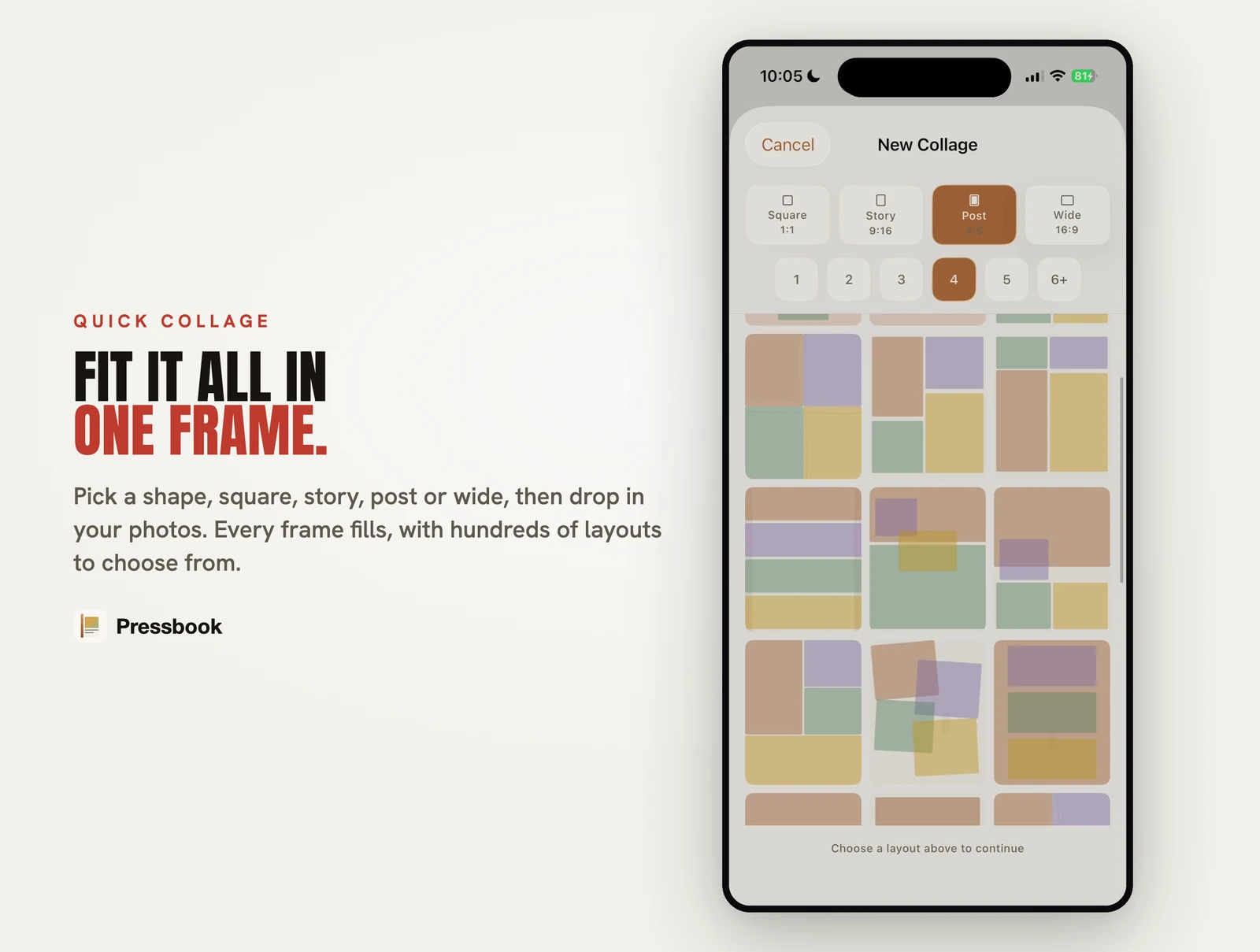
Quick Collage
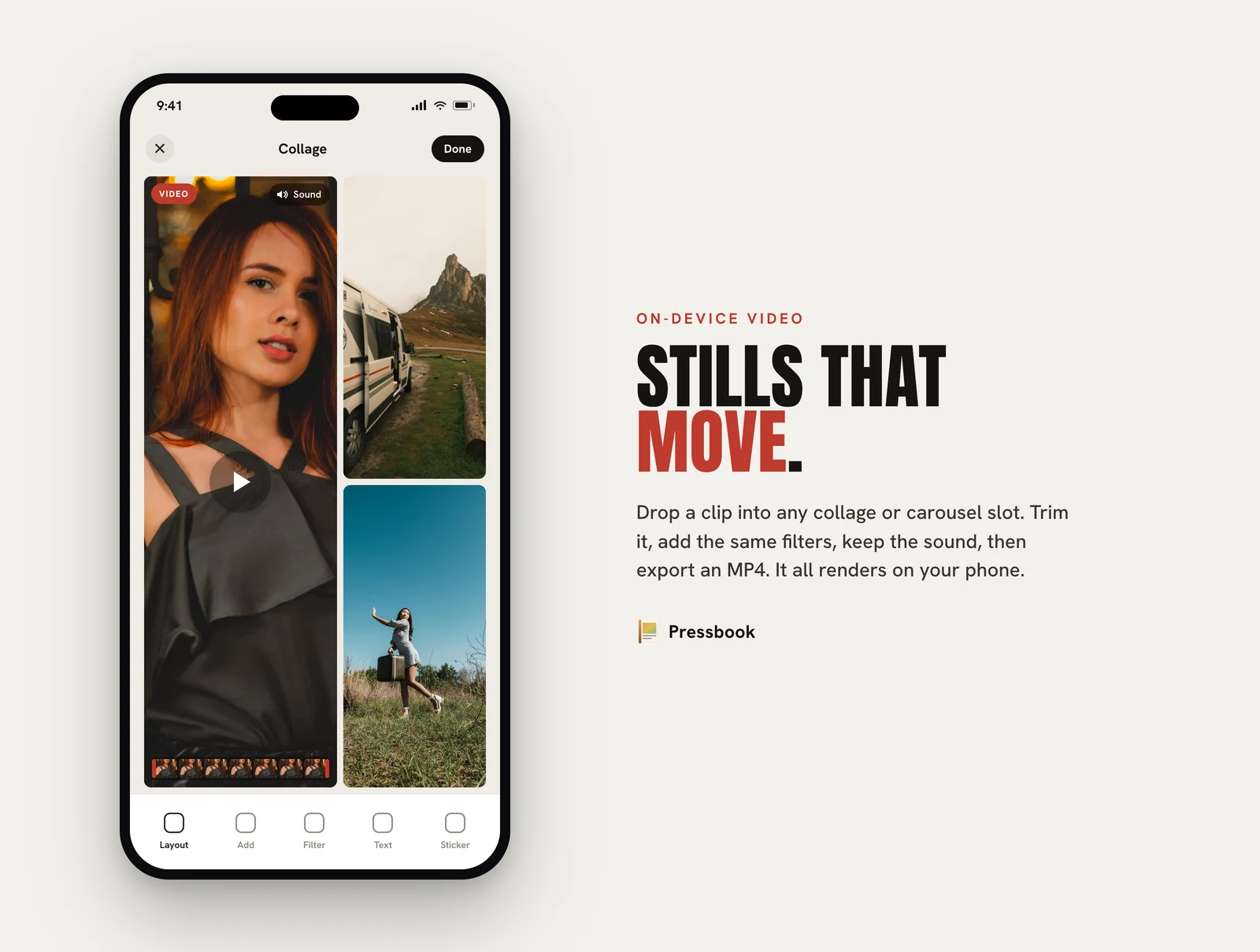
One page. Square, story, or post. Live layout preview. Same editor as albums: filters, stickers, subject cutouts, curved text, photo-filled type. Optional video on the canvas; high-quality MP4 export is Pro.
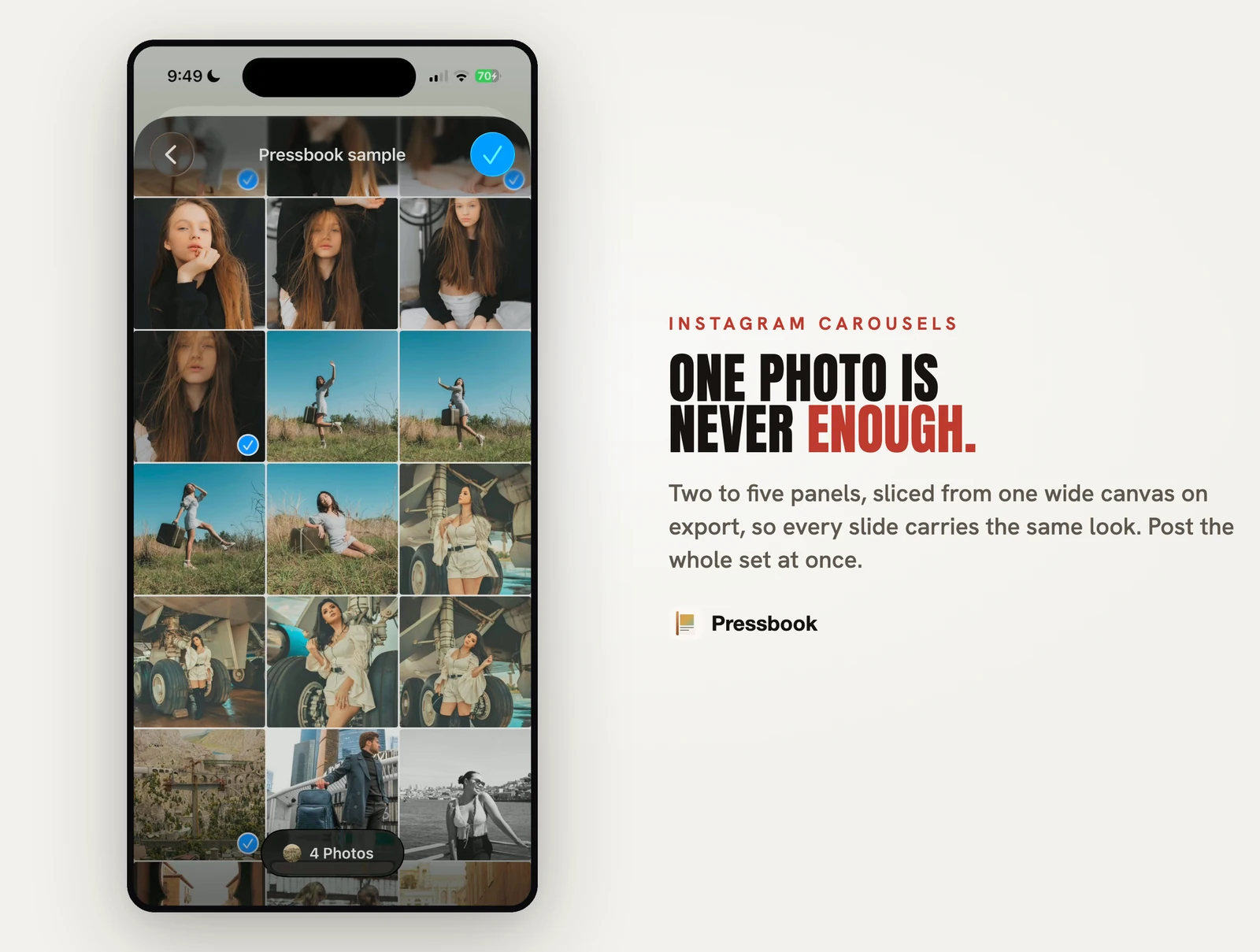
Carousel
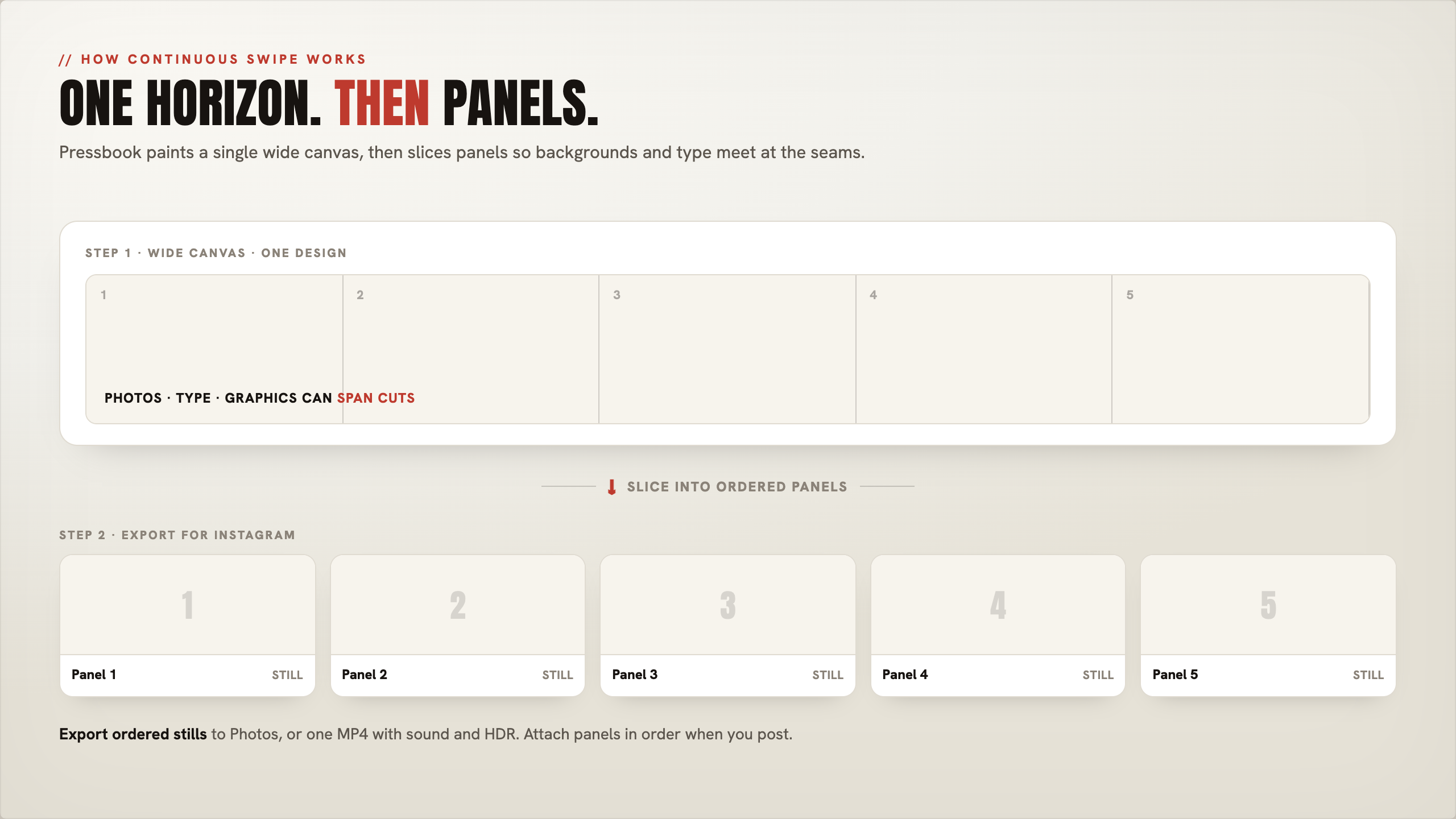
2 to 10 panels on one wide canvas, then sliced so the design continues across the swipe. Square or 4:5. Video in any panel; smart guides snap to panel edges. Export ordered stills or one MP4 (high-quality video is Pro).
How-tos: collage · carousel · video.
Free vs locked (read the paywall, not the marketing)
Creator apps are free downloads. The useful half is often a subscription. Numbers and locks move; check the live App Store sheet before you buy. Pattern as of mid-2026:
| App | Typically free enough to try | Commonly locked behind pay |
|---|---|---|
| SCRL | Core collage / carousel layouts | Premium: all templates/layouts/tools (Play Store Premium copy also lists video in grids) |
| 17v28 | A usable free subset of stickers/templates | Subscription for full packs, many templates, and the “everything unlocked” library (reviews call this out) |
| Crsel | Basic carousel / story starts | Crsel Plus: unlimited access to features and tools (users report much of the kit is premium) |
| Tezza | Limited presets | Tezza Pro: full filter / template / creator library |
| Canva | Solid free design | Pro: premium stock (photos, video, audio), Brand Kit depth, advanced download options |
| CapCut | Strong free timeline edit | Pro / Standard: premium templates (watermark if used free), 4K / advanced AI / full asset library |
| Pressbook | Collages, carousels, all 573 stickers, all 249 templates, filters, private share; albums ≤20 photos with screen-res + watermark | Pro: 600 DPI PDF, high-quality video export, 1,000 photos/album, no watermark, Apple Pencil tools |
That is the real Pressbook case against feed apps: stickers, templates, and short-format compose are free. Competitors often charge for the sticker dump and for video in grids. Pressbook Pro is for print-grade PDF and high-quality video, not for unlocking the sticker shelf.
Editor toolkit (what free Pressbook still includes)
17v28 and Crsel sell scrapbook volume (often after a sub). Pressbook sells private camera-roll craft with a serious canvas, then a print path the feed apps skip.
| Tool | On free Pressbook | Vs SCRL / 17v28 / Crsel / CapCut |
|---|---|---|
| Video on canvas | Drop into collage or any carousel panel; trim, mix, filter | SCRL often needs Premium for video in grids; CapCut free for basic edit, Pro for premium assets / 4K |
| HQ video export | Pro (high-quality / HDR-class export) | CapCut free tops out lower; Pro unlocks 4K-class paths |
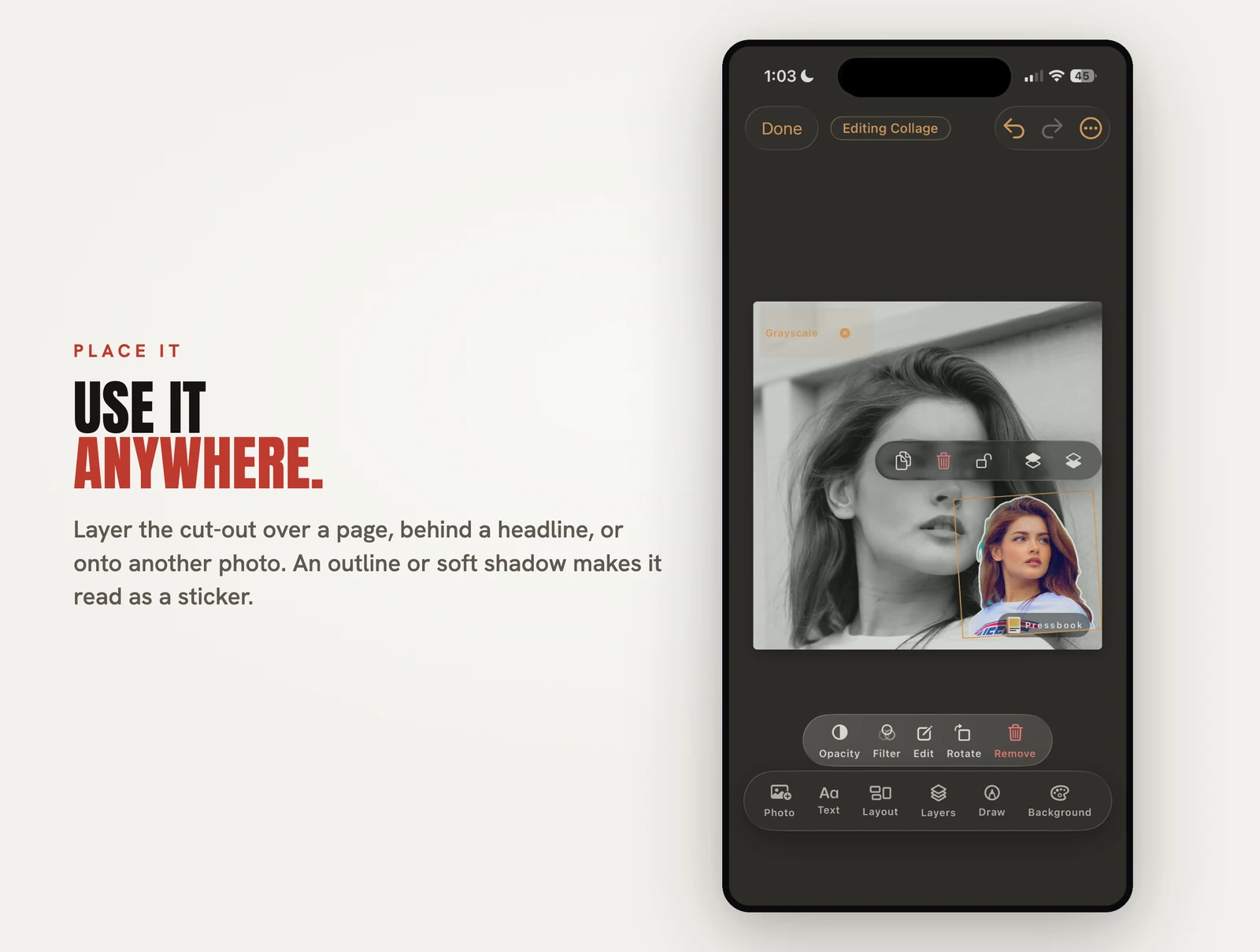
| Stickers | All 573 packs free, tint doodles, lift any subject, iOS stickers / Memoji | 17v28 ships huge packs but full access is typically subscription |
| Animated stickers | Optional Discover tab (off by default); search word only, never a photo | Competitor packs often sit in paid tiers + tracking labels |
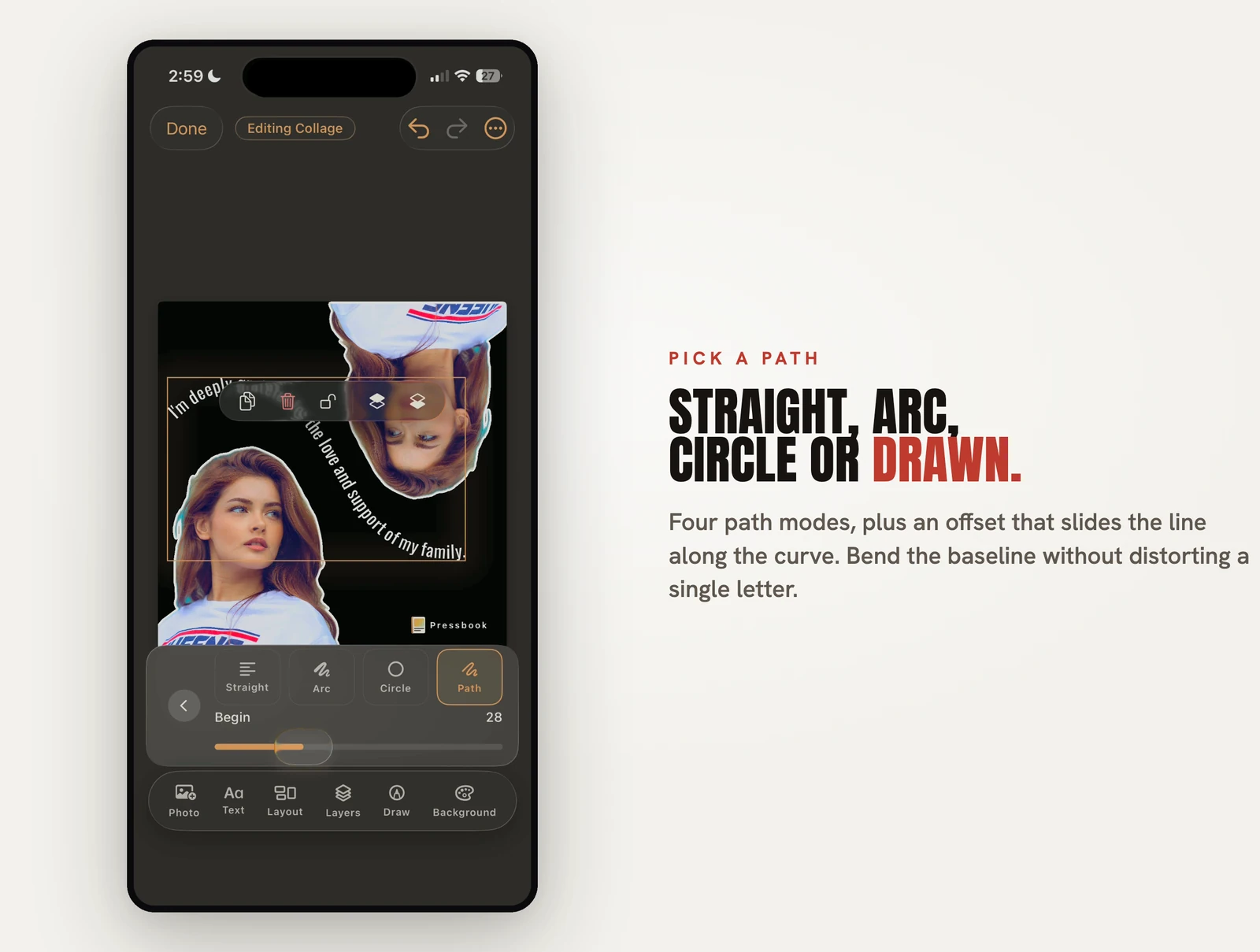
| Text paths | Curved text, 70 fonts, type filled with a photo | Cover titles and continuous type across carousel cuts |
| Filters & overlays | 87 filters free; light leak, vignette, dust, torn paper | Tezza full film library is usually Pro |
| Smart guides | Spacing, angles, carousel panel edges | Align as you drag (guide) |
| Templates | All 249 free across three formats | SCRL / 17v28 / Crsel: many or most layouts paid |
| Albums | Free screen-res book · Pro 600 DPI | Creator apps stop at the feed |
How-tos: video · stickers · curved text · filters.
Competitor scorecards
SCRL
Purpose-built social collages and seamless carousels. Multi-slide (more than 10 photos), templates, grids, frames, background remove, social-oriented export. SCRL Premium unlocks the full template set and the full template set and premium design tools (Play Store Premium copy lists video in grids among unlocks; iOS Premium is “every template, every layout, every tool”).
Pick SCRL if: daily creator volume and long carousels are the job, and you are fine paying for Premium when free templates run out.
Pick Pressbook instead if: free stickers and free short formats matter, video-on-canvas without a Premium grid upsell matters, or a private gift / 600 DPI book from the same roll matters.
17v28
Scrapbook seamless carousels. 200+ templates, 1,000+ handcrafted stickers, film frames, community templates, video (including 4K export in recent versions). Free tier exists; subscription unlocks the full creative library (App Store IAPs; reviews note paywall for “everything”). App Store privacy label lists tracking categories.
Pick 17v28 if: junk-journal dump aesthetic is the product and you want that sub.
Pick Pressbook instead if: you want the sticker shelf and templates without a creator sub, offline-first privacy, or analytics opt-in by default.
Crsel
Seamless carousels plus Stories and Reels covers. Align across frames, AI cutout, trend templates. Strong ratings. Crsel Plus (weekly / yearly IAPs) advertises unlimited access to features and tools. App Store reviews report adding video is paywalled; much of the kit sits behind Plus.
Pick Crsel if: you want a polished creator kit without full Canva, and Plus is acceptable.
Pick Pressbook instead if: free collages/carousels + free stickers, print albums, or private iCloud gifts are in scope.
Tezza
Film presets, templates, feed planner, batch edit. Carousel-adjacent more than carousel-native. Free has limited presets; Tezza Pro unlocks the full aesthetic library.
Pick Tezza if: color grade and feed plan are the bottleneck and Pro is fine.
Canva / PicCollage / CapCut
- Canva Free: real design surface. Canva Pro: premium stock (including video/audio), Brand Kit depth, advanced export options.
- PicCollage: sticker-bomb scrapbook.
- CapCut Free: strong basic timeline. Standard / Pro: remove watermarks on premium templates, 4K-class export, advanced AI and asset libraries.
Pressbook refuses scrapbook noise as the default. Use those apps when that mood is intentional, and budget for their paywalls when free tiers run dry.
When each wins (plain language)
Use SCRL / 17v28 / Crsel when
You post creator aesthetics every week, want seasonal dump packs, need very long multi-slide dumps, and accept Premium / Plus / annual subs for full stickers, templates, and (on SCRL) video in grids.
Use Canva when
Logos, brand kits, and multi-channel marketing sizes dominate (Pro when free stock is not enough).
Use CapCut when
Transitions and audio-first edits dominate (Pro when free export / assets are not enough).
Use Pressbook when
The input is your photos and video on iPhone, compose must stay private, you want free stickers and free short formats without a creator sub, the swipe should be continuous, and you may still want a private gift or Pro 600 DPI print album from the same studio.
Summary
SCRL, 17v28, and Crsel are excellent at looking like Instagram, often after a subscription unlocks the real library and (on several apps) video. Pressbook is excellent at finishing your roll into a continuous collage or carousel with free stickers and free templates, without a design-cloud upload, then Pro when you need high-quality video or 600 DPI paper, and private share when the feed is not enough.
Start a collage or carousel, free on the App Store.
Related: carousel roundup · carousel how-to · video · stickers · albums vs print brands.