Pressbook vs Mixbook, Chatbooks, Artifact Uprising & Photo Book Apps
You want a finished photo album from your iPhone. The names that show up again and again are Mixbook, Chatbooks, Artifact Uprising, Shutterfly, Google Photos books, and budget printers like FreePrints.
They are not one category. Most are print stores with design tools: upload, layout in their system, order their book. Pressbook is a finishing studio: design on the device, keep a project and a PDF, share privately if you want, print at any lab when you want paper.
Private-first ranking: best private photo book apps. Chatbooks-only path: Chatbooks alternative. Curation detail: on-device vs cloud.
The split
Same job on paper. Different architecture for design, privacy, and who holds the finished file.
| Cloud print apps | Pressbook | |
|---|---|---|
| Who | Mixbook, Chatbooks, Artifact, Google, Shutterfly | Pressbook |
| Design path | Upload to design | No upload · Vision on device |
| Account | Required | Not required |
| Ship their hardcover | Any-lab PDF · 150 / 300 / 600 DPI | |
| Offline | Rare for full design | Full path |
| Digital gift | Secondary | iCloud + reactions + capsule |
| Best when | Paper next week from one brand | The roll never becomes someone else’s input |
Who is who (quick map)
Mixbook
Design-first print service. Strong layouts, collaborator invites, often tops “best photo book” tests. You design after upload; they print and ship.
Chatbooks
Phone-first, low decisions, series books and reorder habits. Built for volume paper, not offline magazine craft.
Artifact Uprising
Premium heirloom paper and binding. Gift-grade physical object. Still their design system and print path.
Shutterfly
Mass market and coupons. Familiar checkout after upload.
Google Photos books
Fast if the library already lives in Google. Limited layout craft. Another cloud if you were not already there.
FreePrints and freemium printers
Budget paper. Design path is still their upload pipeline.
Apple Photos
Shared Albums and Memories. Good for originals. No first-party Apple photo book product today.
DIY (Pages / Keynote)
Fully local if you never upload. No Vision pass over a messy roll.
Pressbook
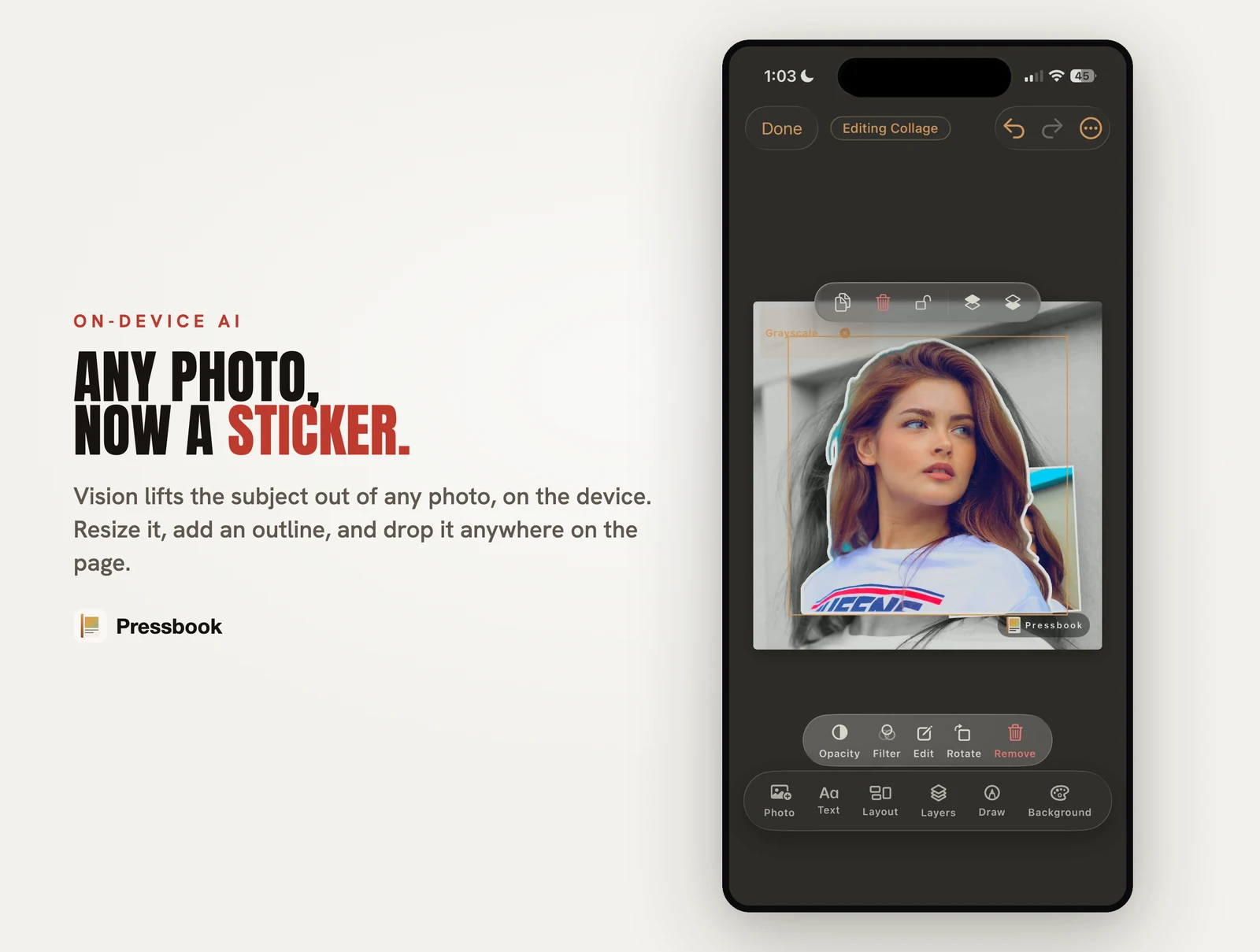
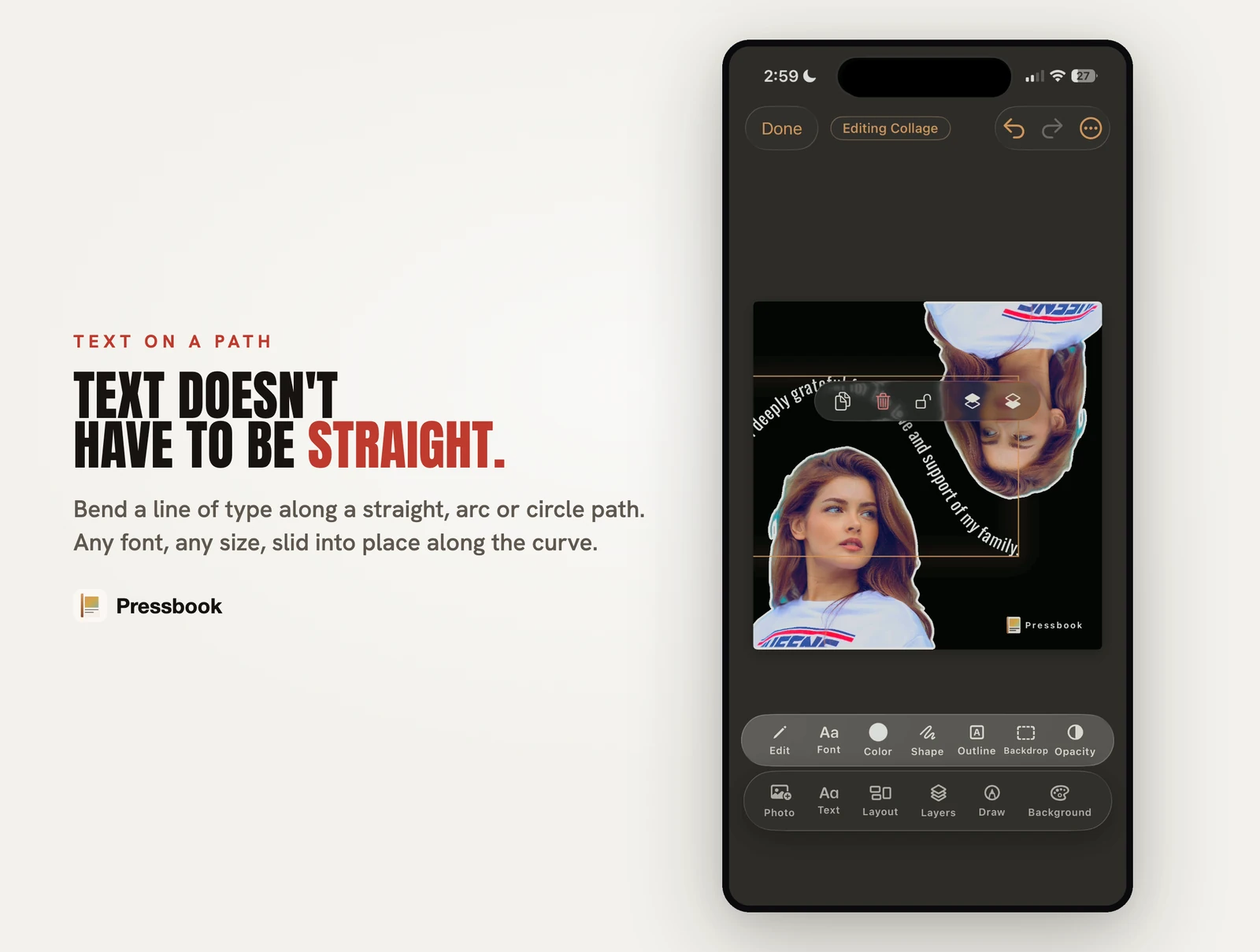
On-device Vision story, magazine layouts, 150/300/600 DPI PDF, private iCloud share, Memory Capsule. Same app: collages, carousels with video, 573 stickers, curved and photo-filled text, 87 filters. No account to create. Does not ship hardcovers.
Named scorecards
Mixbook
Wins when: you want the best overall design tools plus one cart that ships; several people edit the same cloud project.
Loses when: the roll must not leave the phone to design; you need airplane-mode finish or a lab-agnostic 600 DPI file.
Chatbooks
Wins when: automatic series paper and minimal layout decisions matter more than story control.
Loses when: you want fullness, takes, offline design, or a private digital gift. Full switch path: Chatbooks alternative.
Artifact Uprising
Wins when: heirloom paper and binding are the whole gift and budget is secondary.
Loses when: upload and account are non-starters, or you want on-device chapters from a 500-photo wedding dump before anyone prints.
Google Photos books
Wins when: everything already sits in Google Photos and you want the cheapest auto book.
Loses when: photos are iPhone-only, or you refuse another cloud of family images.
Shutterfly / FreePrints
Wins when: coupon price and retail familiarity beat craft and privacy.
Loses when: architecture, offline, or lab control matter more than promo codes.
Apple Photos
Wins when: you only need shared originals with family.
Loses when: you need magazine pages, 600 DPI geometry, or a sealed gift with page reactions.
What Pressbook does with the same roll
- Pick photos from the library (no Pressbook account).
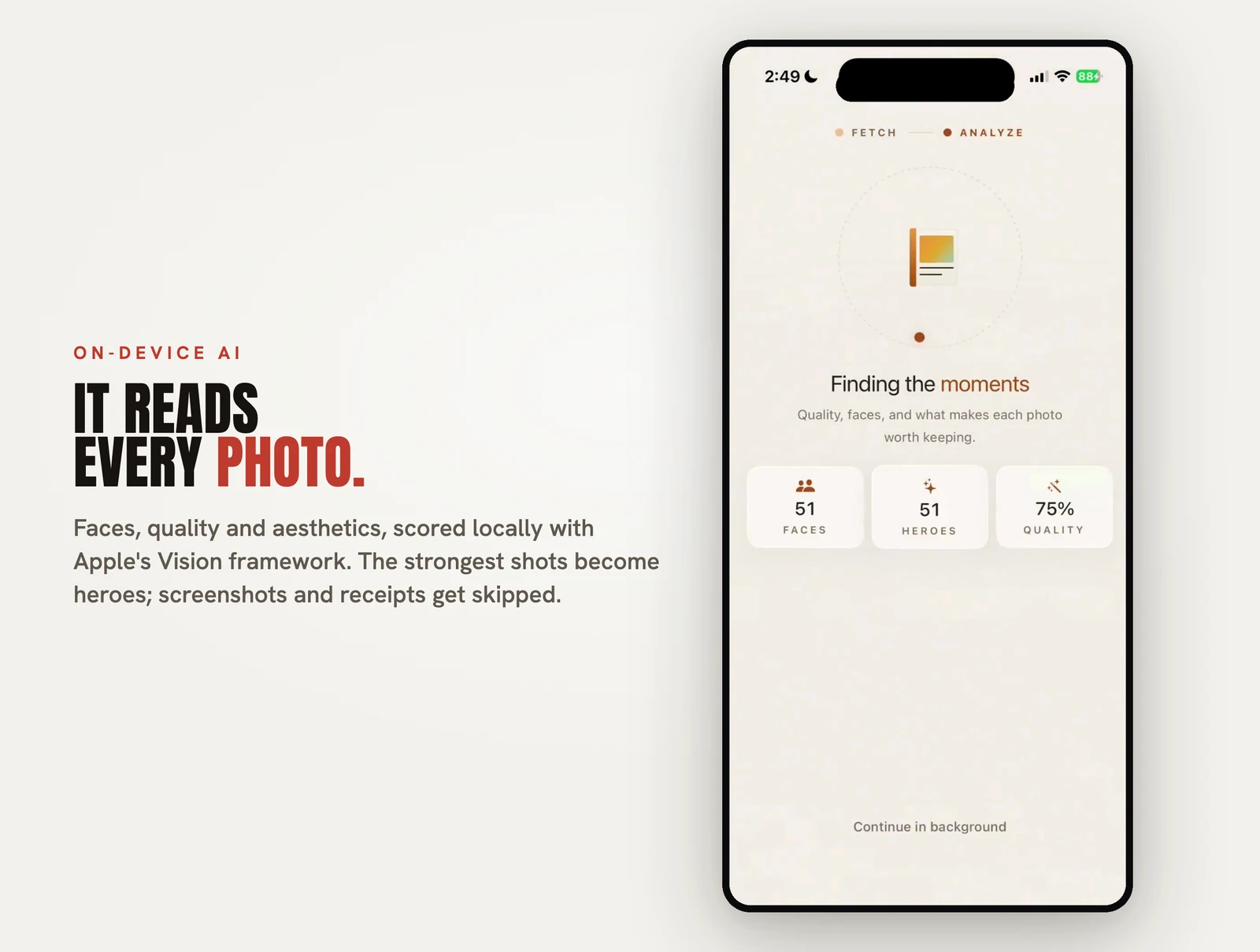
- On-device Vision scores faces, quality, scenes, bursts; builds chapters.
- Fullness slider and takes control density.
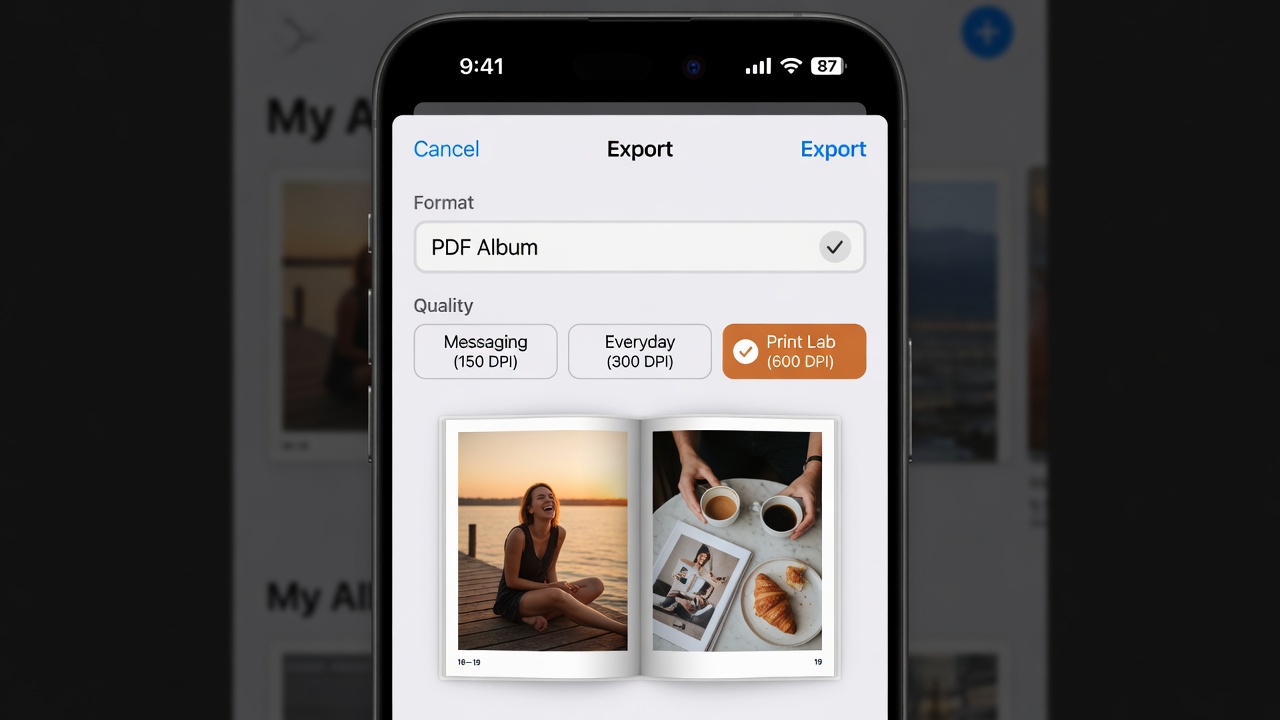
- Export PDF (150 / 300 / 600 DPI), open the reader, share privately, or seal a capsule.
No Pressbook server in the design path. Optional share uses Apple iCloud.
| Step | What | Detail |
|---|---|---|
| 01 · Photos stay put | Select from the Photos library | Full-resolution originals. Nothing uploaded to Pressbook to curate or lay out. |
| 02 · Vision on device | Faces, quality, scenes, chapters | Neural Engine. Fullness slider. Airplane mode works. |
| 03 · You hold the output | PDF, private share, or capsule | Up to 600 DPI for any lab, iCloud invite, or AirDrop project file. |
Free: up to 20 photos per album, screen-res export, small watermark. Collages, carousels, all 573 stickers, all 249 templates, and private share are free. Pro: up to 1,000 photos, 600 DPI PDF, high-quality video export, no watermark, Apple Pencil tools ($4.99/mo, $29.99/yr, or $79.99 lifetime).
More than a print store cart
Print brands optimize for their hardcover checkout (account + upload). Pressbook is a finishing studio on the phone. Creative tools that feed apps often hide behind Premium sit on free Pressbook; Pro is for print grade and high-quality video, not for unlocking the sticker shelf.
| Studio tool | Free Pressbook | Pro unlocks | Why it matters vs print apps |
|---|---|---|---|
| Stickers | All 573 packs, cutouts, iOS stickers | Same | No creator sub to decorate a page |
| Text | 70 fonts, curved paths, photo-filled type | Same | Title pages without a cloud design suite |
| Filters & overlays | 87 filters, light leaks, vignette, torn edges | Same | Film look without uploading the roll |
| Video | Place clips on collage / carousel canvas | High-quality video export | Digital companion to the PDF; HQ file is Pro |
| Smart guides | Snap, spacing, carousel edges | Same | Manual polish after Vision's first pass |
| Quotes | On-device suggestions when available | Same | Captions without a writing cloud |
| Fullness + takes | Density slider; flip earlier layouts | Same | Story control Chatbooks-class apps rarely offer |
| Templates | All 249 free | Same | Start dressed; still editable |
| Private share + capsule | iCloud invite, reactions, unlock date | Same | Gift without a public feed |
| Export | Screen-res PDF / images + watermark | 600 DPI, no watermark, .pressbook project |
Lab-agnostic paper when you need it |
How-tos: stickers · curved text · filters · video · quotes · fullness.
Pick in one glance
- Ship a hardcover from one brand next week → Mixbook, Chatbooks, Artifact, Shutterfly, or Google.
- Already all-in on Google Photos → Google Photos books.
- Heirloom paper is the gift → Artifact Uprising.
- Camera roll never uploaded to design → Pressbook.
- Lab PDF you control, or private family gift → Pressbook.
- Shared originals only → Apple Shared Album.
- Love manual layout → DIY Pages + lab.
Fair test
Same 80 to 150 photos, two builds: their cloud app and Pressbook. Note upload time, first usable layout, density changes, and whether originals left the phone. Zoom faces. Print one sample page if paper matters.
Summary
Print brands win at shipping their book. Pressbook wins at finishing your roll without making it their design input: free stickers and free short formats, Vision layout, Pro when you need 600 DPI or high-quality video, private iCloud gift when paper is not the gift.
Start an album in Pressbook, free on the App Store. No Pressbook account. iPhone and iPad, iOS 18 and up.
Related: first album · photo book with no upload · private photo book apps · carousel makers · why we built this.