Best Instagram Carousel Maker Apps for iPhone (Continuous Swipe)
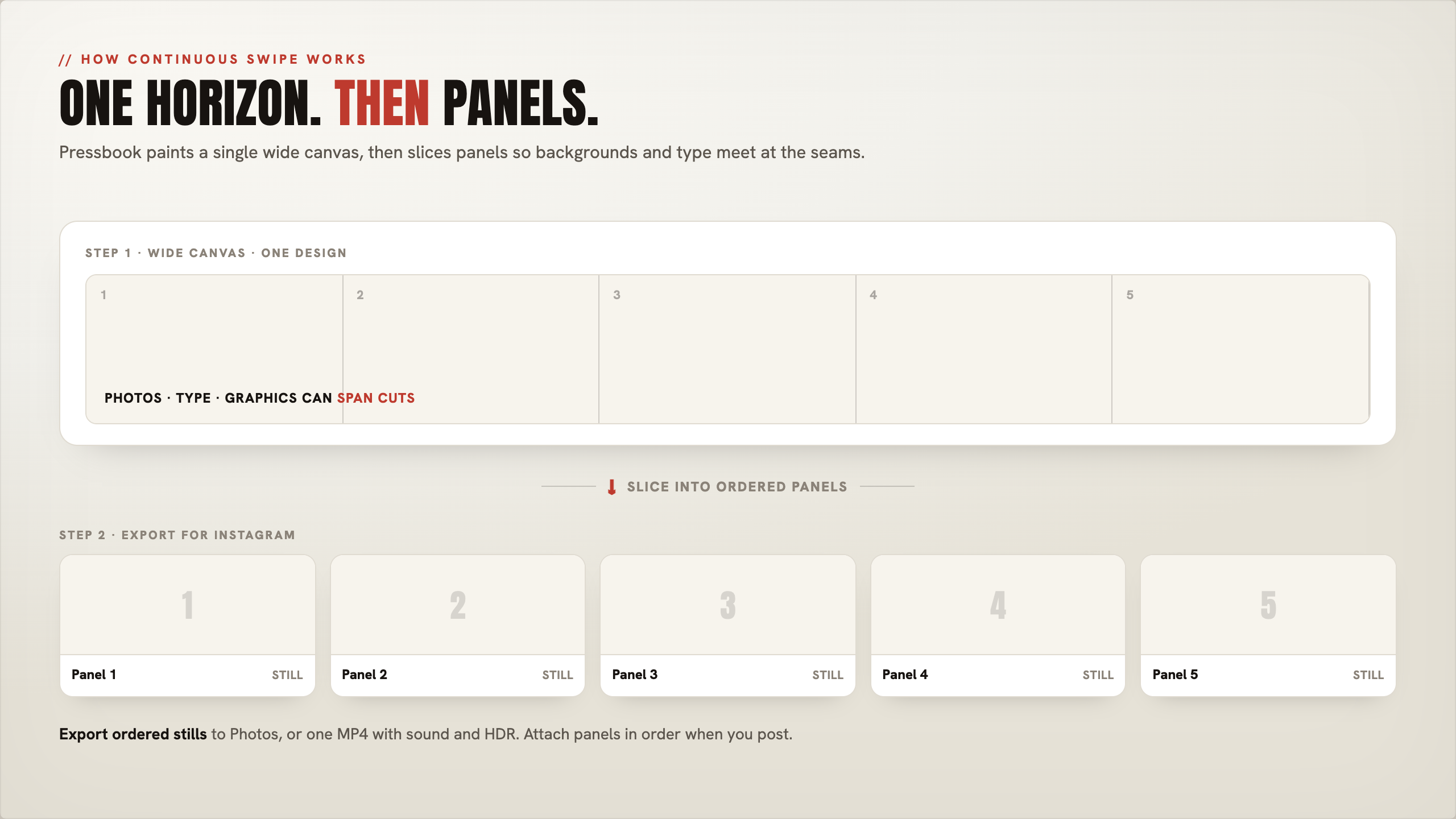
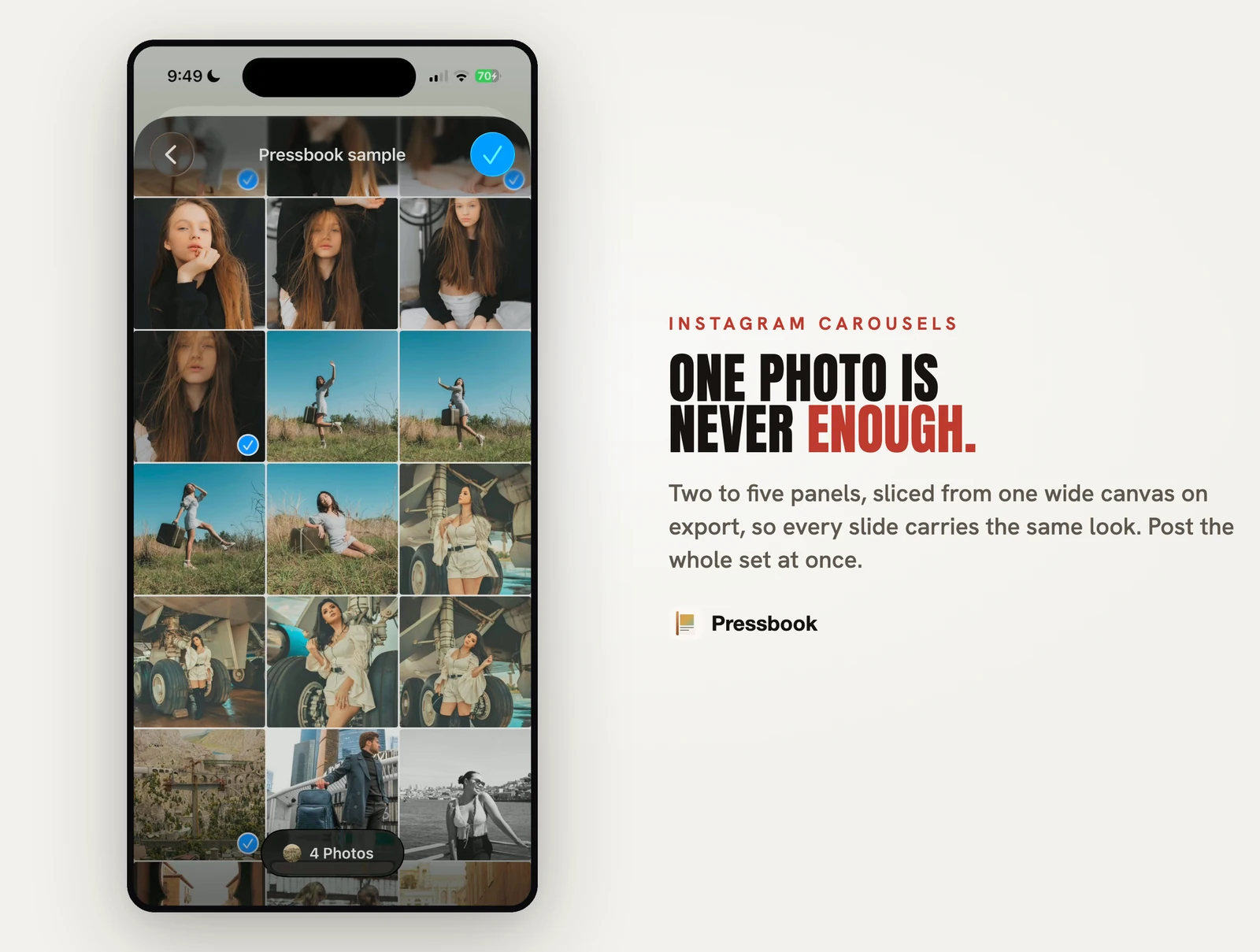
A good Instagram carousel is not five squares that share a filter. It is one design that continues across the swipe: backgrounds, type, and crops that meet at the seams.
Creators reach for SCRL, 17v28, Crsel, sometimes Tezza or Unfold. Brands reach for Canva. Motion posts go to CapCut. Pressbook sits in a different lane: continuous carousels from the camera roll, on-device, next to print albums, without a design account.
Product comparison: Pressbook vs SCRL, 17v28, Crsel and Canva. Steps only: how to make an Instagram carousel.
What to optimize for
- Continuous canvas so seams disappear
- Panel count (long dumps vs tight stories)
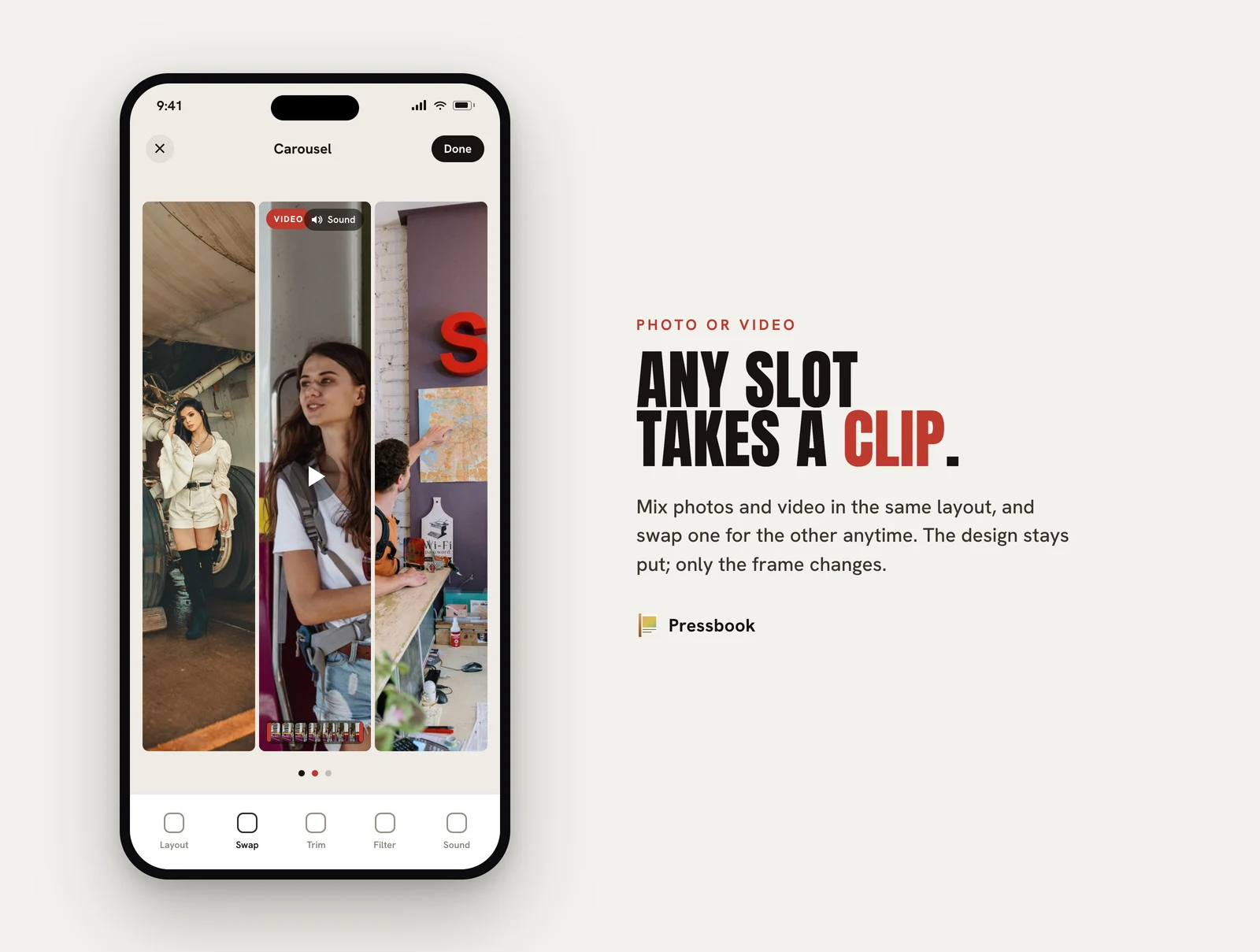
- Video in the same swipe as stills
- Export as ordered images or one video
- Account / tracking for personal rolls
- Offline finish when you need it
Native Instagram still accepts multiple images. The maker is whatever builds those files well before you post.
Ranking for personal camera-roll work
This ranking assumes trips, weddings, family dumps, and small creators who care about continuous swipe and where the photos go. Agencies will rank Canva higher; aesthetic maximalists will rank 17v28 higher.
- Pressbook: continuous wide canvas from Photos, on-device, optional video, private share, same app as print albums. Max 10 panels.
- SCRL: purpose-built social carousels, multi-slide posts (more than 10 photos), creator templates.
- 17v28: scrapbook seamless dumps, huge sticker library, seasonal packs.
- Crsel: seamless carousels + Stories + Reels covers, AI cutout.
- Canva: brand kits and template volume.
- Tezza: film look and feed planner (carousel secondary).
- CapCut: motion-first.
- Unfold: Stories frames.
- Native IG + Photos: crop and post only.
Creator tools win dump culture. Pressbook wins private continuous swipe plus print albums in the same app.
| Factor | SCRL | 17v28 / Crsel | Canva | Pressbook |
|---|---|---|---|---|
| Continuous swipe | Strong | Strong | Template | Wide canvas |
| Max panels | More than 10 | Multi-slide | Varies | 2 to 10 |
| Video in panels | Often Premium | In product · full kit often sub | Free design · Pro stock | Free on canvas · Pro HQ export |
| Stickers | Partial free · Premium more | Huge packs · sub for full | Free + Pro stock | All 573 free + cutouts |
| Text paths / filled type | Limited | Scrapbook type | Brand type | Curves + photo fill free |
| Upload to design | Social app | Tracking label | Cloud | None |
| Print album same app | No | No | No | 600 DPI (Pro) |
| Private family gift | No | No | Team links | iCloud free |
Competitor profiles
SCRL
Social design platform for collages and seamless carousels. More than 10 photos, templates, grids, frames, background remove, social-oriented export. SCRL Premium is the path to the full template set and full templates and premium tools (Play Store Premium copy lists video in grids; iOS Premium is “every template, every layout, every tool”).
Best at: high-volume creator feeds and long lookbooks if you pay Premium when free templates run out.
Not for: print-album studio, private family gifts, avoiding IAPs for video grids.
17v28
200+ templates, 1,000+ handcrafted stickers, film frames, community templates, video (4K export called out in recent updates). Free subset exists; subscription IAPs unlock the full library (reviews: paywall for “everything”). Privacy label lists tracking categories.
Best at: scrapbook / junk-journal dump aesthetic with a sub.
Not for: free full sticker shelf, analytics opt-in by default, offline-first privacy architecture.
Crsel
Seamless multi-slide design, Stories and Reels covers, AI cutout, trend templates. Strong ratings. Crsel Plus (weekly / yearly) markets unlimited features. App Store reviews report adding video requires pay; much of the kit sits behind Plus.
Best at: polished creator carousel kits if Plus is fine.
Not for: lab PDF albums, private iCloud gifts, or free full toolkit.
Tezza
Film presets, designer templates, feed planner, batch edit. Free has limited presets; Tezza Pro unlocks the full aesthetic library.
Best at: cohesive film look across a feed with Pro.
Not for: continuous wide-canvas engineering as the core job.
Canva, CapCut, Unfold, native
- Canva Free: real design. Canva Pro: premium stock (including video/audio), Brand Kit depth, advanced downloads.
- CapCut Free: strong basic timeline. Standard / Pro: watermark-free premium templates, 4K-class export, advanced AI / assets.
- Unfold: Stories gloss.
- Native: zero apps, weak multi-panel design.
Free vs locked (carousel makers)
| What you want | Often locked on feed apps | On Pressbook |
|---|---|---|
| Full sticker / template dump | 17v28 / Crsel / SCRL subs | All 573 stickers + 249 templates free |
| Video in the grid / panels | SCRL Premium (grids); others vary by plan | Compose free; high-quality video export is Pro |
| 4K / premium motion assets | CapCut Pro (and similar) | Pro for HQ video; not a CapCut replacement for timelines |
| Film preset libraries | Tezza Pro | 87 filters free |
| Brand stock video / audio | Canva Pro | Your camera roll, not stock libraries |
| Print-ready album PDF | Usually not in category | Free screen-res · Pro 600 DPI |
| Private family gift | Rare | Free iCloud invite + capsule |
Pressbook’s freemium is inverted from most creator apps: the creative shelf is free; Pro is for print grade and high-quality video, not for unlocking stickers.
Pressbook carousel (facts)
| Spec | Free | Pro |
|---|---|---|
| Panels | 2 to 10 | Same |
| Shapes | Square 1:1 or portrait 4:5 | Same |
| Continuity | Single wide render, then slice | Same |
| Video on canvas | Add, trim, filter, mix audio | Same compose |
| Video export quality | Included path with free limits | High-quality / HDR-class export |
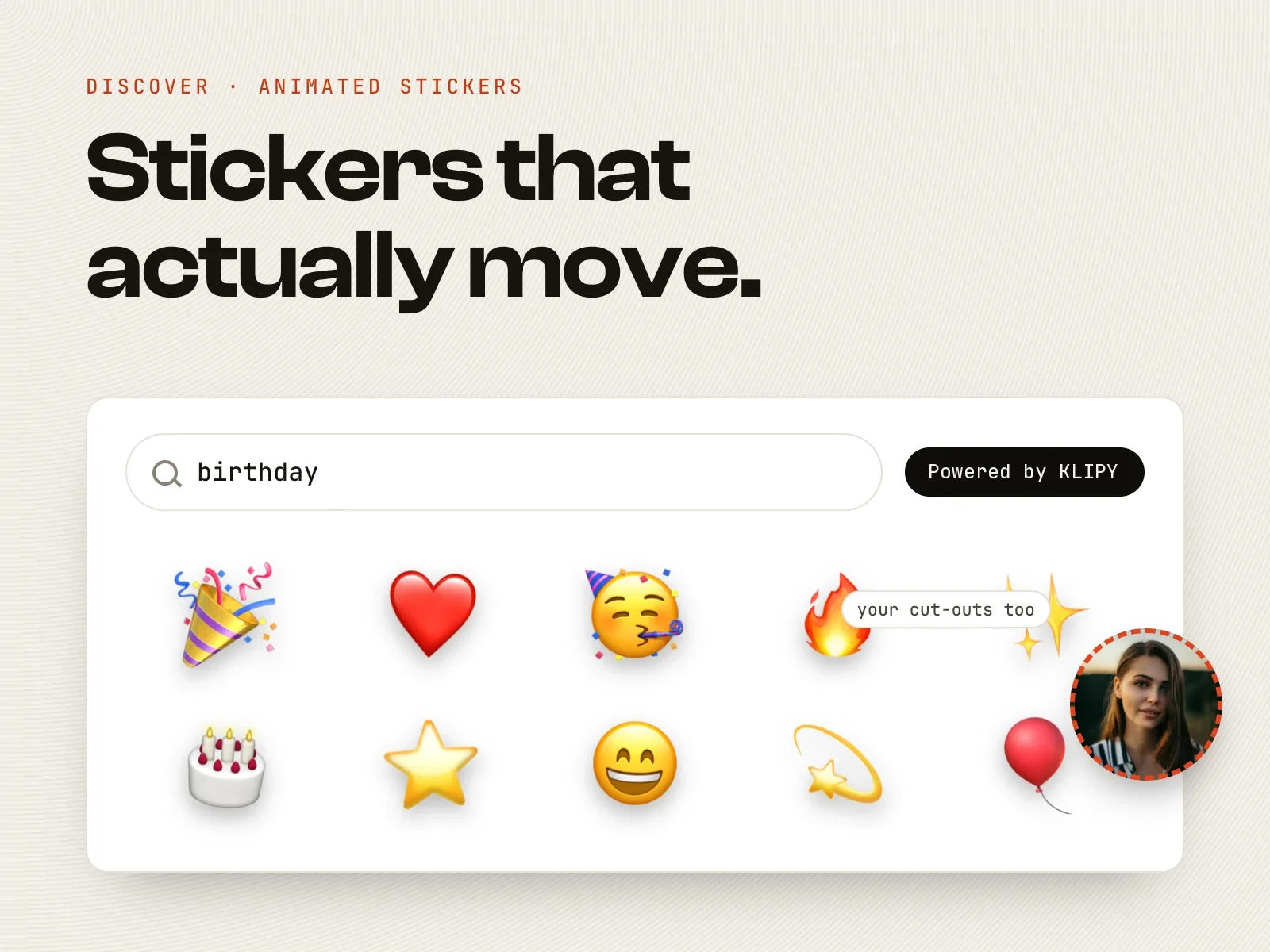
| Stickers | All 573 + cutouts | Same |
| Text | Curves, 70 fonts, photo-filled type | Same |
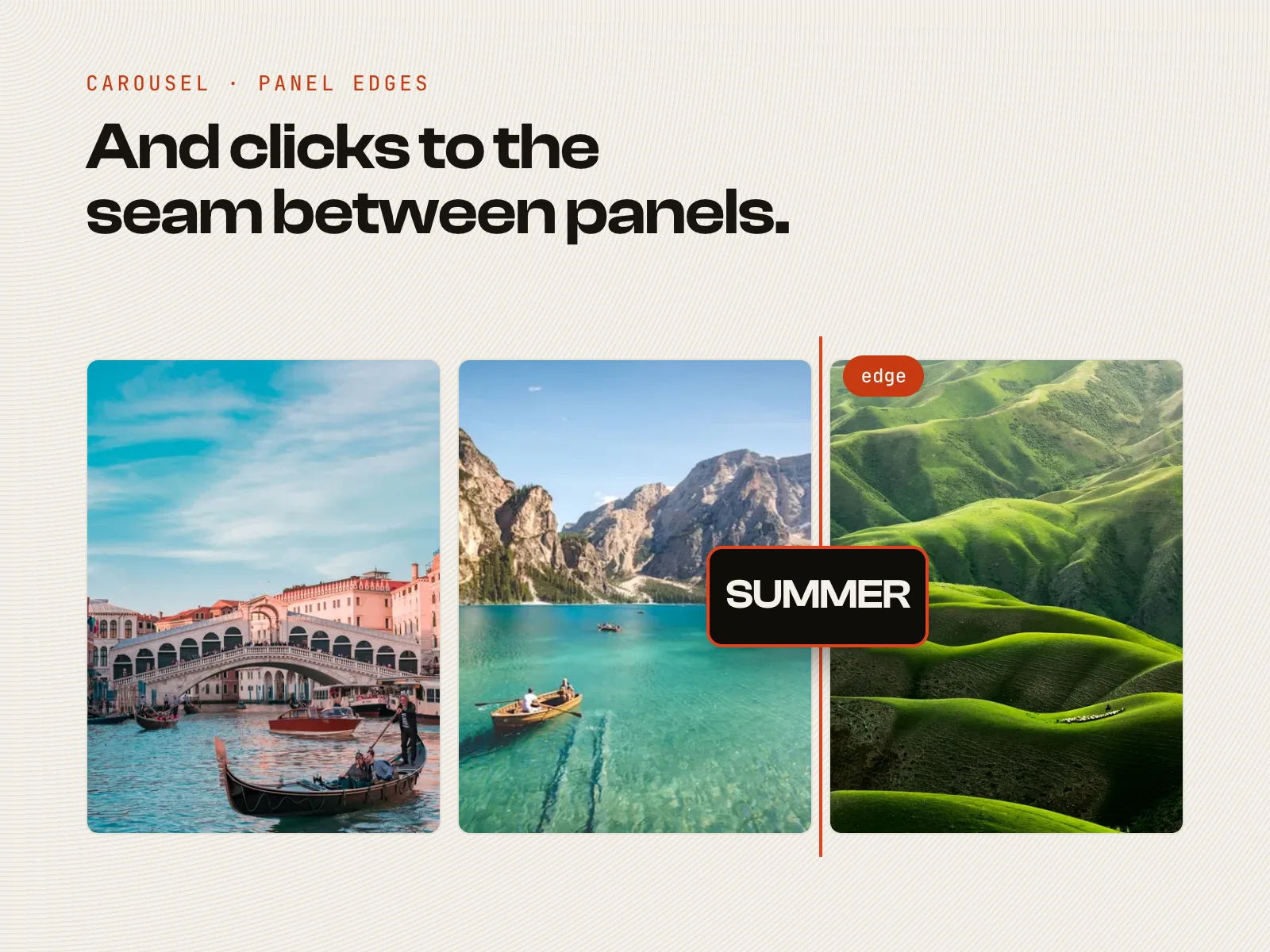
| Guides | Smart guides on panel edges | Same |
| Filters | 87 + overlays | Same |
| Still export | Ordered images (screen-res tier on free) | Higher quality paths where applicable |
| Album from same roll | Screen-res free book (≤20 photos free) | 600 DPI, 1,000 photos, no watermark |
| Account | None | None |
| Private share / capsule | Included | Included |
Limits vs the pack: max 10 panels (SCRL markets more than 10 photos per post); fewer junk-journal sticker drops than a fully subscribed 17v28; no upload-straight-to-IG growth loop.
Create a carousel · App Store · tutorial
Editor moves that win personal rolls
Creator apps sell dump aesthetics (often after a sub). Pressbook sells finish from Photos with a free sticker shelf and free short formats.
| Move | How Pressbook does it | Locked elsewhere? | Guide |
|---|---|---|---|
| Video in the swipe | Drop a clip in any panel; trim and mix on free; Pro for HQ export | SCRL Premium often for video in grids; CapCut free basic, Pro for premium/4K | Video |
| Stickers without a sub | All 573 free + lift a subject; Discover off by default | 17v28 / Crsel full packs typically subscription | Stickers · animated |
| Text that spans cuts | Curved paths and photo-filled type on free canvas | Brand type often in paid Canva stock | Curved text |
| Align across panels | Smart guides on spacing and carousel edges | — | Smart guides |
| Film look | 87 filters free + overlays on stills and video | Tezza full library usually Pro | Filters |
| One grid, not a swipe | Quick Collage free (square, story, or post) | — | Collage |
| Then print or gift | Free private share; Pro 600 DPI album | Not in category | Albums vs print brands |
Decision list
- Continuous swipe from trip/wedding photos, no upload, free stickers → Pressbook
- More than 10 photos, daily creator posts, fine with Premium → SCRL
- Maximal scrapbook dump, fine with a sub → 17v28 or Crsel
- Full film preset library, fine with Pro → Tezza
- Brand kit + team templates → Canva (Pro for premium stock)
- Heavy motion timelines → CapCut (Pro when free assets are not enough)
- Stories frames only → Unfold
- One image grid, not swipe → Pressbook Quick Collage
- Video on canvas without SCRL Premium / CapCut Pro as the default → Pressbook (Pro for HQ video export)
- Same piece as private gift or print book → Pressbook
Workflow that posts cleanly
- Build with a continuous canvas when seams matter.
- Add video, stickers, or curved type before you slice.
- Export ordered panels to Photos (or one video).
- In Instagram, attach all panels in order.
- Preview the swipe once before publishing.
Privacy note
Design privacy and Instagram privacy are different layers. A published IG post follows Instagram's rules. What changes is whether compose required an account, tracking SDKs, or upload to a design cloud.
Read live App Store privacy labels for SCRL, 17v28, Crsel, and Tezza before you put a full wedding roll into a growth carousel app.
Summary
| Job | Best pick |
|---|---|
| Personal roll, free stickers, continuous swipe, privacy | Pressbook |
| High-volume seamless social (budget for Premium) | SCRL |
| Scrapbook dump (budget for sub) | 17v28 or Crsel |
| Film look + feed plan (budget for Pro) | Tezza |
| Brand systems | Canva |
| Motion entertainment timelines | CapCut |
Start a carousel in Pressbook, free on the App Store.
Related: vs SCRL / 17v28 / Crsel · carousel how-to · video · stickers · curved text · private photo books.