How to Make a Photo Book on iPhone Without Uploading (Airplane Mode)
You open your Photos app, scroll last summer's trip, and think these shots deserve better than a scroll in the camera roll. You want pages you can hold, a cover that closes with weight, something that might actually sit on a shelf instead of disappearing into the cloud.
Most apps promise the same thing and then demand the same step: upload everything first. You wait while the files travel, hope the layout engine that only saw compressed versions still gets the story right, and wonder where the originals just went and who can see them now.
Pressbook works the other way. You stay inside the photos that are already on your phone. The intelligence runs locally. You get a finished printable PDF. You can do every step with the phone in airplane mode.
No account. No upload. No cloud service ever receives a single frame.
The whole flow, start to finish, looks like this.
Start a new album
Open Pressbook and tap the plus at the bottom right. Choose New Album.
Give it a name you will recognize later. "Tuscany with Mom" or "2025 Coast Trip". Then pick one of the three physical sizes. This choice sets the real page dimensions the templates use:
- Square at 12 by 12 inches. The most flexible option. Works at nearly every consumer print lab.
- Landscape. Wider pages good for sweeping views, groups, and spreads that feel like a magazine.
- Portrait. Taller for vertical subjects, people shots, architecture.
The size is not a label. Every layout decision after this point respects the actual print geometry.
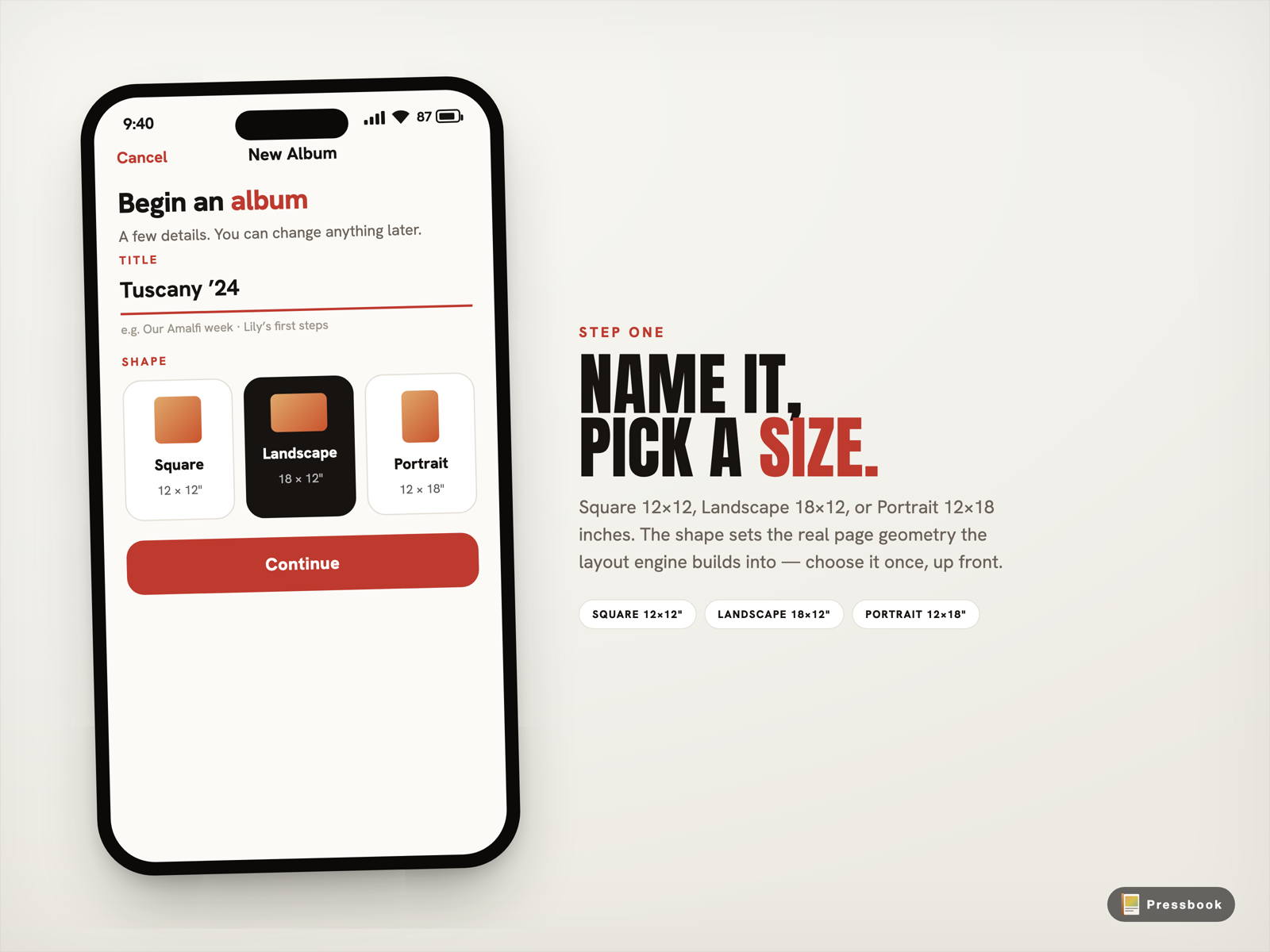
Pick once. The rest of the album is built to match.
Pick the photos you actually want
Tap through your library and select. A whole trip, a year in review, or just the keepers from a big event.
Free users handle up to 20 photos per album. Pro raises the limit to 1,000. You do not need to be precious at the start. You can trim in the review screen later.
The moment you tap continue, Pressbook begins working. No uploading spinner. No network request appears. The processing starts immediately using the silicon already inside your iPhone or iPad.
The on-device curator does the heavy lifting
This is where most people expect a server somewhere to get involved. It does not.
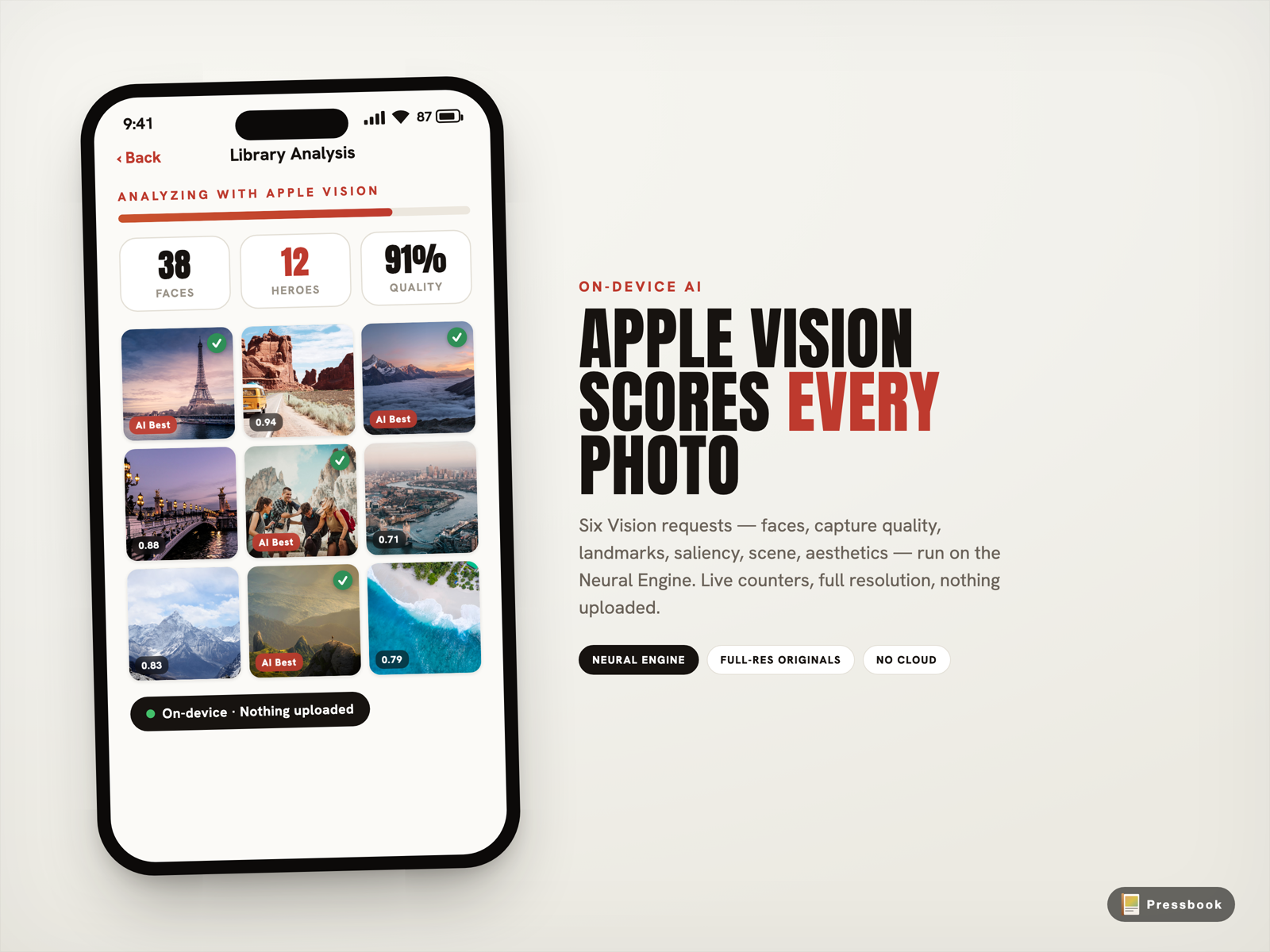
Pressbook feeds your selected photos straight into Apple's Vision framework running entirely on the Neural Engine in your iPhone. No resize, no upload, full resolution originals only.
For every photo the six Vision requests return:
- Aesthetic scores for composition, lighting balance, and color harmony
- Face rectangles plus capture quality (sharpness, exposure, framing)
- Facial landmarks to catch closed eyes, bad angles, or awkward expressions
- Saliency maps that tell the layout engine where the eye naturally lands first
- Scene classification plus utility flags that quietly drop screenshots, receipts, documents, and pure junk
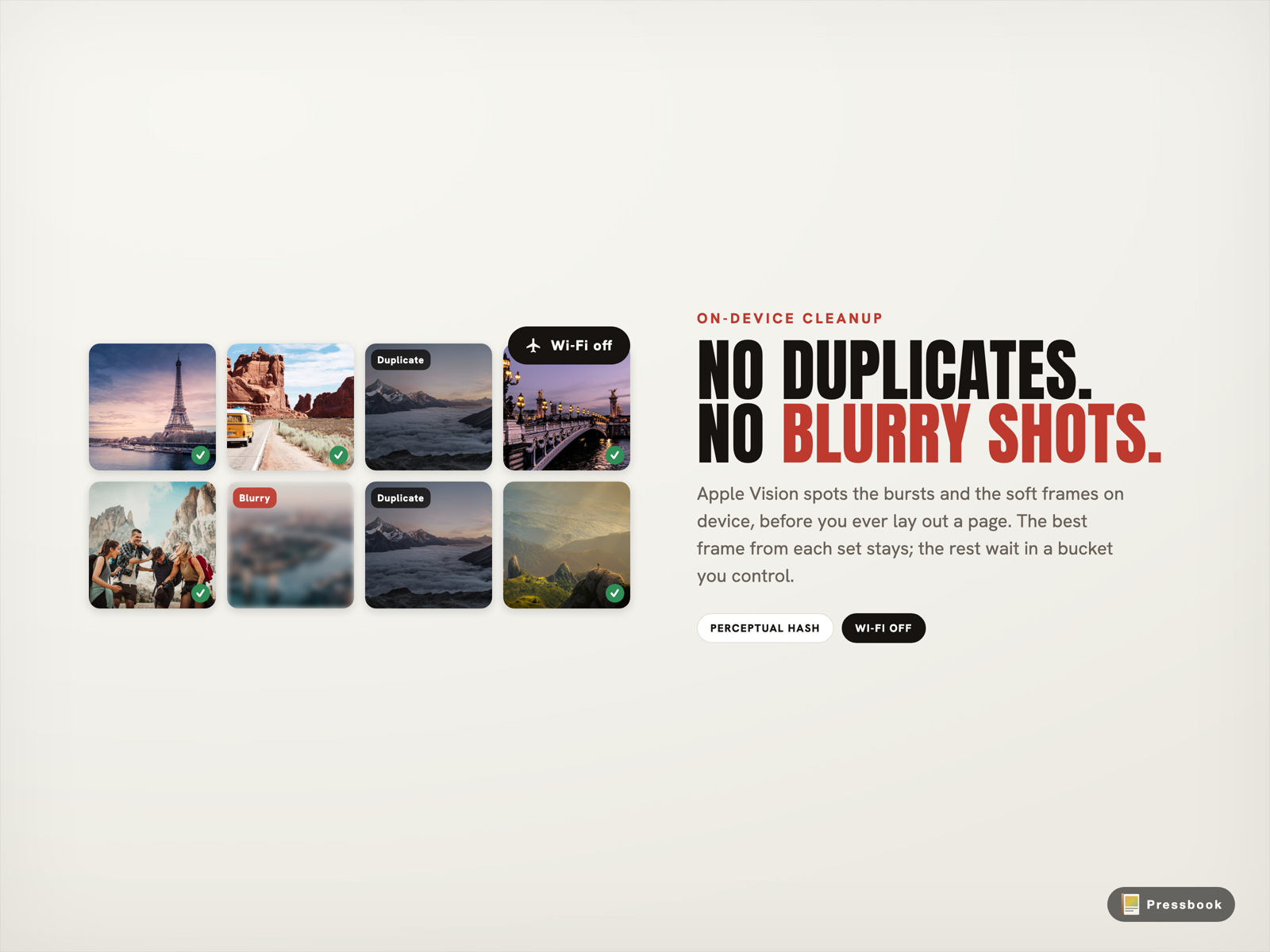
Bursts collapse to the single best frame using a perceptual hash plus the Vision scores. Time and location clustering turns a long day into real chapters instead of one endless grid.
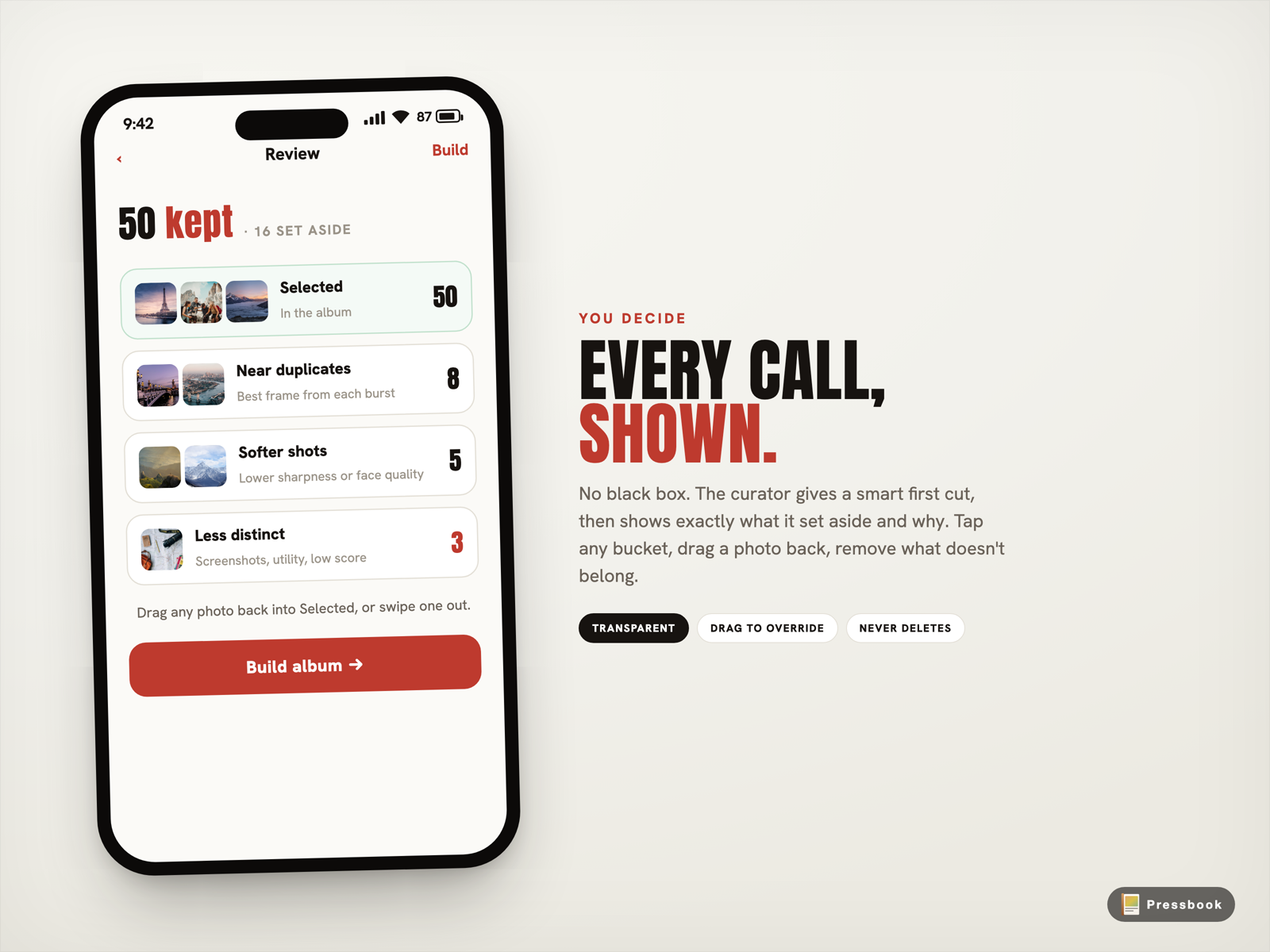
The whole pass finishes in well under a minute for a typical 80 to 120 photo set. Then you land on the review screen that shows exactly what stayed and why, broken into Selected, Near duplicates, Softer shots, and Less distinct. Drag anything back in or swipe anything out. The final cut is yours.
Choose personality and tone, then watch it lay itself out
You pick a starting personality before the pages generate:
- Gallery: tight elegant grids that pack in more photos with clean visual rhythm.
- Editorial: hero images, thoughtful two-page groupings, and room for quiet quote or text pages.
- Collage: energetic varied sizes that feel alive for kids, parties, or fast trips.
Three tones (Light, Warm, Dark) apply a consistent color treatment across every page. This is separate from layout.
216 hand-crafted templates sit behind the personalities. The layout engine uses the actual page dimensions you chose at the start plus the Vision scores to decide hero placement, pacing, and crops. No generic filler.
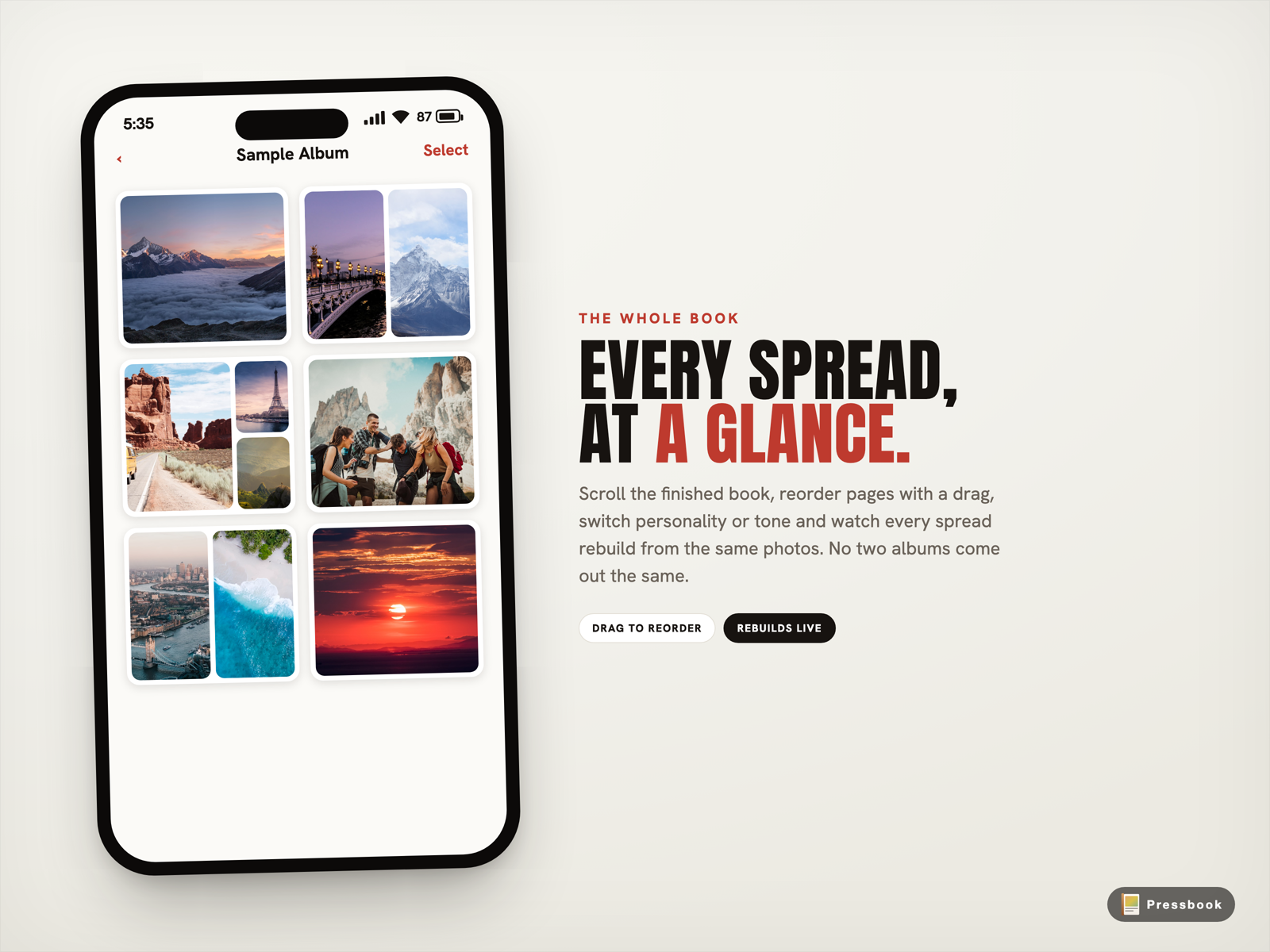
Hate the first result? Switch personalities right there. The engine rebuilds every page locally from your same photo selection. Edits you already made travel with it.
Edit only where you want to
Many albums come out ready to print on the first pass. When you want to change something, tap any page and the full canvas editor opens.
You stay in complete local control:
- Swap any photo for another from your set
- Apply any of the 87 filters (real film stocks like Portra, cinematic grades, soft vintage)
- Add text along curves or straight paths with the full library of 70 fonts
- Lift people or objects into stickers using on-device subject segmentation
- Draw or sketch with Apple Pencil via PencilKit
- Add frames, overlays, stack layers, crop, rotate
- Reorder pages by simple drag
All of it writes to the local project. The .pressbook file stores your photo references, every layer, every filter choice, and the exact layout decisions. File protection keeps the data encrypted at rest on disk. No network round trips, no surprise recompression.
Export at the resolution the job actually needs
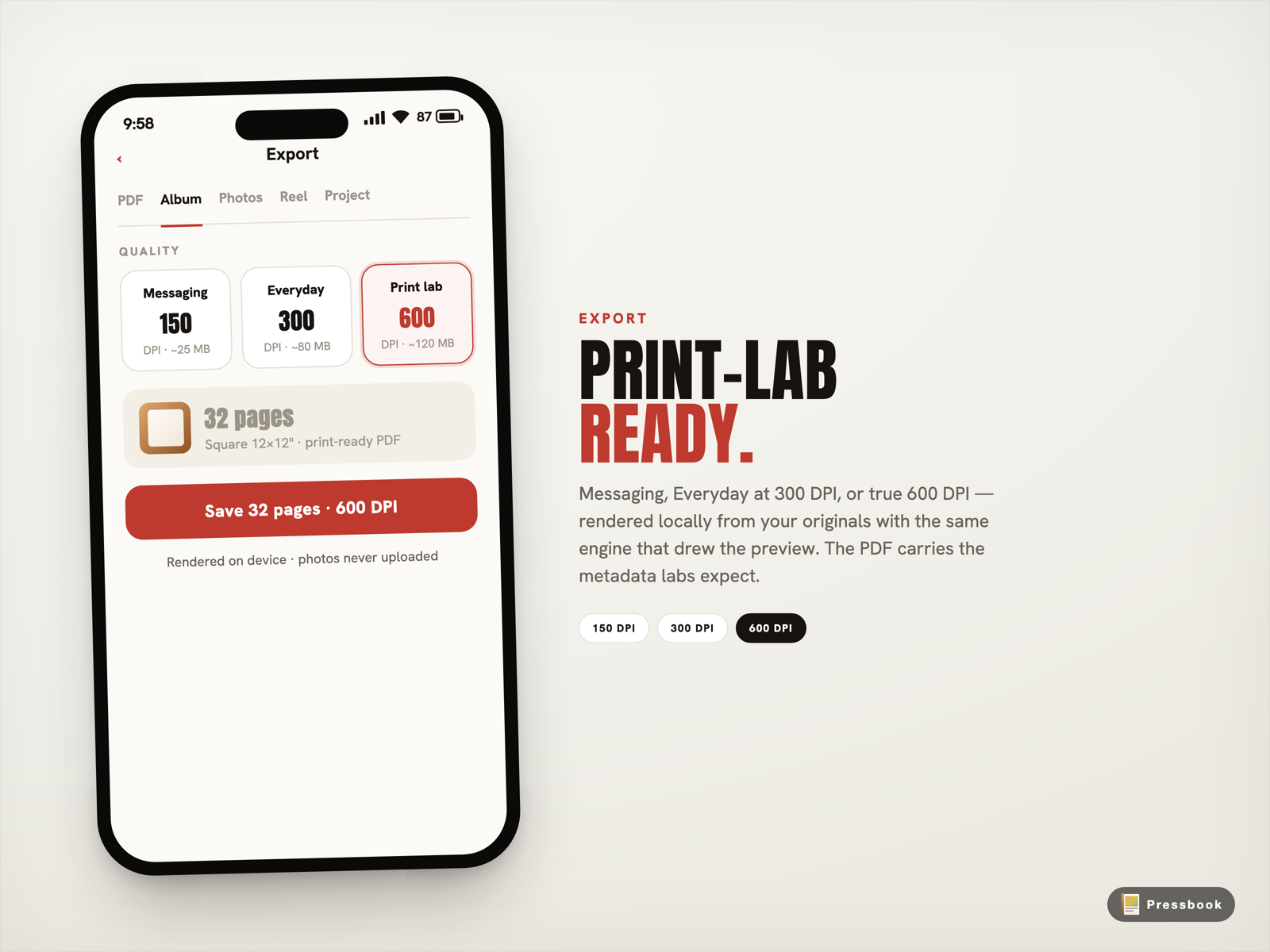
Export happens locally with Core Graphics. Three tiers sit on every album:
- Messaging tier for quick shares and texts
- Everyday at 300 DPI for most home printers and consumer labs
- Print Lab at true 600 DPI for serious photo labs, large prints, and archival work
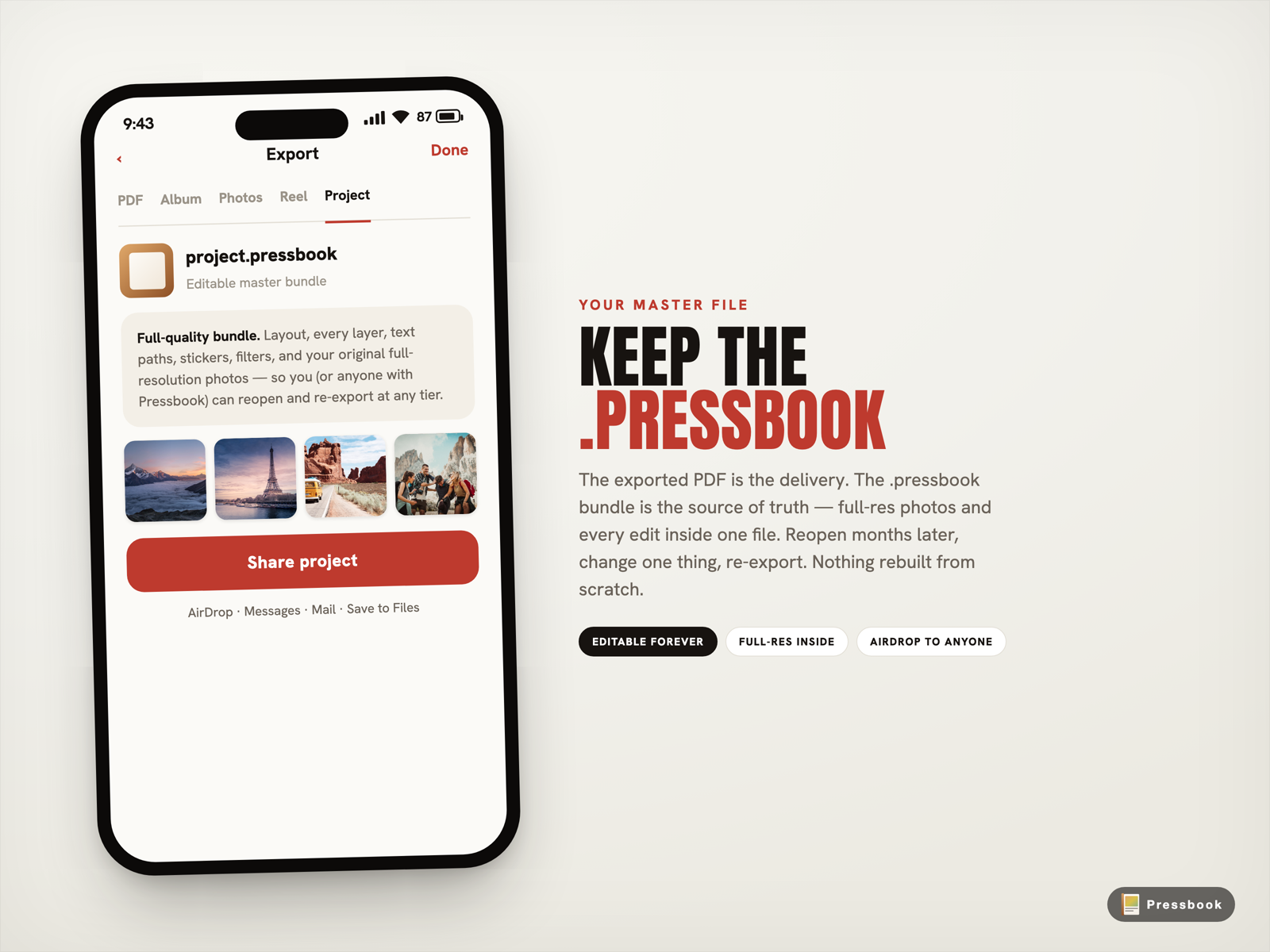
Pick the tier. The phone renders the PDF on the spot and writes it to Files or Photos. You can also export single pages as images or hand off the complete editable .pressbook project file. The project travels as a self-contained bundle (photos + all edits + layout) that another Pressbook user can open and continue working on.
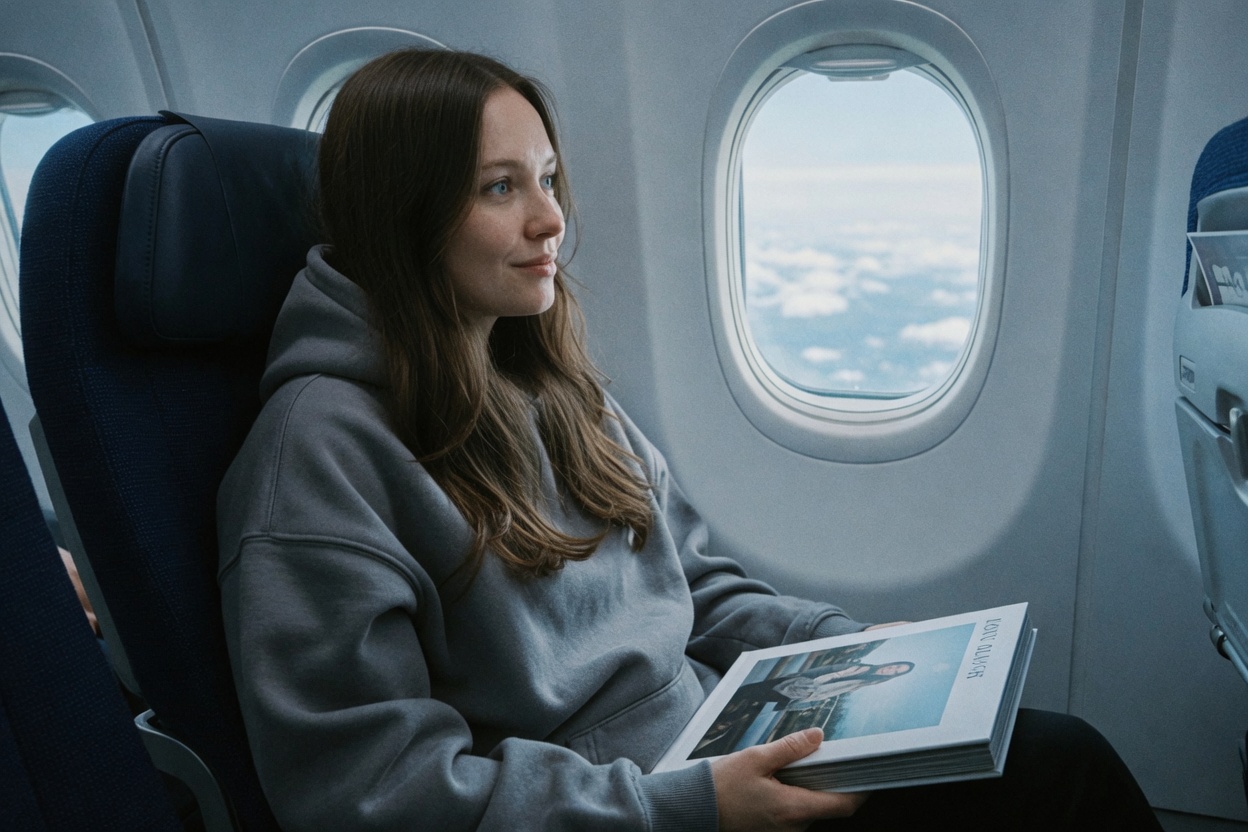
You can do the whole thing on a plane
This is not a feature flag. It is how the app was built.
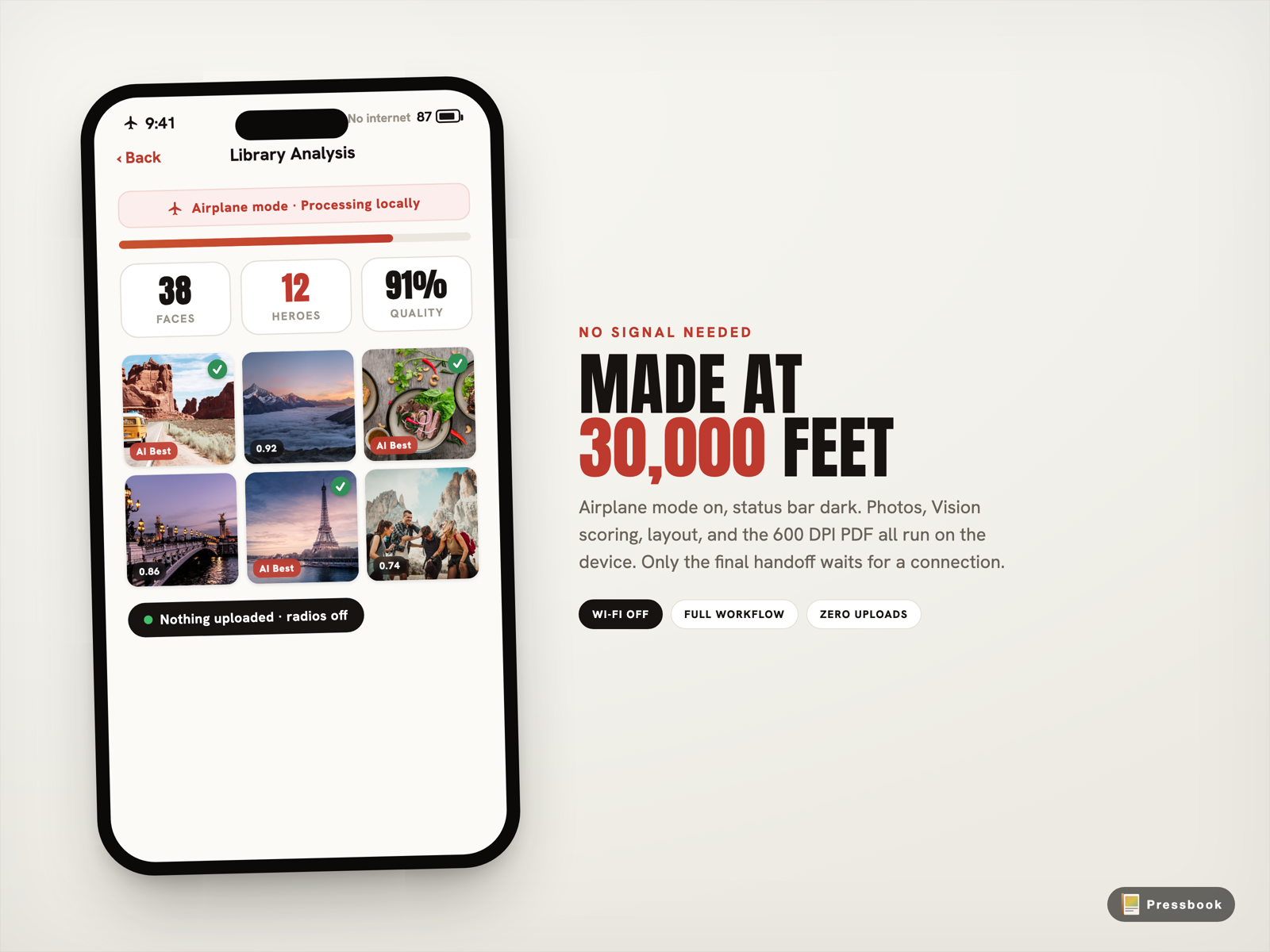
Turn on airplane mode before you open Pressbook. The Photos framework still gives you your full library. The six Vision requests still score every frame on the Neural Engine. The layout engine still picks from the 216 local templates. The editor still lets you swap, filter, sticker, draw, and rearrange. Core Graphics still writes the 600 DPI PDF straight to disk. You can even save the full .pressbook project file.
Only the final handoff waits for a connection: AirDrop the PDF to your Mac, send it to the print lab site, or message it to someone. Everything that turns raw photos into a finished album happens while the radios stay dark.
The proof is simple. The same album you finish at 30,000 feet is the one that prints at 600 DPI with no quality surprises later. Your photos never left the seat pocket.
Before you fly: two things to check
Offline creation has two real constraints, and both are easy to handle on the ground:
iCloud-only photos are the main gotcha. If your originals live only in iCloud and have not downloaded to the device, analysis can stall while it waits on each file. Fix it before takeoff: in the Photos app over Wi-Fi, open the keepers full-screen so they cache, or turn on Settings, [your name], iCloud, Photos, Download and Keep Originals. Then pick device-resident shots in Pressbook once you are offline.
Large 600 DPI jobs are heavy. A 50-plus page album at print resolution can be hundreds of MB and take several minutes. Plug in or start with a decent charge. The system manages memory carefully, but a monster export on a dying battery in a dark cabin is asking for trouble.
Everything else runs identically with the radios off, including the duplicate and blurry-shot cleanup that happens before any page is laid out.
How fast is it in real life?
A normal vacation set of 80 to 120 photos usually finishes the full Vision pass and layout in well under a minute on a recent iPhone. The 600 DPI PDF render takes longer because there are more pixels to push, but the work stays on the device. No email when ready. No server queue. You watch it finish.
Why the no-upload part actually matters
Your photos are personal in a way almost nothing else on the phone is. Most photo book apps solve the layout problem by sending everything to someone else's computers first. That means waiting on hotel or plane Wi-Fi, accepting whatever compression they apply before their AI even sees the files, and trusting that your memories will not be stored, analyzed for training, or exposed if their systems get breached.
Pressbook removes the hop entirely. The Photos framework hands the originals to local Vision requests. The layout engine and PDF renderer work against full resolution pixels that never left your device. The only file that ever leaves is one you explicitly choose to export: a finished PDF or the self-contained .pressbook project.
That produces three real differences you feel immediately:
- No upload spinner. You start and finish while the experience is fresh.
- No quality loss from downsampling before analysis. The AI sees the actual sharpness and light you captured.
- No privacy surface. There is no server that can be asked for your photos because the server never received them.
Try it with photos you already have
Open Pressbook. Pick the roll from the weekend or the family dinner or the week in the mountains. Turn on airplane mode if you want to prove it to yourself.
Run the steps once. You will end up with a finished print-ready PDF or a .pressbook project file, and every original photo will still be sitting in your library exactly where it started.
Start an album in Pressbook, free on the App Store.
For the lighter first-run version, see Creating Your First Pressbook Album. For the deeper thinking on why the cloud never got involved, read Why We Built SideSwipe Labs.
Want the print details or a head-to-head on-device versus cloud comparison? Read How to Print a Photo Book at 600 DPI from iPhone and On-Device vs Cloud Photo Book Curation.
Your camera roll is already full of stories. This is how you finally finish one, without ever giving the photos away.