On-Device vs Cloud Photo Book Apps: Why Local AI Wins on iPhone
You just got back from a trip or a family weekend with 80 to 150 photos on your phone. A handful are genuinely special. A lot are near-duplicates from the same moment. A few blurry ones or random screenshots snuck in. You want something better than a camera roll scroll - a real album you can print, flip through on a shelf, and hand to someone.
Most photo book apps give you the same instruction: upload your photos. Their AI will sort it out.
It sounds simple. In practice: "upload and hope." You hand over the originals, wait through the transfer and processing, and hope the result feels like your actual weekend instead of a generic template. By the time you see the first version, the photos have already left your control - often downsized, queued on remote servers, and sometimes used to train models.
Pressbook takes the opposite route. "Instant and yours." Everything - scoring, deduplication, chapters, layout, even the final PDF export - happens right on your iPhone using the original full-resolution files. Your photos never leave the device.

What actually happens when photos go to the cloud first
The moment you upload, most services (Mixbook, Shutterfly, Vistaprint, etc.) shrink the files before their AI sees them. Fine details in faces, subtle light, exact framing - lost forever. Curation happens on the compressed copy. No way back.
The uploaded originals often feed model training per the fine print. Your family photos live on remote servers exposed to breaches, subpoenas, and policy changes.
You wait in upload queues and server queues - typical end-to-end: several minutes to 15+ for processing after transfer.
Then the result arrives based on the downgraded versions. Want to change your mind? Re-upload and start over.
Real-world cloud flows show upload progress + "remote analysis" steps taking 10+ minutes in side-by-side tests. The AI never saw your actual pixels.
Side-by-side: On-Device vs Cloud (the real differences)
| Factor | On-Device (Pressbook) | Typical Cloud Photo Book Services |
|---|---|---|
| Analysis resolution | Full original files from PhotoKit | Downsized on upload (lost detail before AI) |
| Where AI runs | Vision framework on Neural Engine (local) | Remote servers after transfer |
| Time to first curated view | ~60-120 seconds on recent iPhone | Upload + server queue (often 5-15 min total) |
| Privacy architecture | Photos never leave device; FileProtectionType.complete | Uploaded; server-held; potential training use + exposure |
| Deduplication & scoring | Perceptual hash (dHash) + 6 Vision signals on origs | On compressed versions |
| Chapters & selection | Time + scene labels + saliency + face quality | Approximate after compression |
| Review & control | Explicit buckets you edit; drag any photo back | Black box or limited re-edits |
| Layout personalities | Switch instantly on device, rebuilds in seconds | Often locked to first result or re-upload |
| Export | PDF rendered from originals at 300/600 DPI (Core Graphics) | From uploaded compressed assets |
| Offline | Full workflow (analysis, layout, export) | Internet required |
| Data exposure | None to third parties | Sent to company + possibly others |
This is not marketing. These are direct consequences of where the pixels live and when the analysis happens.
How on-device curation works when nothing leaves your phone
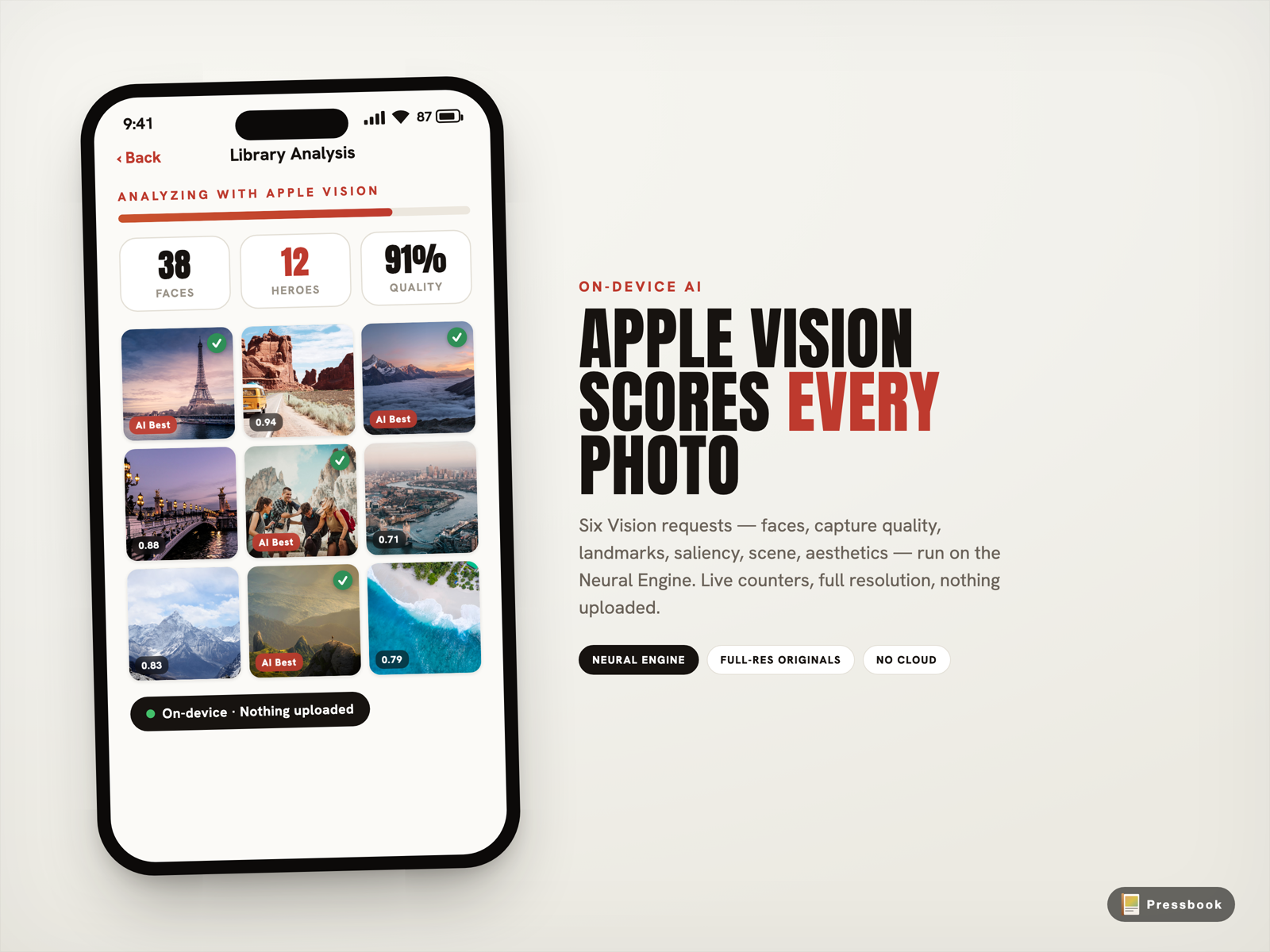
Pressbook hands every photo you selected to the PhotoAnalyzer. It fires six specific on-device Vision framework requests on the Neural Engine. No network call. No account. The full original files stay exactly where they are, protected at FileProtectionType.complete (unreadable when the device is locked without your passcode).
Here's what the local pass actually measures (the six exact Vision requests):
- VNCalculateImageAestheticsScoresRequest (iOS 18+): composition, lighting, color harmony + overall visual power +
isUtilityflag (auto-skips screenshots/receipts). - VNDetectFaceRectanglesRequest: locates every face.
- VNDetectFaceCaptureQualityRequest: per-face sharpness, exposure, framing.
- VNDetectFaceLandmarksRequest: closed eyes, awkward angles via eye landmarks.
- VNGenerateAttentionBasedSaliencyImageRequest: predicts where eyes land for hero crops.
- VNClassifyImageRequest: scene labels (beach, dinner, etc.) for natural chapters.
Bursts collapse to the single strongest frame using perceptual hash (dHash). Time clustering + scene signals create chapters that match how the day actually felt.
The whole thing for a typical 80-150 photo set finishes in about a minute on recent iPhones. You watch live progress: faces found, heroes promoted, quality % ticking up. No spinning wheel waiting on a remote queue.
The review screen that puts you back in control
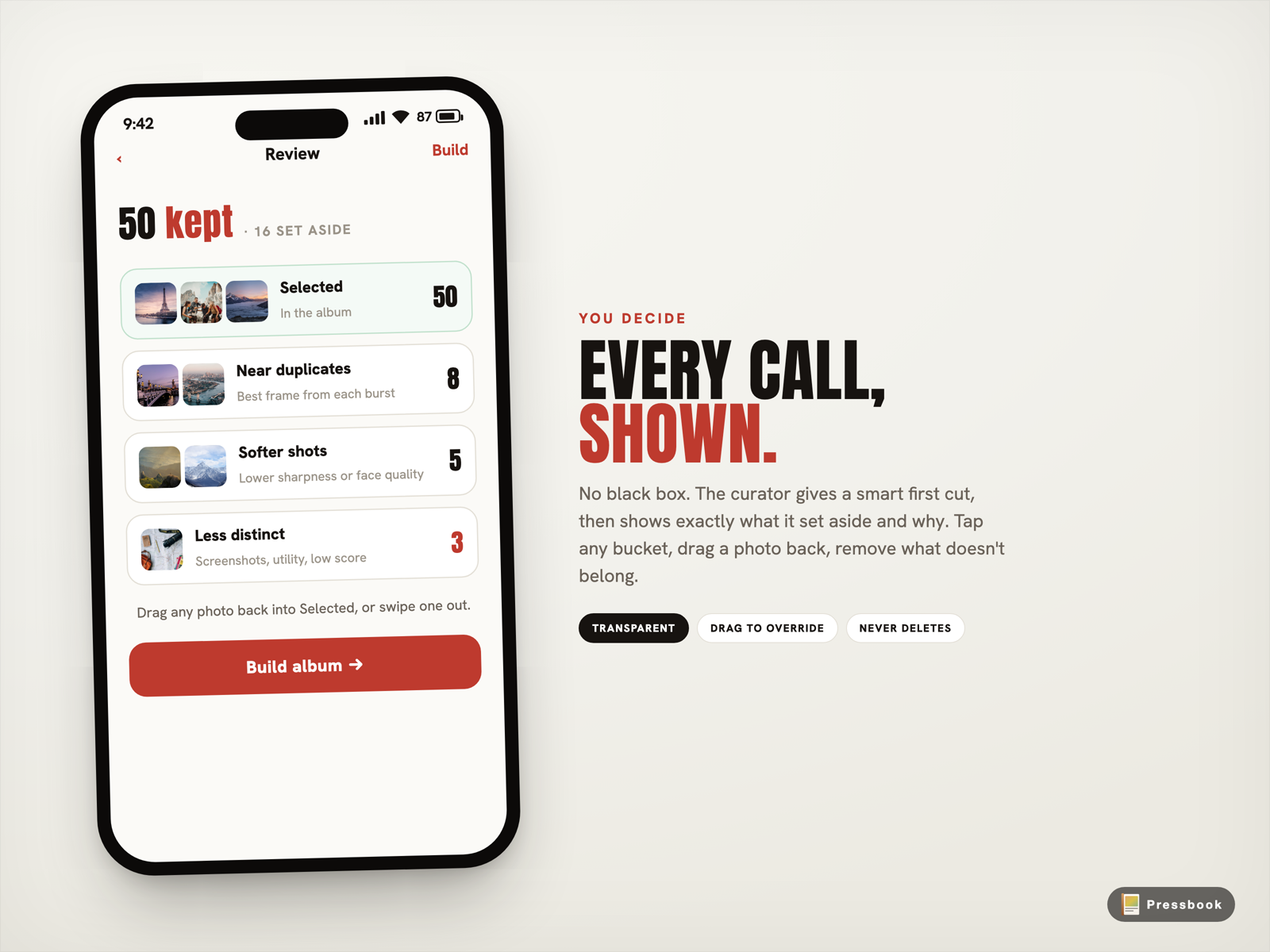
After the pass you don't get a mysterious "your book is ready." You get a clear breakdown from the real analysis.
"50 kept, 3 set aside."
Tap into the groups and you see exactly why: Near duplicates (best burst frame kept via dHash + quality), Softer shots (lower across multiple Vision signals), Less distinct.
You can drag any photo back in or swipe others out. The AI gave you a smart first cut. You make the final call - always.
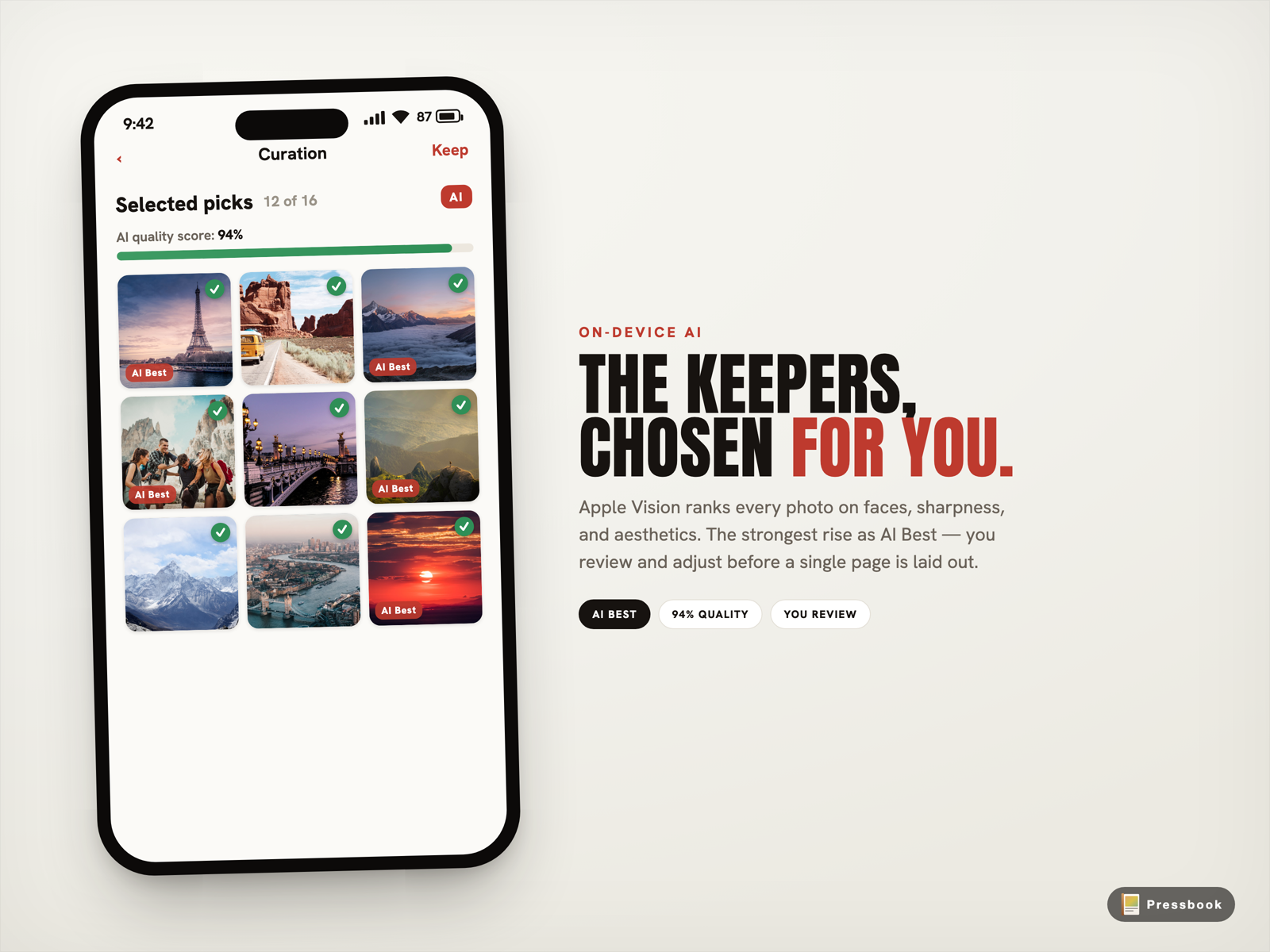
This is where the quality difference shows up. Because the scores were calculated on the real full-res files, technically weaker but meaningful photos (the imperfect but important one) are far less likely to get dropped by accident. Strong images rise with confidence. Cloud versions, working from downsized uploads, simply cannot make the same call.
Switch personalities, edit forever, export from originals
Before pages appear you choose a personality: Editorial for thoughtful hero spreads, Gallery for clean grids and rhythm, Collage for lively energy. A separate tone (Light, Warm, Dark) sets the mood without changing layout.
Hate the first result? Tap a different personality. The pages rebuild in seconds on your device using the exact same photo choices. Nothing is locked in - unlike cloud flows where the first AI output is often the only practical one.
You can still hand-edit any page, swap photos, add text, stickers, or drawings. The project file stays local. Weeks later you can reopen it and re-export at 300 DPI for most labs or 600 DPI for premium printing.
The printer receives a PDF rendered directly from your original full-resolution images on the phone (Core Graphics pipeline, atomic write). Not a chain of compressed copies that passed through someone else's servers. Your originals never left the sandbox.
Privacy that is architectural, not a promise
When photos never travel, the usual privacy disasters become impossible.
- They can't be used to train models (never left device).
- No company can hand them over in response to a request they never received.
- There is no remote server sitting with your family memories that could be breached or subpoenaed.
Storage uses iOS FileProtectionType.complete: when locked, the .pressbook project and assets are unreadable without the device passcode (AES-256 keys in Apple's hardware).
This isn't a policy you have to trust. It is how the app is built from the ground up.
Where cloud services still have an edge
Cloud tools shine if you want automatic multi-device access, huge shared libraries without moving files, or easy collaboration with people who don't have the app. Some (like Mixbook's iOS app) now use Apple's on-device frameworks for initial photo analysis, but the full creative output and printing still requires uploading the (often compressed) files to their servers.
Pressbook trades those conveniences for privacy and quality end-to-end. You move the project file yourself with AirDrop, iCloud Drive, or any service you already use and trust. The PDF you export was never seen by anyone else.
For a lot of people the trade is obvious once they feel the difference. For others the cloud conveniences win. The point is knowing what you're actually exchanging.
Try the exact same photos both ways
Grab 80 to 120 real shots from your last trip or event.
Run them through one of the popular cloud photo book services (upload first, wait for their AI).
Then run the identical set through Pressbook (zero upload).
Pay attention to the table above - and specifically:
- Total time from start to first finished album (upload + wait versus local ~1 min pass).
- Which photos survived the cut and whether the "keepers" feel right (full-res signals vs compressed).
- How the pacing and chapters read - does it feel like the day you lived?
- What you can still change afterward without starting over.
- The final export quality when you zoom or print (originals vs uploaded copies).
Most people notice two things right away: the local version finishes dramatically faster, and the selection feels like your weekend.
Photo albums deserve better than "upload and hope"
These are some of the most personal things we create on our phones. Deciding to send every frame to a remote company so their AI can "help" is not a small or neutral choice.
"Upload and hope" trades your originals, your time, and your privacy for convenience that often under-delivers.
"Instant and yours" keeps the pixels, the control, and the memories where they belong - on the device in your hand.
On-device work has real constraints - it uses the power already in your pocket - but it is currently the only practical way to keep both the technical quality of the originals and the simple truth that these memories belong only to you.
The comparison is no longer theoretical. Run the same set both ways. The difference is visible in minutes.
Start an album in Pressbook, free on the App Store, and run local curation on photos that are already sitting on your phone.
For the full technical breakdown of the Vision framework pipeline that powers this, read On-Device AI Photo Curation: How Pressbook Uses the Vision Framework Locally.
Step-by-step no-upload workflow from camera roll to print-ready PDF: How to Make a Photo Book on iPhone Without Uploading Photos.
The reasons we built the app this way: Why we built SideSwipe Labs.