How to Make a Wedding Photo Album on iPhone (to 600 DPI Print)
A wedding generates a lot of photos. The photographer's full gallery, the shots from family group chats, the ones your friends took on their phones. Most are near-duplicates of the same moment. A few are the ones you'll actually want to look at in ten years.
The usual path is to upload all of it to a photo-book service, wait, and accept whatever their AI assembled from compressed copies. This is a different walkthrough. You curate on your iPhone, lay the album out in a style built for weddings, and export a 600 DPI PDF a pro lab will print, with no upload at any step. Optionally, you seal a copy to open on the first anniversary.
Everything here runs on-device. If you want the reasoning behind that, read Why we built SideSwipe Labs first.
Gather the full set
Pull everything into one place before you start. The photographer's selects, the family group-chat shots, the phone photos. AirDrop them into Photos. Free Pressbook handles up to 20 photos per album; Pro raises that to 1,000. A wedding album usually lands somewhere between 60 and 150.
Don't pre-edit heavily. Pressbook's curation is better at thinning a burst than you are by hand, because it scores sharpness and faces on the full-resolution files. Give it the full set and let it cut.
Let on-device curation do the first cut
Start a new album, pick Square 12×12 or Landscape 18×12 (both are standard for wedding books), and select your photos. The moment you tap continue, Pressbook starts scoring. No upload, no spinner for a server.
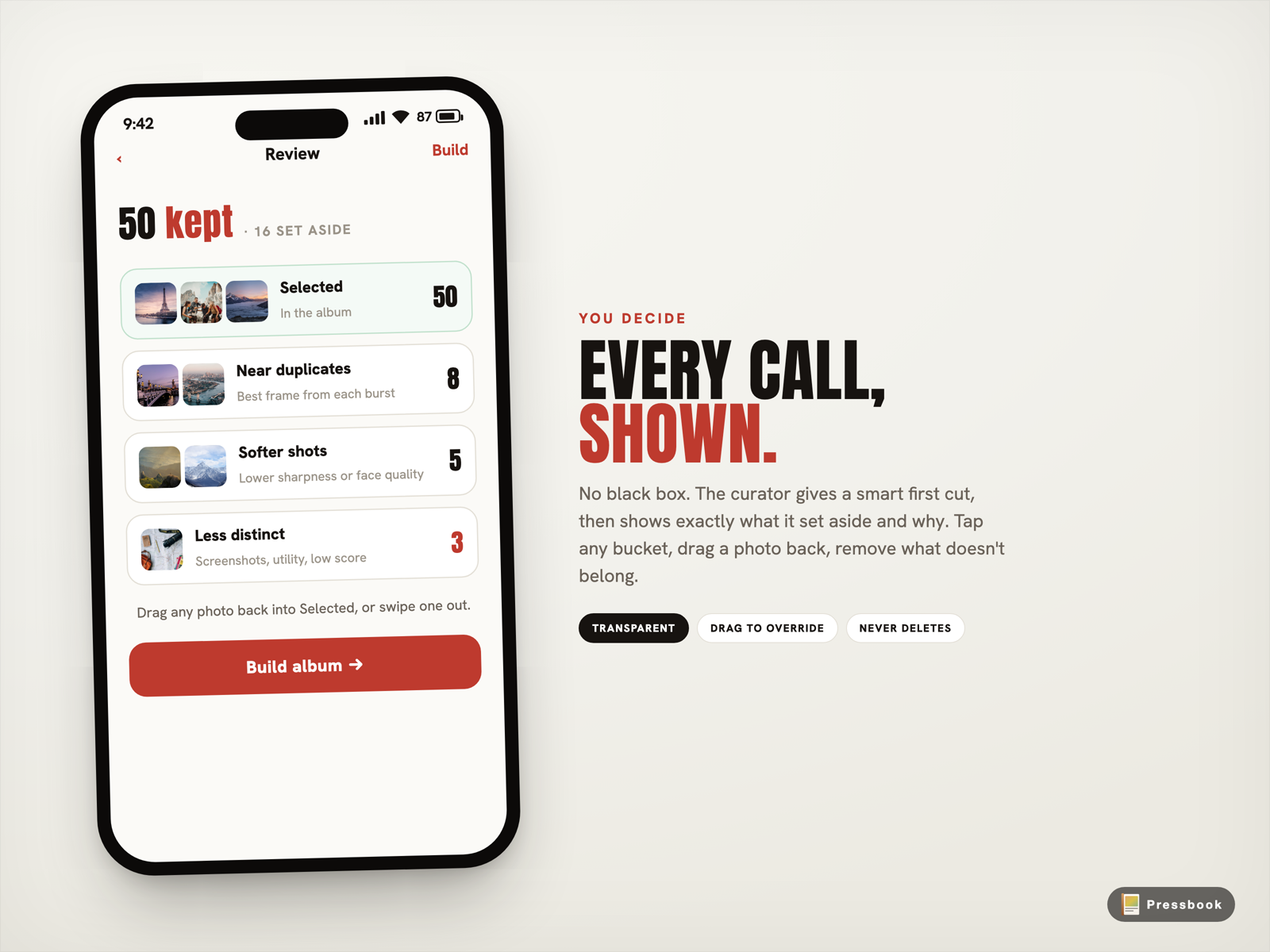
Each photo runs through six Vision framework requests on the Neural Engine: aesthetic score, face capture quality, face landmarks to catch closed eyes, saliency, scene classification, and a utility flag that drops screenshots and receipts. Bursts collapse to the single strongest frame. The result lands on a review screen broken into buckets: Selected, Near duplicates, Softer shots, Less distinct.
This is where wedding sets shine. The forty near-identical frames from the processional become one. The one where someone blinked is flagged, not hidden. You see exactly what was kept and why, and you can drag anything back.
For the full breakdown of what Vision measures, read On-Device AI Photo Curation on iPhone.
Choose Editorial, and a warm tone
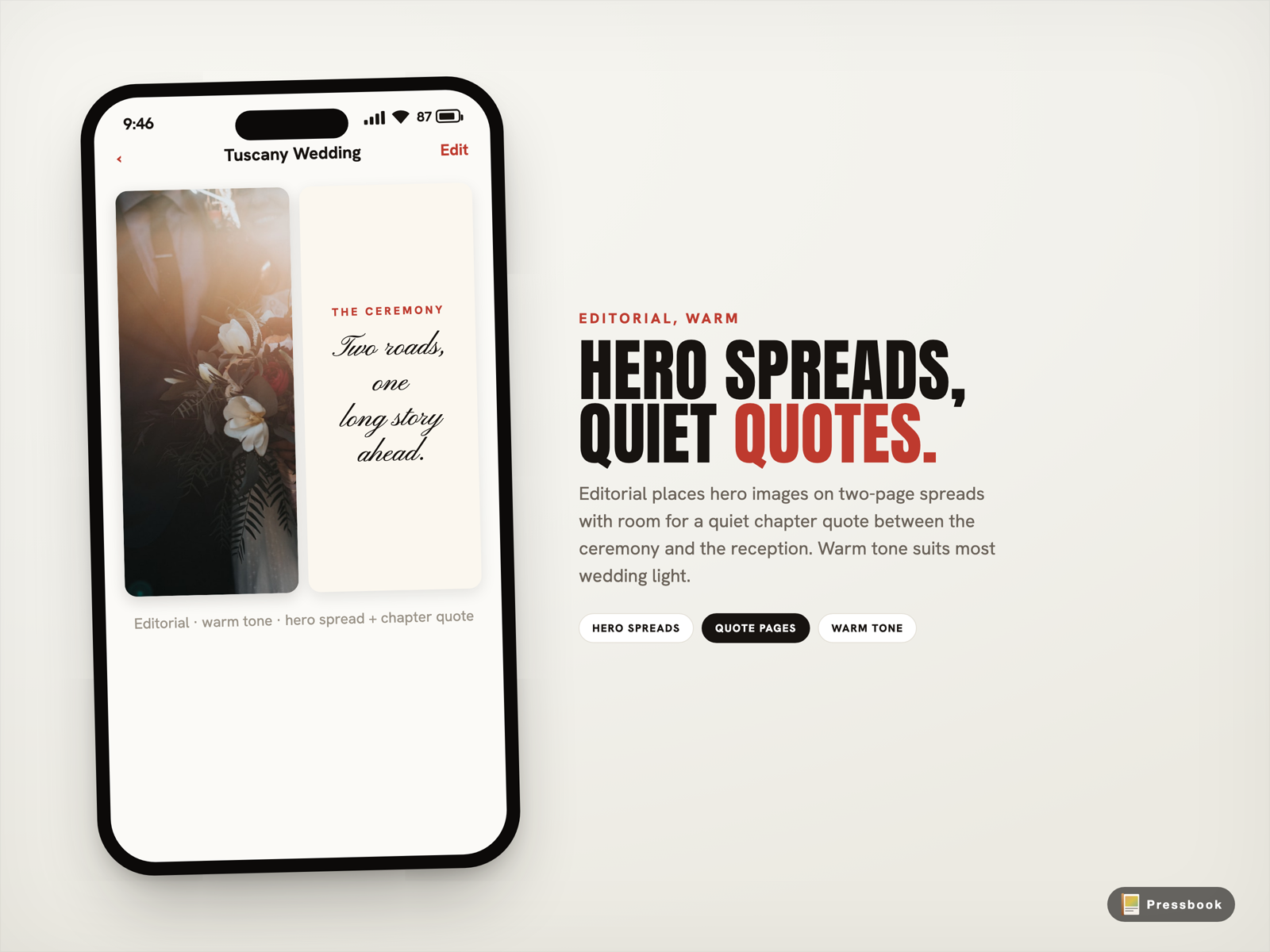
Before pages generate, pick a personality. For weddings, Editorial is built for this: hero images on thoughtful two-page spreads, room for a quiet quote page between chapters, pacing that feels like a magazine rather than a contact sheet.
Then a tone. Warm softens the color and suits most wedding light. Light stays airy and bright. Dark is for moody, evening receptions. Tone changes the color treatment, not the layout. You can switch it after the build and the pages rebuild in seconds from the same photos.
Behind the personalities are 216 hand-designed templates. The layout engine uses your real page dimensions plus the Vision scores to place heroes and pace the spreads.
Add the editorial touches
A few things turn a layout into a wedding album.
Chapter quotes. Turn on Quote Pages in Settings and Pressbook writes a short line for the breaks between chapters, the ceremony, the reception, the dance, using Apple's Foundation Models on device. Each comes with alternatives, and you pick. For how that works, and the honest fallback when the model can't run, read On-Device Captions: How Pressbook Writes Album Quotes.
A consistent grade. Apply one film-inspired filter across the set, Portra 400 for warm skin tones, or a cleaner cinematic grade, at a dialed-back intensity so it reads as a treatment, not a filter. See Filters and Overlays in Pressbook.
Names and dates. Curve a line of text along a path for the cover or a title page. See Curved Text on Photos.
Edit only where you want to. Most wedding albums come out close to ready on the first build.
Export at 600 DPI for a pro lab
Wedding books are the case where 600 DPI earns its place. The pages are large, people lean in close, and fine detail in fabric, skin, and small overlaid text carries weight.
Tap share, choose PDF · Album, and pick the Print lab quality at 600 DPI. The renderer scales every page to that exact resolution from your full-resolution originals, writes the PDF locally with correct DPI metadata, and a Live Activity on the Lock Screen tracks progress so you can lock the phone and walk away. A 32-page square book lands around 100 to 150 MB.
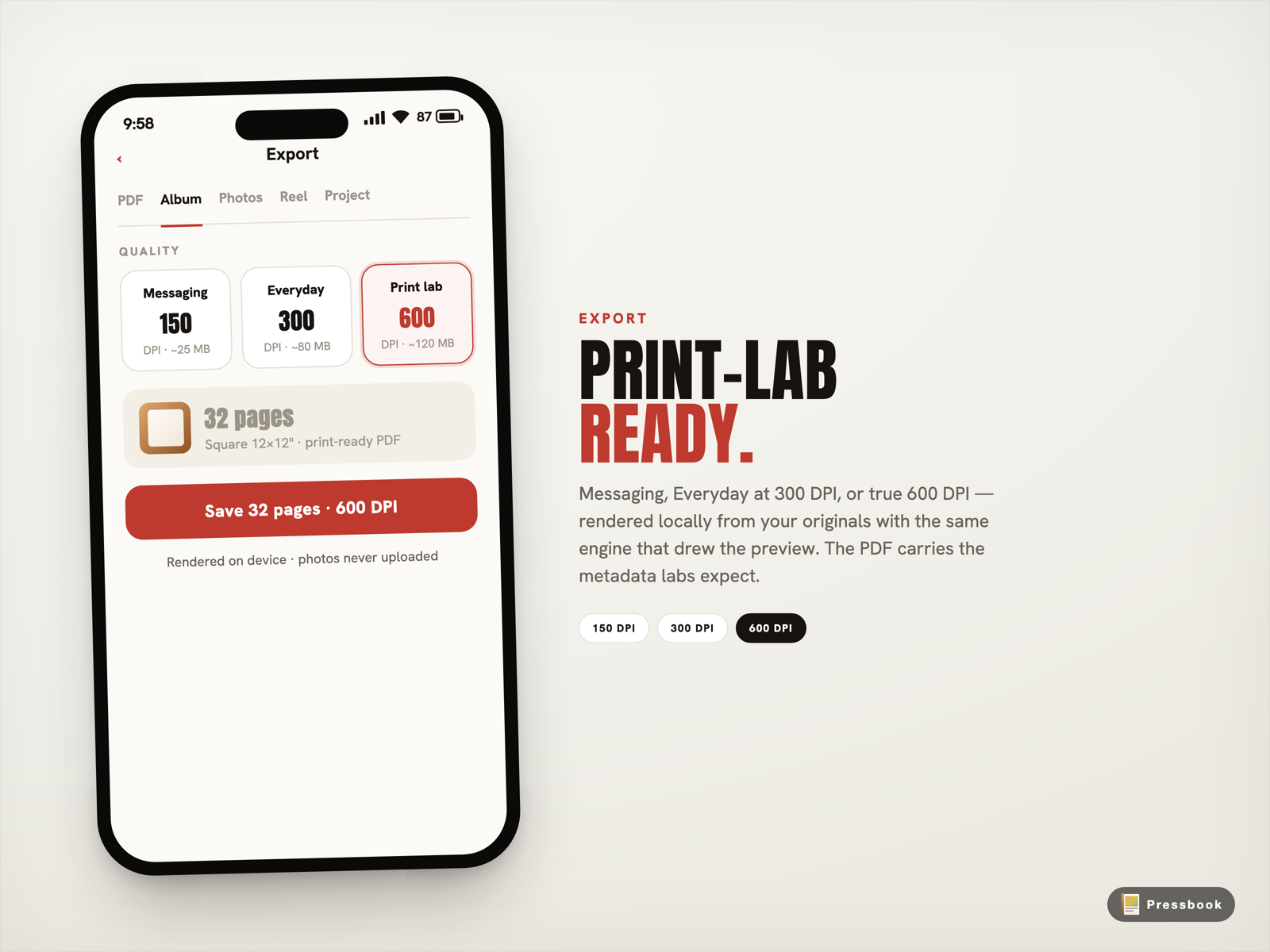
For the step-by-step and real file sizes, read How to Print Photo Books from Your iPhone at 600 DPI. For when 300 is enough instead, see 300 DPI vs 600 DPI Photo Books.
Seal a copy for the first anniversary
This is the part most photo-book workflows can't do at all.
Once the album is finished, long-press it and choose Seal as memory capsule. Pick a date, the first anniversary, and confirm. The album stays in your library, covered, with a countdown. It cannot be opened early. On the anniversary, a single local notification reminds you. You open it, and the album is exactly as you sealed it.
It's a finished gift to your future selves, with no server tracking when it opens. For how the lock works, and the honest limits of it, read Memory Capsules: Seal an Album Until the Day You Chose.
The whole thing on a plane
Every step above, scoring, layout, editing, the 600 DPI render, runs locally. You can finish a wedding album in airplane mode. The only step that needs a connection is handing the finished PDF to the lab.
For the broader no-upload workflow, read How to Make a Photo Book on iPhone Without Uploading Photos.
Try it
Pull together the wedding set. Let on-device curation cut it. Build it Editorial and Warm. Export at 600 DPI and send it to a real lab. Then seal a copy for the anniversary.
Start a wedding album in Pressbook, free on the App Store.
A wedding album is one of the few things worth printing at full resolution. This is how to do it without the photos ever leaving your phone.