Memory Capsule: Seal a Photo Album Until a Future Date (iPhone)
You finish a wedding album the night the photos come back. You don't want to open it yet. You want to open it on the first anniversary, or hand it to someone on a birthday months from now, and feel the weight of having waited.
Most apps have no answer for that. You keep the file around and trust yourself not to peek, or you rely on a folder and willpower.
Pressbook has a Memory Capsule. Gallery menu: Create Memory Capsule. Sheet: Seal as Memory Capsule → Seal capsule. You can seal a finished album, collage, or carousel. When the day comes, a local notification fires and the work is there as you left it.
The seal is for guests. You always keep open, edit, and Send update. Details: Digital Time Capsule. Private invite: share with family.


Seal behind a date you choose
Long-press the finished piece → Create Memory Capsule. Albums, collages, and carousels can all be sealed once they are finished stories.
The seal sheet asks for one thing: an unlock date. You pick a calendar day and a specific time. A birthday morning. An anniversary evening. New Year's at midnight.
Two constraints are built in.
The earliest you can set is tomorrow. You cannot seal for "in two hours." A capsule is always at least an overnight commitment. There is no upper limit. You can seal for years.
The second is a confirmation step. Tap Seal and the app confirms: Guests wait until [date]. You can still open and edit it. Sealing is a real decision for the people you invite, not a lock on your own pen.
What you see while it waits
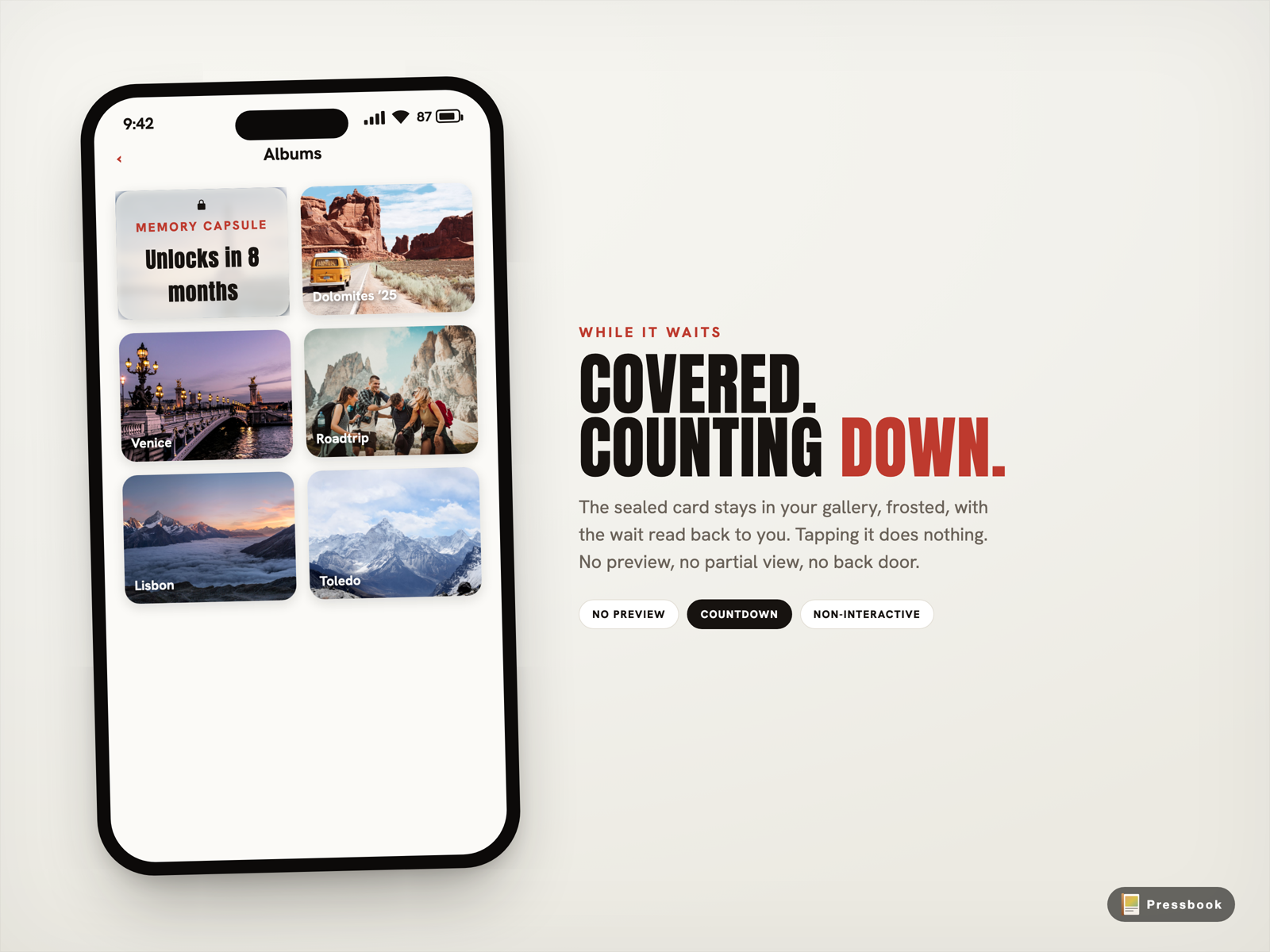
The piece stays in your gallery. It does not disappear, and it is not blurred in a way you can squint through.
The card is covered by a frosted overlay with a lock mark, the words Memory Capsule, and a countdown that reads the wait back to you. "Unlocks in 8 months." "3 weeks from now." "Unlocks tomorrow."
The countdown is written in the language of waiting, not only calendar dates, because the emotional question is always "how long until I see this."
For guests, that frost is the wait. For you as owner, the card stays openable and editable - seal never blocks publish.
The day it opens
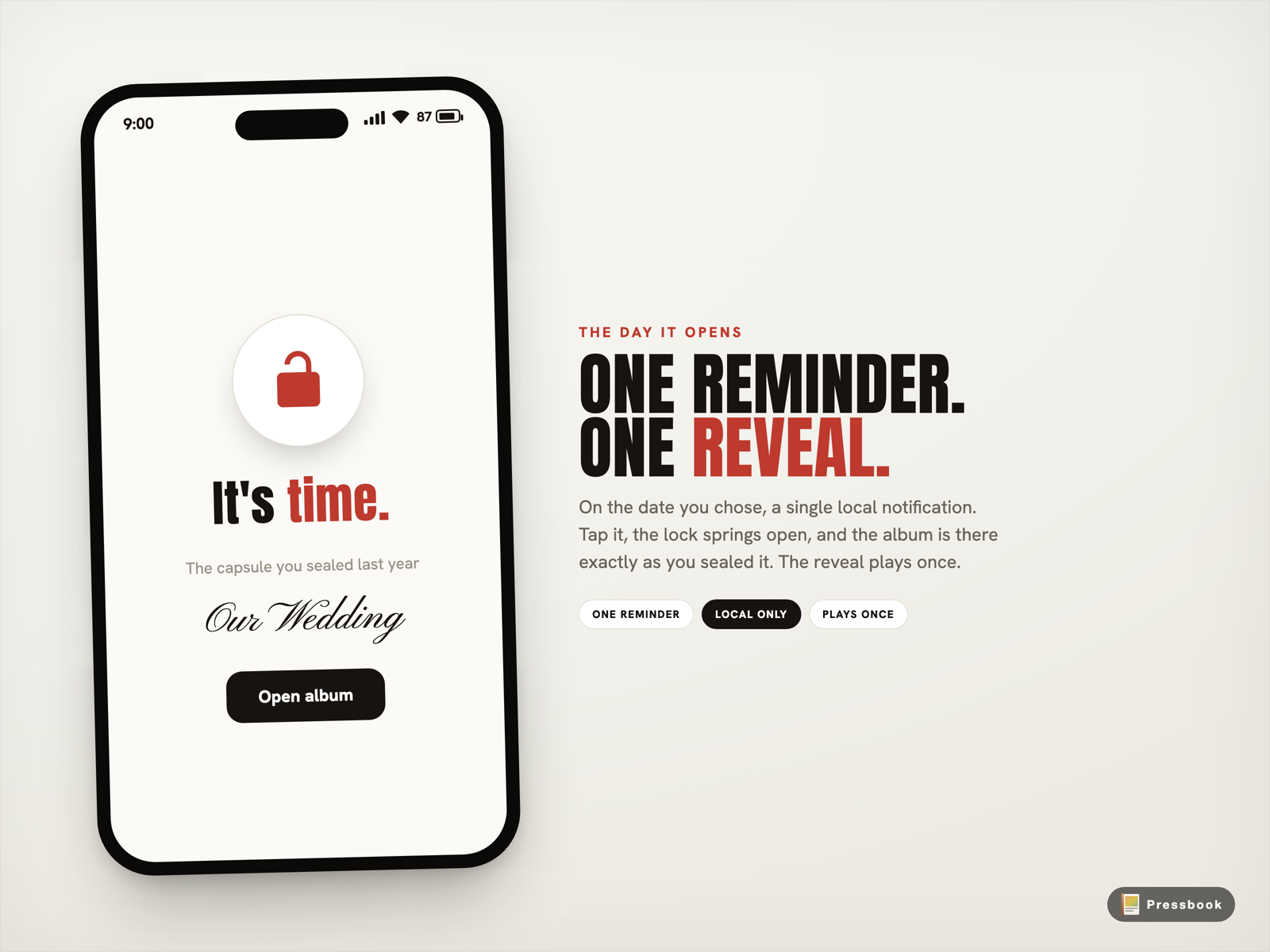
When the date arrives, the app sends one local notification. Nothing more. No marketing, no nudge to share, no chain of reminders.
Open the capsule and you get a short reveal. A lock springs open. The screen reads "It's time." Then the pages are there, exactly as you sealed them.
The reveal plays once. Open it again later and it opens quietly. Reseal it to a new date and the reveal resets, so you can build the same kind of moment again for a different occasion.
Why guests can't open early
The seal is enforced for invitees. They wait until the unlock date. As owner, the gallery still lets you open and edit; accessibility copy is “sealed for guests… Double tap to edit.” There is no guest “unseal now.”
What the capsule is not, is a vault that locks you out of your own project. Footer copy in the seal sheet: you can still open and edit, and send updates anytime.
What it's for
- Seal a wedding album for the first anniversary.
- Seal a baby album or collage for a first birthday.
- Seal a memorial until the family is ready, together.
- Seal a graduation or milestone carousel for the day itself.
- Invite family so the unlock is shared; see gift a digital photo book.
Privacy
Unlock scheduling and local notify are on-device. Optional private share uses Apple iCloud between invitees, not a Pressbook server. Analytics stay opt-in and off by default. Owner edit and publish always stay with you.
Try it
Finish a piece. Seal it for a date that means something. Put the phone down. Let it wait.
Start in Pressbook, free on the App Store.
Full guide: Digital Time Capsule. Private invite: share with family. Print: 600 DPI from iPhone.