How to Gift a Digital Photo Book on iPhone (Private Invite)
A gift from a camera roll should feel like an object: pages with a start and an end, not four hundred files in a chat.
On iPhone, Pressbook is how you design that object and hand it over privately. This is the occasion guide - birthdays, grandparents, “we finally made the trip book” - with real menu names and a short design checklist so the gift is worth opening.
For weddings specifically (parents, both sides of the family, anniversary capsule), use the dedicated post: Share Wedding Photos With Family Privately.

The gift path (exact labels)
- Design the album, collage, or carousel on device (below).
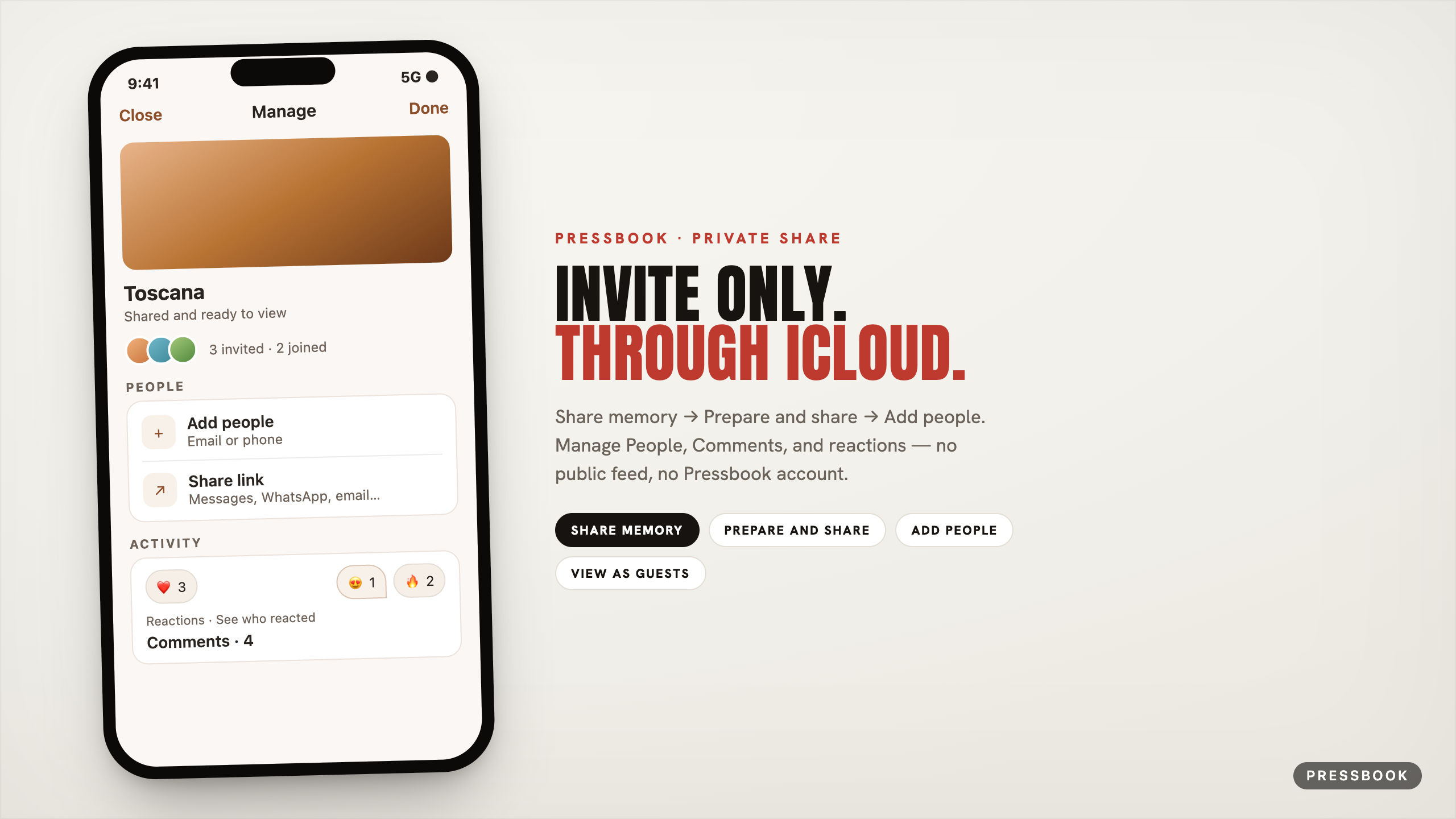
- Gallery long-press → Share memory.
- Optional: Add an unlock date (seal so everyone opens together).
- Prepare and share: about a minute; pages render and move into iCloud for the share.
- Add people: email or phone on their Apple Account; they need iCloud.
- Share link via Messages, WhatsApp, email…
- Later: Manage → People, Activity (Comments, reactions), View as guests, Stop sharing, Send update if you edit.
Full share mechanics: how to share privately. Seal mechanics: digital time capsule.
Design the book before you gift it
Share multiplies whatever you made. Spend the ten minutes here:
Story engine. Chapters follow time and place; place names come from an offline gazetteer. People appear more evenly; faces are protected from bad crops. Details in how Pressbook reads a camera roll.
Fullness. The fullness slider changes how full pages feel, never which photos stay. Use airy for quiet gifts, packed for chaotic trips. Takes keep prior versions so exploring density is not destructive.
Reader pass. Open the finished album in the magazine reader once. If you would not sit with it, do not invite yet.
Format choice.
| Gift | Use when |
|---|---|
| Album | Real narrative; print later at 600 DPI |
| Carousel | Swipe story, optional video |
| Collage | One strong page for a morning unlock |
Birthday and just-because
- Short album or collage; seal unlock to the morning of the day if surprise matters.
- Invite only the person (and maybe one co-conspirator).
- Leave the first Add a comment yourself so the thread is not empty.
- View as guests once before you send the link.
Grandparents and distance
- Prefer an album they can page slowly.
- Private invite beats a Google Photos ocean.
- Reactions on pages are easier than “which photo did you mean.”
- Print PDF later for the shelf; digital first for the people far away.
Open now vs sealed gift
| Open now | Sealed (Memory Capsule) | |
|---|---|---|
| Guest experience | Accept → view | Accept → wait → unlock together |
| You (owner) | Open, edit, Send update | Same - seal never locks you out; guests wait |
| Best for | Trip just ended | Anniversary, birthday morning |
What they do when they open it
- Read full screen.
- Add a reaction / See who reacted.
- Comments → Add a comment.
- Not: turn it into a public feed from inside Pressbook.
Privacy one-liners for the family chat
“I made you a private book in Pressbook. Invite only through iCloud - not a public link.”
No Pressbook password for them. Stop sharing anytime; your project stays on your phone.
Try it
One occasion on the calendar. One finished piece. Share memory → Prepare and share → Add people.
Start in Pressbook, free on the App Store.
Deep links: private share · time capsule · wedding · weekend prompts.