How to Share Wedding Photos With Family Privately on iPhone
Wedding photo handoff usually fails in one of three ways:
- A shared drive with two thousand files and no story.
- A group chat that buries the first dance under GIFs.
- A public link that outlives the guest list.
What families actually want is closer to a book: pages, order, a place to react, and a door that is not open to the internet.
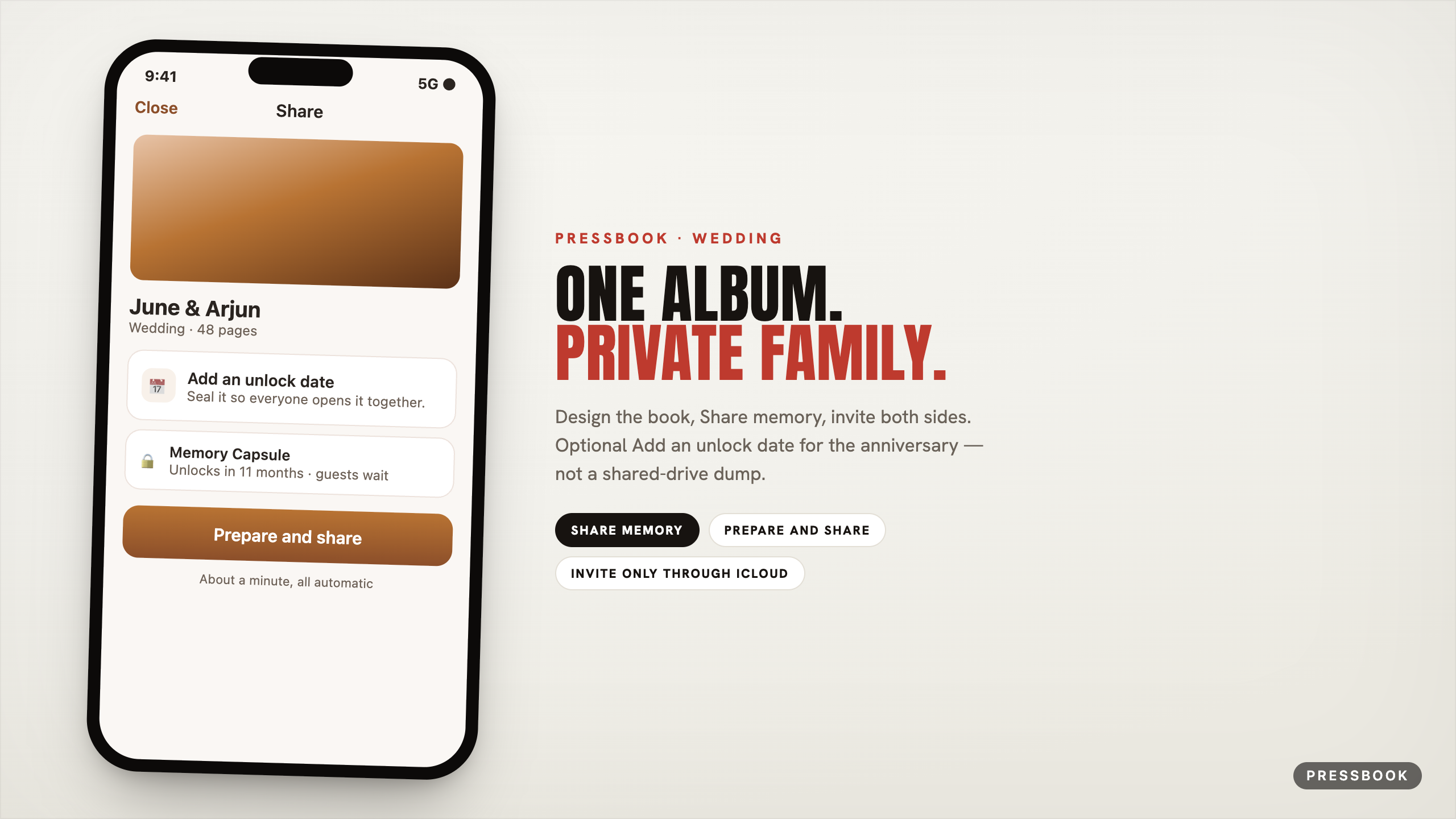
Pressbook is built for that job on iPhone and iPad. You design a magazine-style album (or a highlight carousel with video) on-device, then Share memory → Prepare and share → Add people. Optional: Add an unlock date so the first anniversary opens together.
This post is wedding-specific. General private share: share with family on iPhone. Album-making baseline: make a wedding album on iPhone.

Design the wedding book first
Private share multiplies craft. Spend the time here before you invite parents.
Curation
Pick ceremony + portraits + a tight set of reception frames. Let on-device Vision curation stack near-duplicates so the kiss is one decision, not twelve. You stay in control of the set; the engine proposes keepers among what you selected.
Story engine
Chapters follow time and place - getting ready, ceremony, formals, party - with place names from an offline gazetteer (how the roll is read). Faces are protected from lazy crops. People appear more evenly across pages so one side of the family does not vanish after page three.
Fullness and takes
Use the fullness slider like a design dial:
- Airier for ceremony and formals (room to breathe, fewer photos per page).
- More packed for reception energy if you want the party to feel full.
Every rebuild is a take. Keep the quiet take and the lively take; compare before you share. The slider never drops a photo you approved - density is layout, not deletion.
Reader pass
Open the finished album in the magazine reader once. If you would not hand that page-turn to the couple, fix layout before Prepare and share.
Format mix
| Piece | Role |
|---|---|
| Main album | The book for parents and the couple |
| Carousel + video | First dance / speeches highlight for phones |
| Collage | One-page thank-you or save-the-table-moment |
All three can be shared privately. All three can be sealed as a Memory Capsule.

Share path (real menus)
- Long-press the wedding project card → Share memory.
- Read the intro: Invite only through iCloud; optional Add an unlock date.
- Tap Prepare and share (about a minute; render + move shared pages into iCloud).
- Add people: email or phone on their Apple Account; they need iCloud.
- Share link through Messages, WhatsApp, or email.
- Use Manage later for People, Activity (reactions + Comments), View as guests, Send update, Stop sharing.
Invite strategy that stays calm:
- Couple on one share if you want their private thread.
- Both sets of parents on the main album share (or separate shares if families need boundaries).
- Skip “everyone who was at table 12” unless you truly want that noise.
Default mindset: Invite only. Anyone with the link exists but asks for confirmation - treat it as an advanced footgun for weddings.
Anniversary capsule (the second opening)
Many couples want the book now and a sealed reopen later.
- Share the album open so parents can react this month.
- Or seal first: Create Memory Capsule / Add an unlock date for the first anniversary.
- Remember the seal rule: guests wait; you always open, edit, and Send update. Fix a name caption anytime without breaking their wait.
- On unlock day they open the same designed pages, not a drive folder.
Deep seal detail: digital time capsule.
What family does inside the share
- Page through the album like a book.
- Add a reaction; on albums, reactions can sit on a page so “this aisle” is not the same heart as “that speech.”
- See who reacted.
- Comments → Add a comment: chat-style thread you see in Activity.
- You can View as guests before the chaos starts.
They do not get a public wedding hashtag surface from this product.
Photographers and planners
Same pipeline on iPad: studio layout, then private invite instead of a Dropbox essay. Clients receive a finished object. You keep the editable project locally; Send update pushes new pages when you revise. Print remains a separate export to 600 DPI PDF when someone wants paper.
Vs shared drive chaos
| Pressbook private share | Shared drive dump | |
|---|---|---|
| Story | Designed pages | None |
| Access | People you add | Anyone with folder access |
| Feedback | Reactions + comments on pages | Email threads |
| Timing | Now or sealed | Always on |
| Account | No Pressbook login | Whatever the drive requires |
Privacy, stated for in-laws
No Pressbook account. Prepare puts the shared pages in iCloud for invitees - not a Pressbook public website of the whole wedding. Stop sharing removes access; your project stays on the device. Analytics stay opt-in and off by default.
Try it on the next wedding set
Build one album while the set is still warm. Reader pass. Share memory → Prepare and share → invite the couple and both parents. Optional anniversary seal.
Start in Pressbook, free on the App Store. iPhone and iPad, iOS 18 and up.
Also: private share how-to · gift framing · wedding album craft.