Digital Time Capsule for Photos on iPhone: Seal Until Unlock Day
A digital time capsule is not a folder you promise not to open. It is a finished object with a fuse for people you invite: they wait for a date, open together, and you still keep the pen.
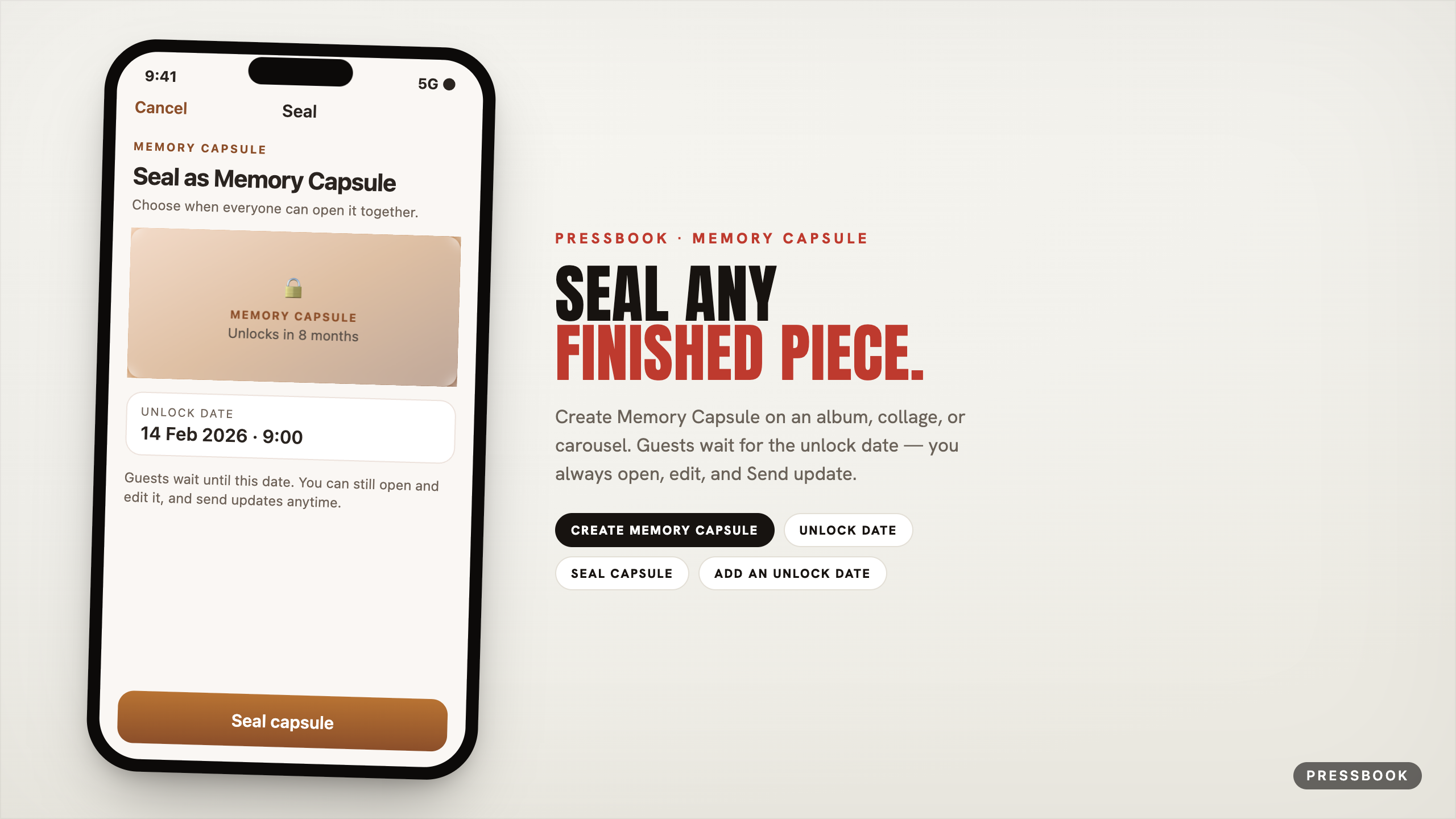
In Pressbook that object is a Memory Capsule. Gallery menu: Create Memory Capsule. Sheet: Seal as Memory Capsule → Seal. Confirm: guests wait; you can still open and edit.
You can seal any finished album, collage, or carousel. Combine with private share so the unlock is shared - without locking yourself out of edit or publish.

What seals, exactly
| Menu / sheet | Label in the app |
|---|---|
| Gallery long-press | Create Memory Capsule (or Reseal Memory Capsule) |
| Sheet title | Seal as Memory Capsule |
| Nav / trailing | Seal |
| Field | Unlock date |
| Hero line | Choose when everyone can open it together. |
| Confirm title | Seal this project? |
| Confirm CTA | Seal capsule |
| Footer | Guests wait… You can still open and edit it, and send updates anytime. |
| On Share intro | Add an unlock date: Seal it so everyone opens it together. |
| On Manage (if unsealed) | Same seal entry under People when sharing is already on |
Earliest unlock is tomorrow. No “in two hours.” No upper year limit in normal use.
Who the seal is for
The seal is for guests, not for locking you out of your own work.
Footer and confirm copy in the app: Guests wait until this date. You can still open and edit it, and send updates anytime. Gallery accessibility for a sealed owner card reads along the lines of “sealed for guests until [date]. Double tap to edit.”
You always keep authorship: open, edit, redesign density, and Send update (when shared). What guests cannot do is open the pages early.
How to seal (path)
- Finish the project. Prefer a layout you would actually hand someone - fullness, chapters, a pass in the reader.
- Long-press the gallery card → Create Memory Capsule.
- Set Unlock date.
- Confirm Seal this project? → Seal capsule.
- Optional gift path: Share memory → on intro, Add an unlock date if you did not seal yet → Prepare and share → Add people.
From an already-shared project, Manage can still offer seal later so everyone opens together.
While it waits
The card stays in the gallery under a frost overlay: lock, Memory Capsule, countdown in waiting language (“Unlocks in 8 months”). That frost is the guest-facing promise. As owner you can still open the project, edit it, and Send update so invitees get the latest pages when you publish them - they still wait for the unlock date.
The day it opens
One local notification when the unlock fires. First open can play a short reveal; later opens are quiet. Reseal to a later date resets the ceremony for a new occasion.
Ideas
- Wedding album sealed to the first anniversary (you keep editing; guests wait)
- Baby collage sealed to a first birthday morning
- Trip carousel with video sealed to New Year
- Memorial album sealed until the family is ready to open together
Build while the memory is sharp. Open when waiting has done its job.
Privacy
- Unlock scheduling and local notify are on-device.
- Shared capsules use iCloud for the invite package; still no Pressbook account.
- Stop sharing does not delete your local project.
- Guests wait for the unlock date; the owner can always open, edit, and publish updates.
Try it
Long-press a finished card. Create Memory Capsule. Set a date you can already feel.
Start in Pressbook, free on the App Store.
Related: share privately · gift a photo book · wedding family share.