Graycard for Mac and Fia for iPhone are on the App Store
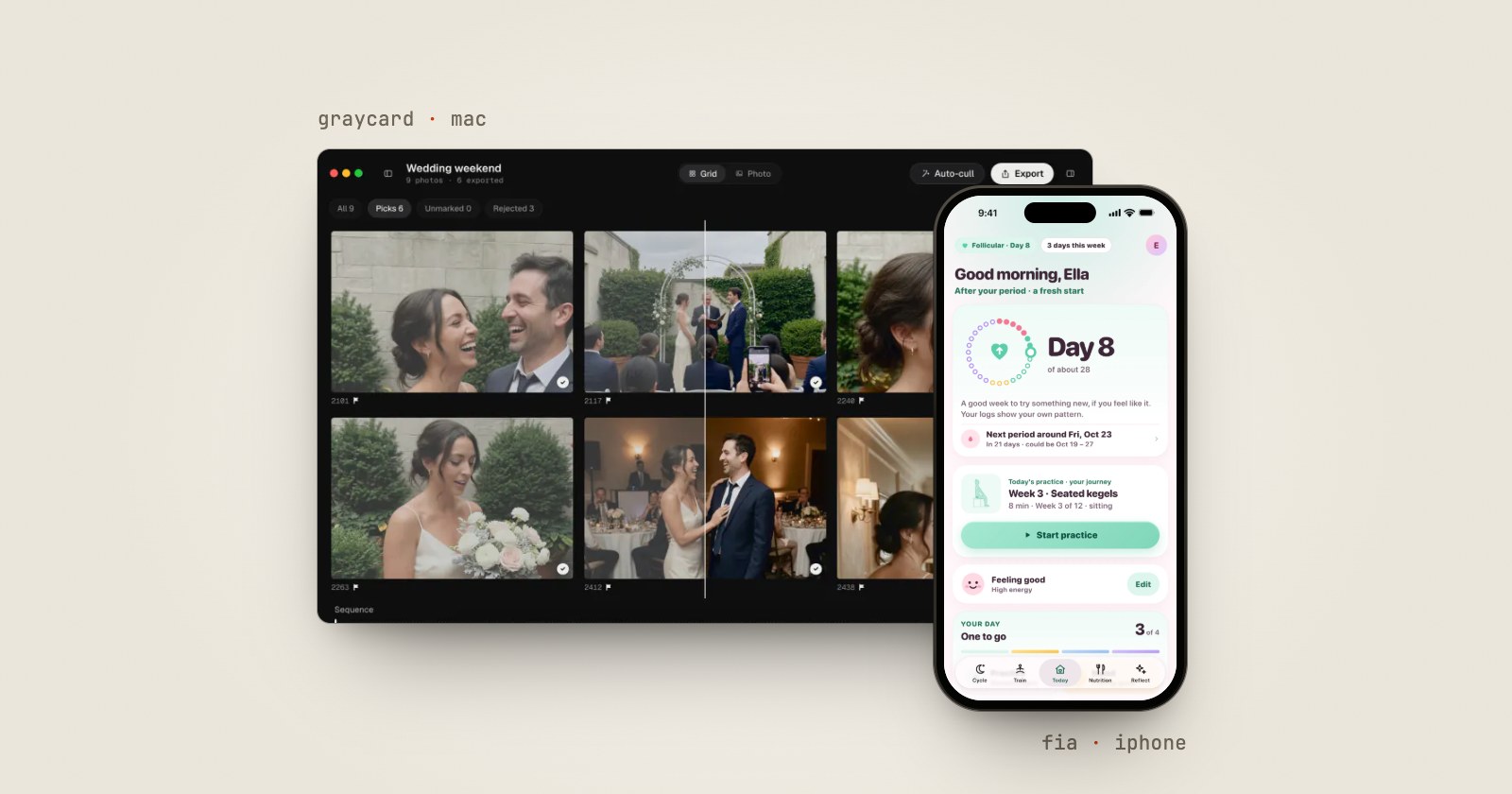
SideSwipe Labs now makes three apps. Graycard came to the Mac App Store on October 9, 2026. Fia came to the App Store on October 14, for iPhone and iPad, with an Apple Watch app. And Pressbook 1.4.0 shipped the same week.
Graycard: the whole shoot, ready to share
Graycard is a RAW photo converter for Mac. Open a card or a folder of RAW, JPEG or HEIF, and it does three jobs in one pass:
- It sets aside the misses. Auto-cull flags blur, closed eyes, bad exposure and the extra frames of a burst, for you to review. Nothing is deleted.
- It finishes the color. Graycard Auto, Graycard's own color engine, balances faces, tone and color on every keeper, on your Mac. Twelve looks each have an intensity slider.
- It exports for where the photos are going. For sharing (2048 px, sRGB, location removed), Full size, or Print, with an sRGB or Display P3 profile in every JPEG. When the export finishes, Share sends the JPEGs to AirDrop, Messages, Mail or Photos.
Graycard reads your photos where they are, so there is no library to import into, and the camera files are never changed. Version 1.0.1 followed on October 13 with the export presets, the location controls, Survey for comparing photos side by side, and Export Again. Graycard is on the Mac App Store lists everything in both versions, and why we built Graycard tells the story behind it.
It needs macOS 26 or later, on Apple silicon or Intel. Every tool is free, and so are your first 80 photos. Graycard Pro removes the limit for $9.99 a month, $29.99 a year, or $59.99 once.
Fia: your period, and your pelvic floor
Fia is a period tracker with guided kegels. Log your period, mood, energy and how your body feels in a few taps, and Fia shows your next period as the days it could start on, with the cycles that estimate is based on. On hormonal contraception, it shows bleed days only.
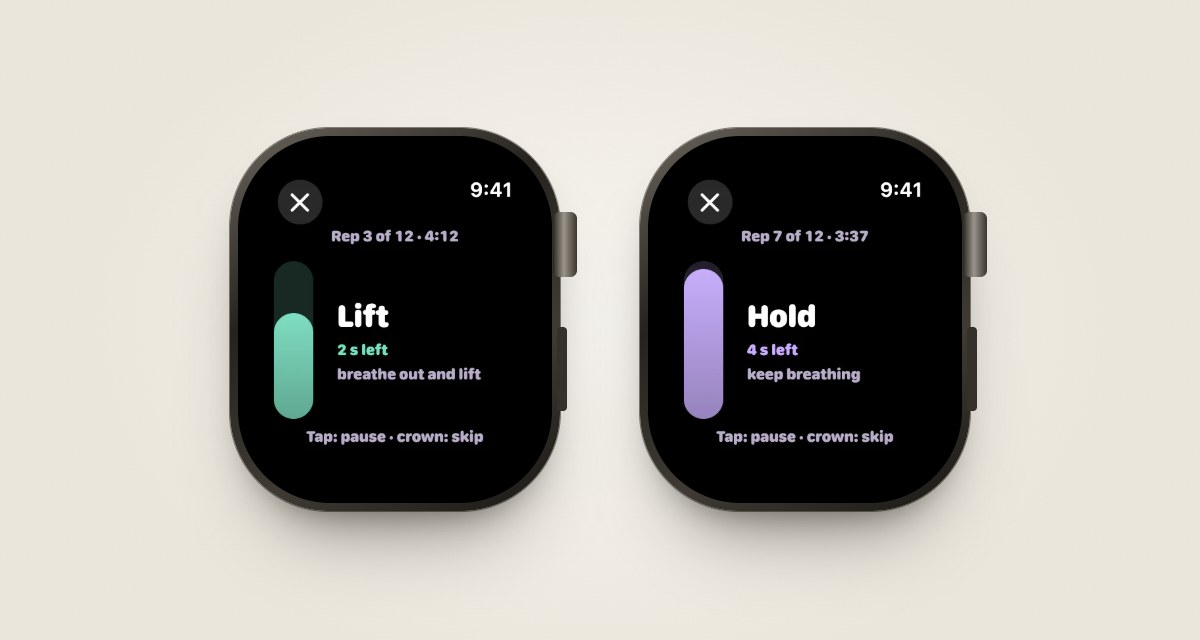
Its kegel journey runs for 12 weeks, from five minutes a day to fifteen, with a figure for each lift, hold and let-go, and spoken cues if you want them. Pregnancy, the weeks after birth, perimenopause and menopause each change what Fia offers. On Apple Watch, you feel a tap to lift and a tap to let go.
Version 1.0.1 came out on October 16. You can swipe between tabs, open any day of the calendar in a sheet to check or change what you logged, and pin the asks you send most when you share with someone. If you only want the tracker, How you use Fia, in Settings, makes Fia a calm period tracker, and everything else waits until you want it.
Free: cycle tracking, every log, your cycle record with a one-page summary for your doctor, export as PDF or CSV, the first four weeks of kegels, all 40 recipes, partner sharing, Discreet Mode and App Lock. Fia Plus adds weeks 5 to 12, more workouts and routines, and your trends, as a monthly plan, a yearly plan or a one-time Lifetime purchase. The App Store shows the price where you are. The reasons behind each choice are in why we built Fia.
The three apps, side by side
| Pressbook | Graycard | Fia | |
|---|---|---|---|
| What it does | Photo albums, carousels and collages | Culls, finishes and exports a RAW shoot | Period tracking and guided kegels |
| Runs on | iPhone, iPad and Mac | Mac, macOS 26 or later | iPhone, iPad and Apple Watch |
| Free | Every layout, sticker and filter; albums up to 20 photos | Every tool; your first 80 photos | Cycle tracking, your record, weeks 1 to 4 |
| Pay once | $79.99 | $59.99 | Lifetime, priced where you are |
| Account | None | None | None |
| App Store privacy label | Data Not Linked to You | Data Not Linked to You | Data Not Collected |
| Its own site | pressbook.app | graycard.io | dearfia.com |
Pressbook and Graycard have optional analytics. It's off until you turn it on, and anonymized when it's on, which is what their "Data Not Linked to You" labels declare. Fia has none. Why Fia has no analytics explains the difference.
Also this week: Pressbook 1.4.0
Pressbook 1.4.0 came out on October 15. Collages and carousels take video clips from Files as well as Photos. Your saved templates always show under My Templates. In big albums, the page you're on comes in sharp sooner, and imports say clearly when a file is already in the project. Pressbook 1.3.9 covers Circles, the Mac and iPhone Duo.
What the three have in common
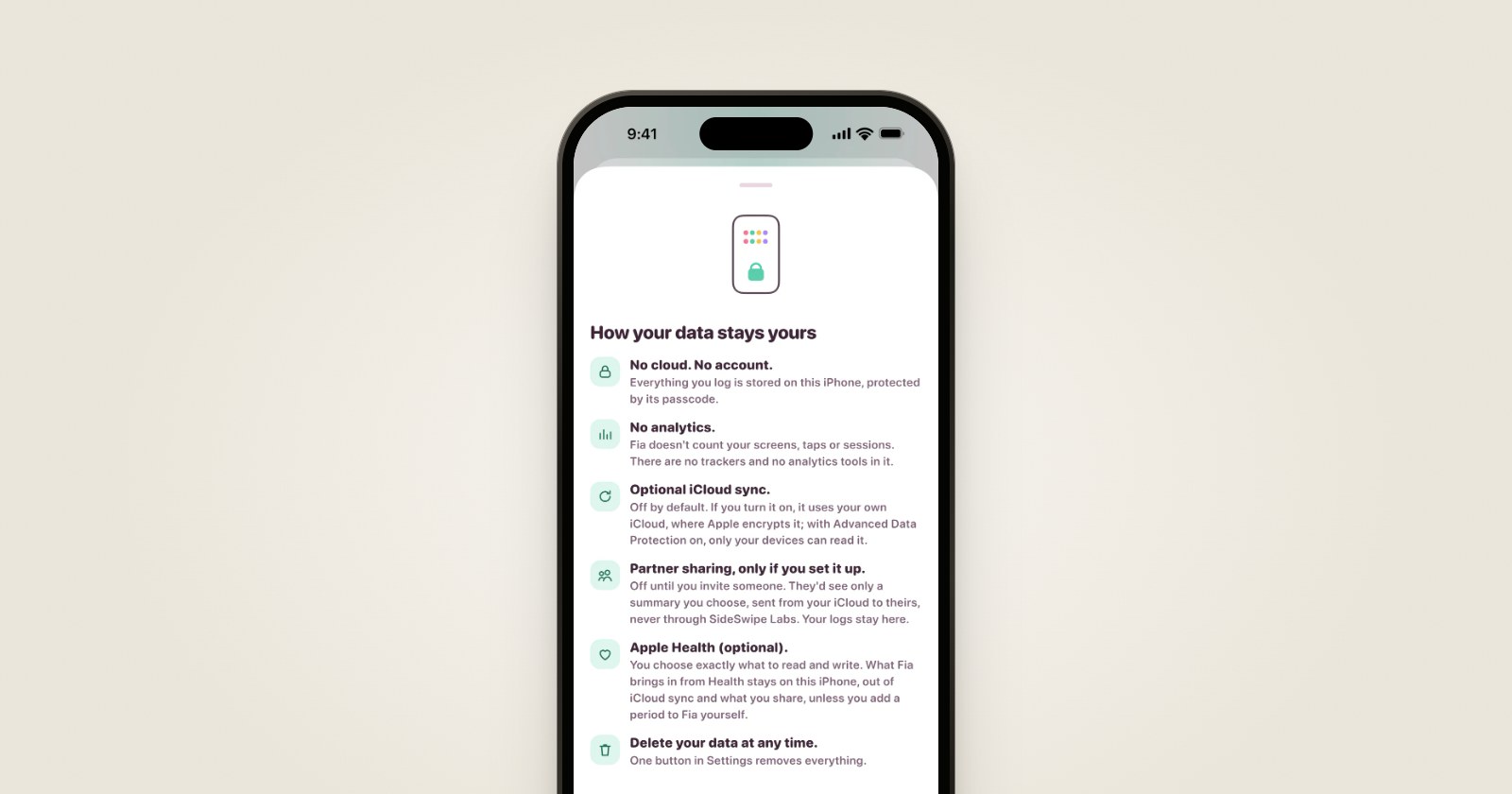
Each app does its work on your device. None of them has an account, ads, or a server of ours that holds your photos or your logs. When your photos or your logs leave your device, it's because you sent them: an export, a share, a circle, or a summary for someone you invite, through your own iCloud.
How to check what an app does with your data shows how to test that on any app, ours included, and what you should see when you do.