Why we built Graycard, a RAW converter for the whole shoot
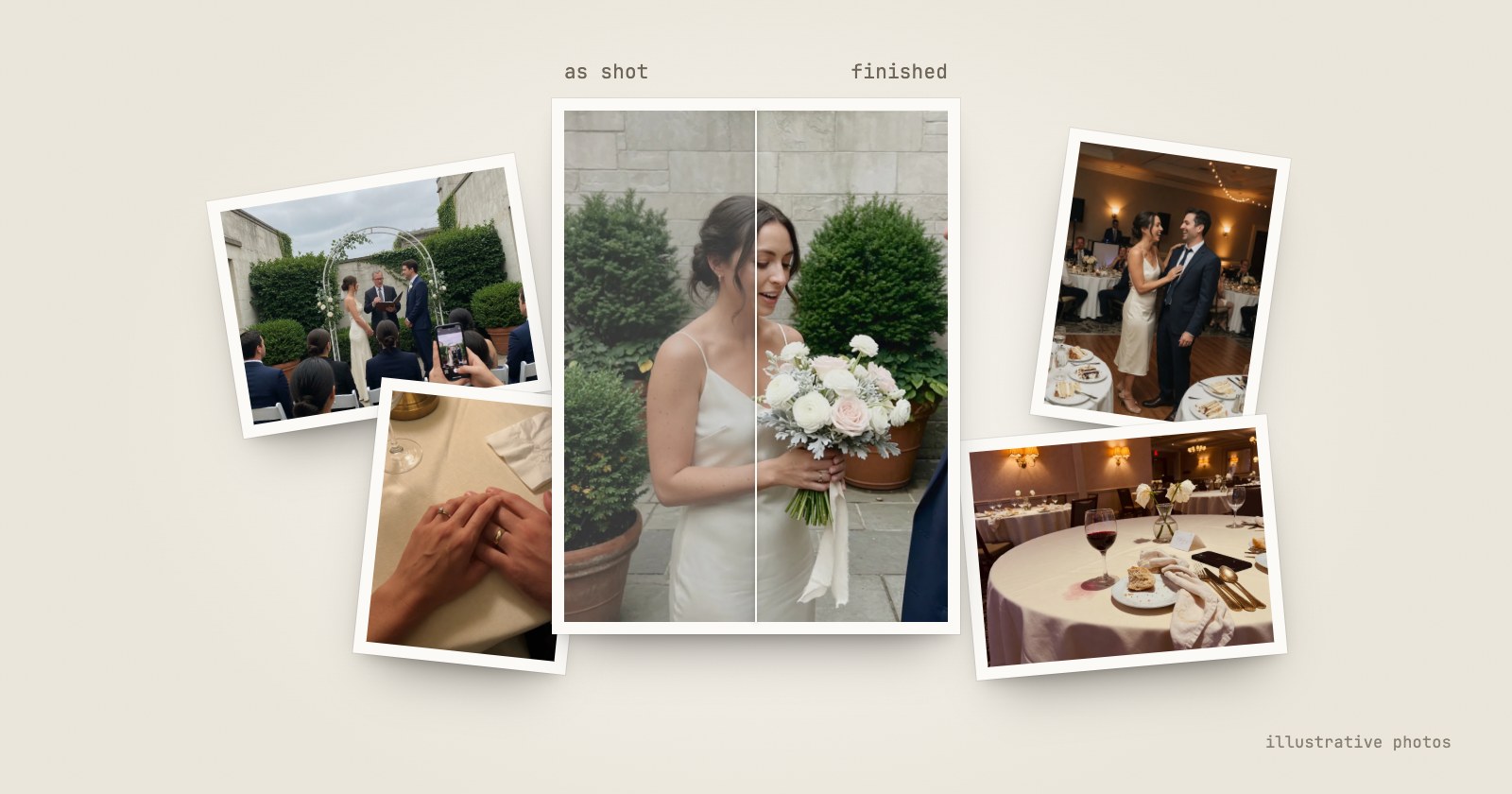
Anyone with a phone can take a photo that looks finished. Shoot RAW on a real camera and you find out the camera leaves that part to you. Opening the files is easy: Photos and Preview on a Mac read RAW from the cameras macOS supports. The hard part is making six hundred of them look the way the day looked, and getting them to the people who were there, without editing skills or a free weekend. That's the gap we built Graycard for.
Your phone finishes every photo. Your camera leaves it to you.
A phone photo is several exposures merged into one, then processed hard. The team behind Adobe's Project Indigo camera app wrote that "most mobile camera apps also apply global brightening, high color saturation, strong smoothing, and strong sharpening."
A camera renders one frame in the style set in its menu, and several of those styles are subdued on purpose, so the photo can be edited later. Canon describes its Neutral style as "for natural colors and subdued images with modest brightness and color saturation." A RAW file is what the sensor recorded, before any style at all. Next to a phone photo it looks flat, even when nothing went wrong.
Why camera photos look flatter than your phone's has the full explanation and its sources.
Who we built it for
Three kinds of people run into this most.
- The camera owner back from a trip. Six hundred photos on a card, a few great ones among them, and a weekend of editing between those and the family group chat.
- The couple whose photographer sent everything. A wedding day often runs to thousands of frames, sometimes as RAW. A consumer commission in Chennai recorded the complaint of a bride's father who was sent more than 15,000 photos and asked to choose 400 for two albums: "It is practically impossible to select 400 pictures from a collection of more than 15,000 photos." Your photographer sent every photo. Now what? walks through it.
- The photographer who owes a fast handover. Sneak peeks by Monday and the full set soon after, every photo graded, with their own mark on it.
What the tools ask of you
| Finishes the color | Whole shoot at once | Sets aside the misses | Asks you to | |
|---|---|---|---|---|
| Batch converters | No | Yes | No | Finish the color somewhere else |
| Professional editors | Yes, if you know how | With presets and syncing | Varies | Import into a library, learn the tools, often subscribe |
| Graycard | Yes, with Graycard Auto | Yes, in one pass | Yes, for your review | Open a folder |
Professional editors can do almost anything to one photo. They can process a whole shoot too, if you know how: import it, build a preset, sync it across, export. That's a workflow for people who edit for a living. Batch converters are quick, but they convert without finishing. We wanted what neither offers: the whole shoot, finished well, by someone who doesn't edit for a living, without handing the photos to anyone.
What we built
Read in place, never copy. Graycard opens the card, drive or folder where it is. Nothing is copied into a library, and the camera files are never changed. A RAW and its JPEG count as one photo.
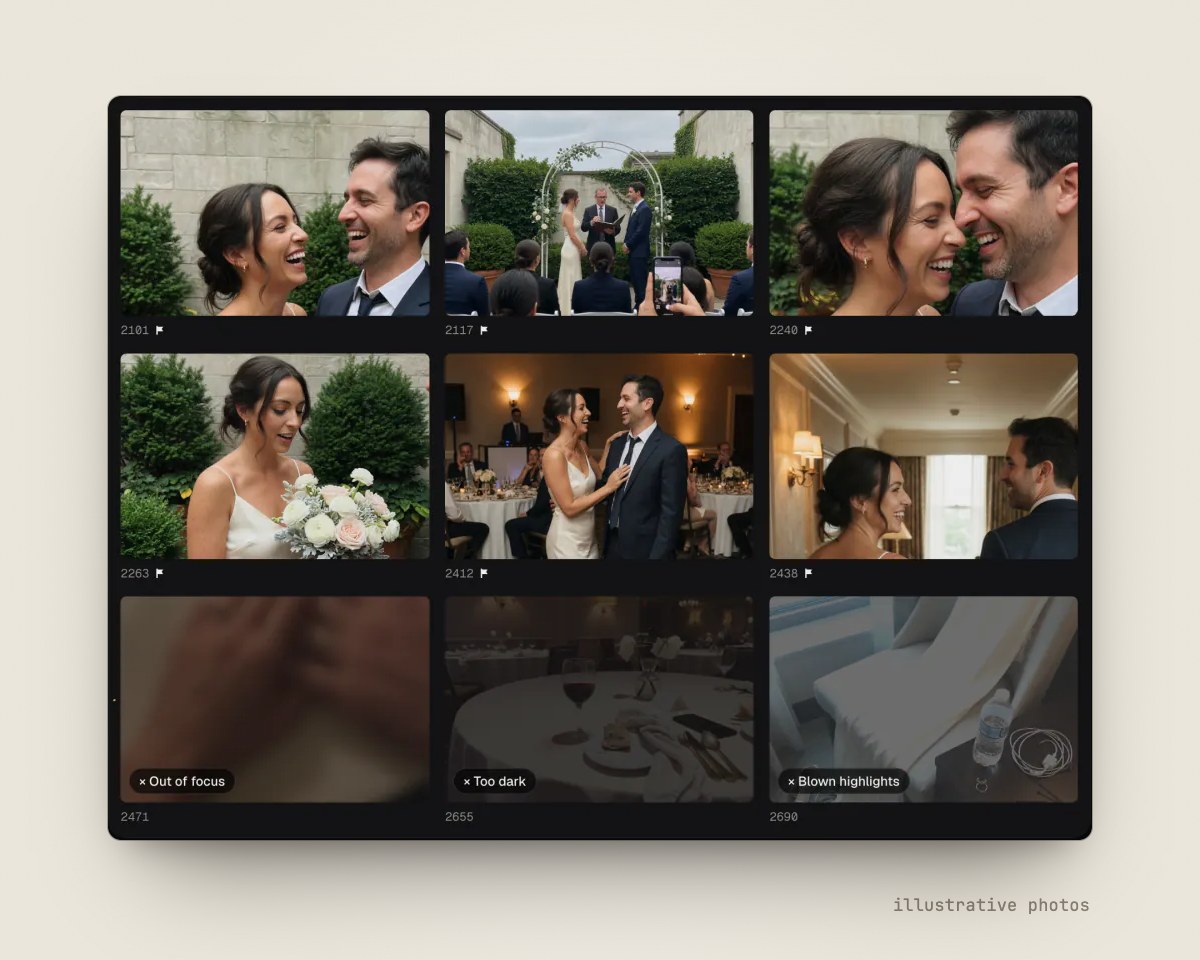
Cull before you finish. Auto-cull reads each photo's preview on your Mac and sets aside blur, closed eyes, bad exposure and the extra frames of a burst. You see every one before it's marked, and Graycard never deletes a file. What Auto-cull sets aside, and why.
Finish the color, and keep it natural. Graycard Auto, Graycard's own color engine, balances faces, tone and color on every keeper, on your Mac. Twelve looks, from Light and airy to Black and white, each have an intensity slider. Lock one white balance across a run shot under mixed light, or copy one photo's look onto the rest.
Export for where the photos are going. For sharing makes 2048-pixel JPEGs in sRGB, with GPS and place names removed, so a photo taken at home doesn't say where home is. Full size keeps every pixel, and Print adds a 16-bit TIFF. Every JPEG carries its color profile. Export settings for sharing explains each choice.
Keys for people in a hurry. Stars, picks and rejects from the keyboard, a studio logo on exports, XMP sidecars with your ratings and white balance, and IPTC credit.
What we left out matters as much. Color changes apply to the whole photo, so there are no masks, no retouching brushes and no lens-profile editor. Graycard finishes a shoot. It doesn't retouch a portrait.
Private, because the photos are rarely only yours
A wedding, a child's birthday, a client's whole day: the photos people bring to Graycard usually belong to other people too. So Graycard never uploads them and has no account. Its analytics is off until you turn it on in Settings, and when it's on, anonymized events go to PostHog in the EU, never photos, folder names or client names. Where your photos go when you use Graycard lists everything it keeps and everything it sends.
What it costs
Every tool is free, and so are your first 80 photos, including exporting them again. Graycard Pro removes the limit for $9.99 a month, $29.99 a year, or $59.99 once, with Family Sharing on every plan. The Mac App Store shows the price in your currency before you buy.