Pressbook 1.3.9: Circles, the Mac, and iPhone Duo
Pressbook 1.3.9 is on the App Store. Since 1.2.8 in August, Pressbook has learned to share both ways, moved onto the Mac, and opened up on iPhone Duo. Design and export still run on your device. The product site is pressbook.app.
Circles, shared both ways
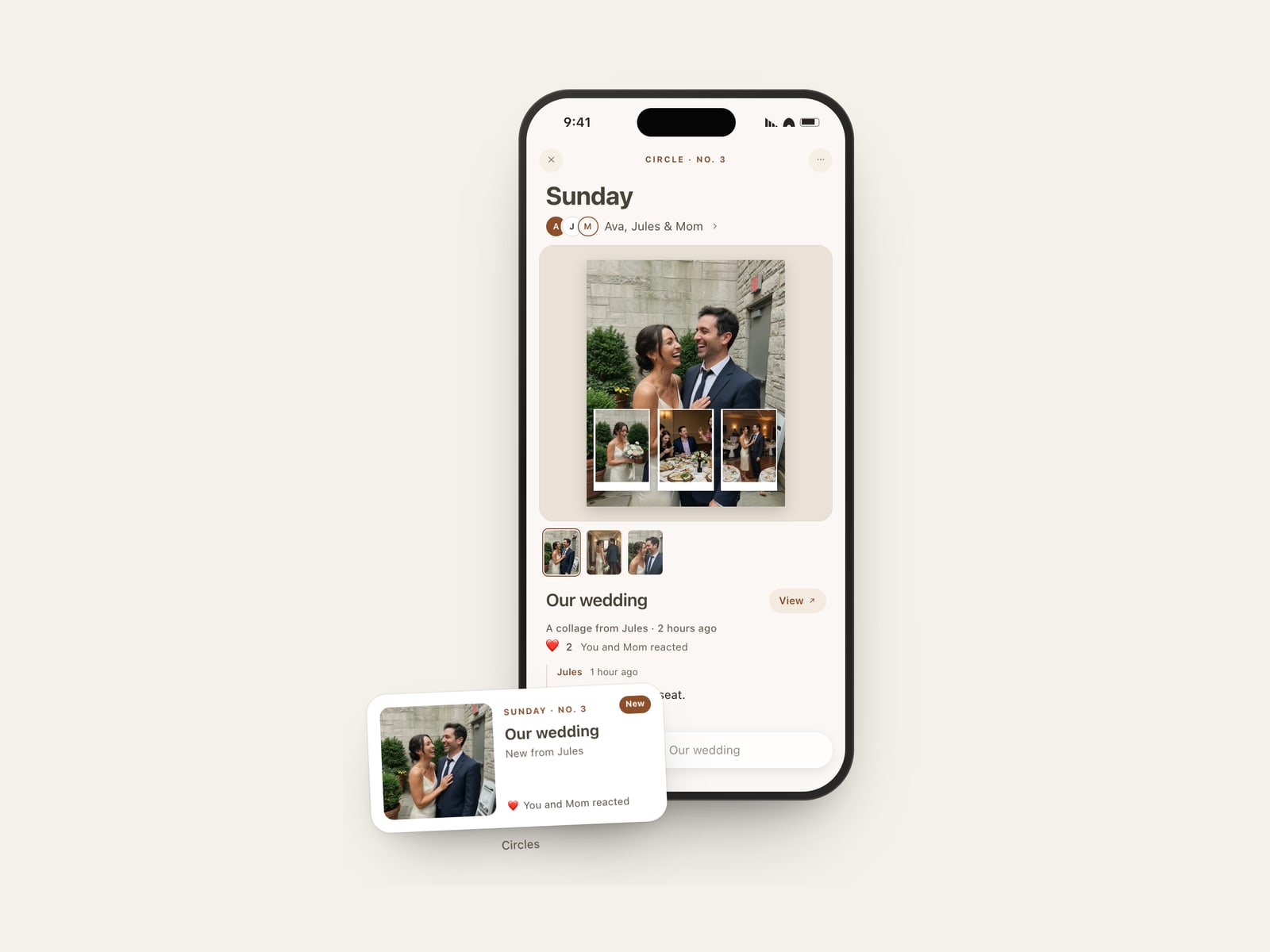
A circle is a private place for a few people. Everyone in it shares albums, collages, and carousels, reacts to pages as they read, and comments. Nothing shared is lost.
- One link, one person. You invite people one at a time, and each link lets one person in. A circle holds up to 100 people, the most iCloud allows on one share.
- Anyone can share. It is not one person's album with guests. Everyone in the circle can add a piece, and everyone sees it.
- Every version stays. Send an update and everyone sees the new version. The one before stays readable.
- On the Home Screen. The Circles widget shows the newest piece from the circle you choose, on iPhone and iPad.
Circles live in a tab on iPhone and iPad and in the sidebar on the Mac, and Share to a circle sits in the Share panel of any finished piece. Only the person who made a circle can invite, rename it, or end it. Anyone can leave.
A circle is kept in its owner's iCloud and shared with the people invited. What people write in it is stored in iCloud's encrypted fields. The invitation is a pressbook.app link that carries the iCloud invitation, so it opens on any device; the circle itself never passes through a Pressbook server. Circles are free for everyone.
Pressbook on the Mac
Pressbook runs on the Mac, macOS 15 and later, from the same App Store listing.
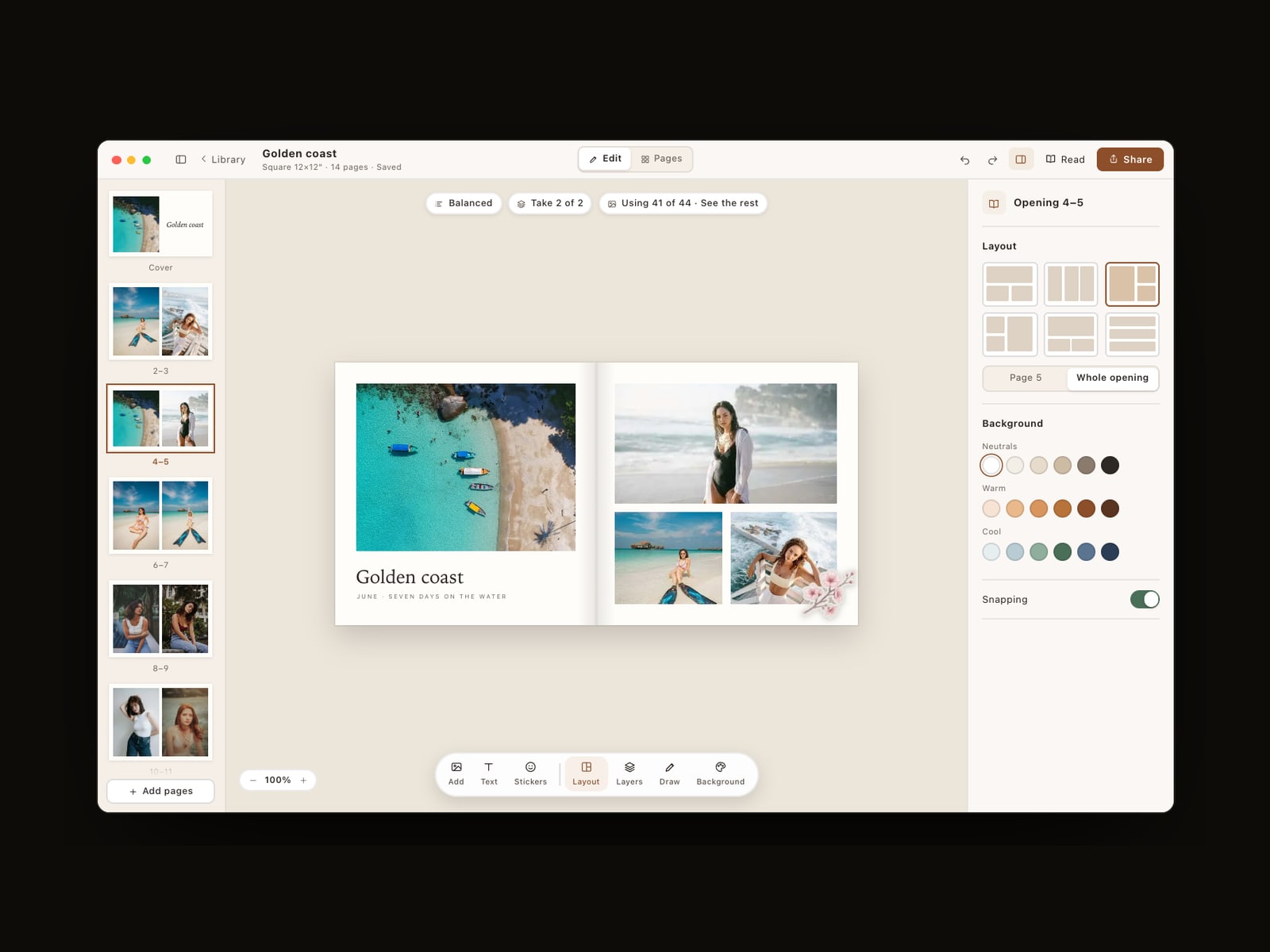
The library gets a sidebar: all projects, albums, collages, and carousels, then Circles, what is shared with you, what you are sharing, and Memory Capsules, then your stickers and export history. Open an album and the tools sit beside the page: the pages run down the left, the inspector sits on the right, and the spread stays in the middle at any window size. Building a collage or carousel fills the screen, and you can rebuild one at Square, 4:5, or 9:16 and keep its shapes, overlays, and the photos you swapped.
- Start from Photos. Select pictures in Apple Photos, then File > Create > Book to start an album in Pressbook, or Other for a collage or carousel. Pressbook opens on the shape and size. Back in Photos, View opens the finished work.
- A real print size. On iPad and Mac, pick Square, Wide, or Tall, then slide to a print size, from a 5-inch square to 18×12 inches. Dimensions and pixels sit on the page while you choose.
- Photos and folders together. Add stills from a folder in Files, then finish from Photos.
- Print and the lab. On iPad and Mac, Print (⌘P) sends the pages to AirPrint. Pro adds a lab package: JPEG spreads and pages in sRGB at 300 DPI, ready for a print lab.
The menus and keyboard reach all of it:
| Shortcut | Action |
|---|---|
| ⌘N | New Album |
| ⇧⌘N | Create Collage |
| ⌥⌘N | Create Carousel |
| ⌘K | Command Palette |
| ⌘F | Search |
| ⌘E | Share |
| ⌘P |
Widgets and Live Activities stay on iPhone and iPad.
Made for iPhone Duo
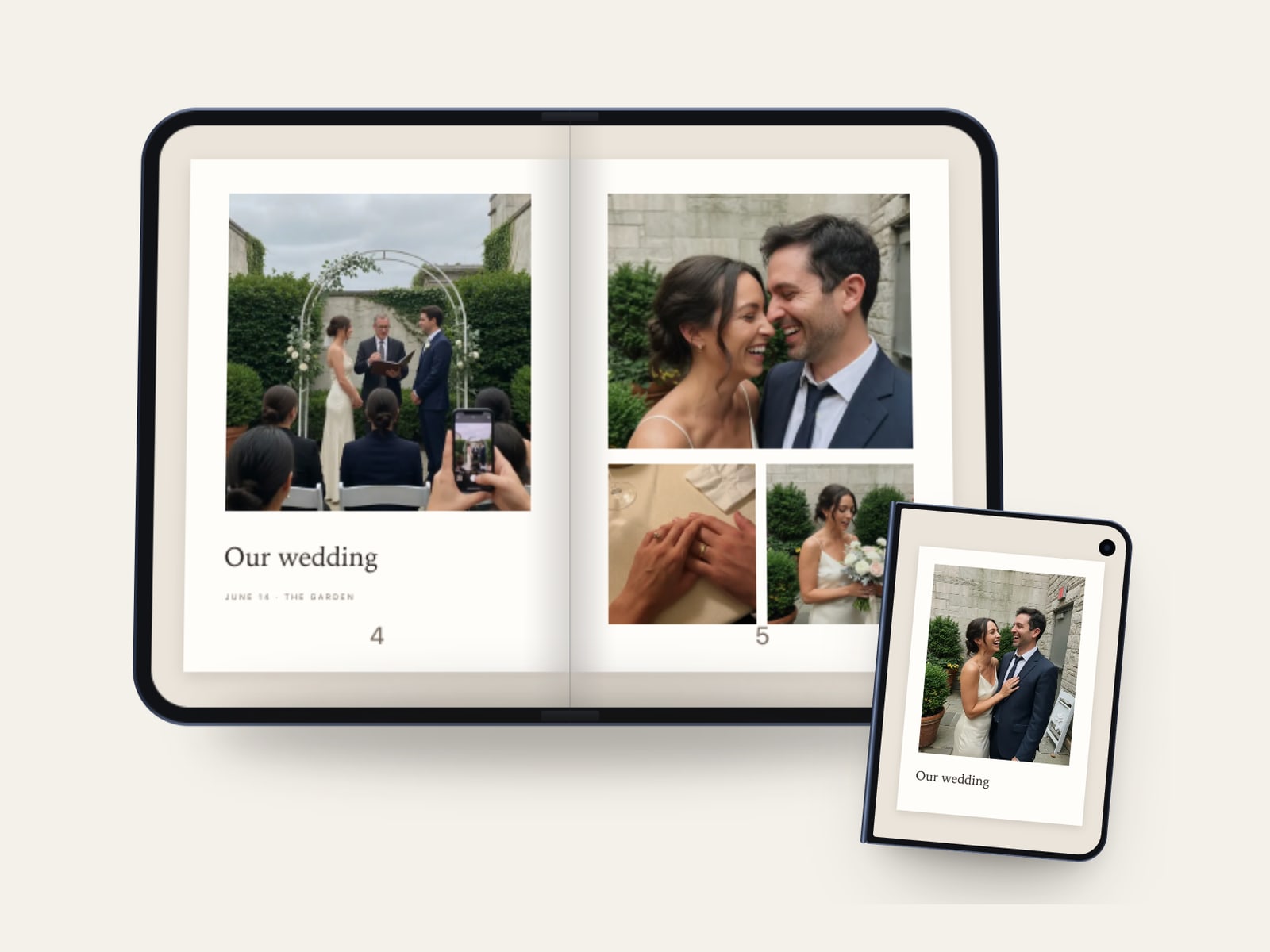
Open iPhone Duo and an album becomes a two-page spread, with the spine on the fold. The gutter shades as you fold the phone, the way a book's does. The library's columns meet at the hinge, the tab bar moves to a side column, and the editor keeps its controls off the fold. Closed, everything fits the outer display, and the same album reads a page at a time.
Also since 1.2.8
- Albums open like a book. An album lifts off its card and the cover swings open onto the first page. Reduce Motion keeps a simple fade.
- A lookbook of layouts. Every collage and carousel layout shows as a large, named preview, grouped by style or photo count.
- A quicker way into an album. Shape and size are in view, Continue goes straight to your photos, and new albums start with your last size and fullness.
- Favorite fonts on top. Long-press a font to pin it above your recents.
- Page sign-off. On a private share, up to two people can approve a page or ask for a change. You see the notes in Changes and reply when you mark one addressed. Public links stay reactions only.
- Private invites, one person each. Every invite is a one-person iCloud link, and you can write a name on a waiting invite. Share opens on people first, with the files underneath.
- Keep going when you leave. On iPhone and iPad, album building stays on the Lock Screen for a short while after you leave the app.
- Faces stay in the picture. New pages keep people in view, and a crop you make yourself is left alone.
- Frames and stamps. Eight camera viewfinders, film strips, Polaroid, and Instax frames, and date stamps in Digital, Stamp, or Film.
- Tips & Tricks. A searchable field guide to every surface, in Settings.
What stays the same
Free still covers every layout, sticker, filter, and font, plus collages, carousels, Reels, Circles, and sharing. Pro still covers albums up to 1,000 photos, Everyday and Archive exports, no watermark, high-quality video, and drawing tools, and now the lab package on iPad and Mac. Albums export PDF, images, or the project file; Reels come from collages and carousels.
Photos are not uploaded to a Pressbook server to design or export. Shared work moves through your iCloud. Analytics stay opt-in and off by default.
Start in Pressbook, or open the product site. Free on the App Store. iPhone and iPad on iOS 18 and later, Mac on macOS 15 and later.
Related: Pressbook on the studio site · 1.2.8: Share, Reels, private or public · 1.2.2: the album engine · Pressbook on Mac · support.