Pressbook for iPhone: Magazine Photo Albums With On-Device AI
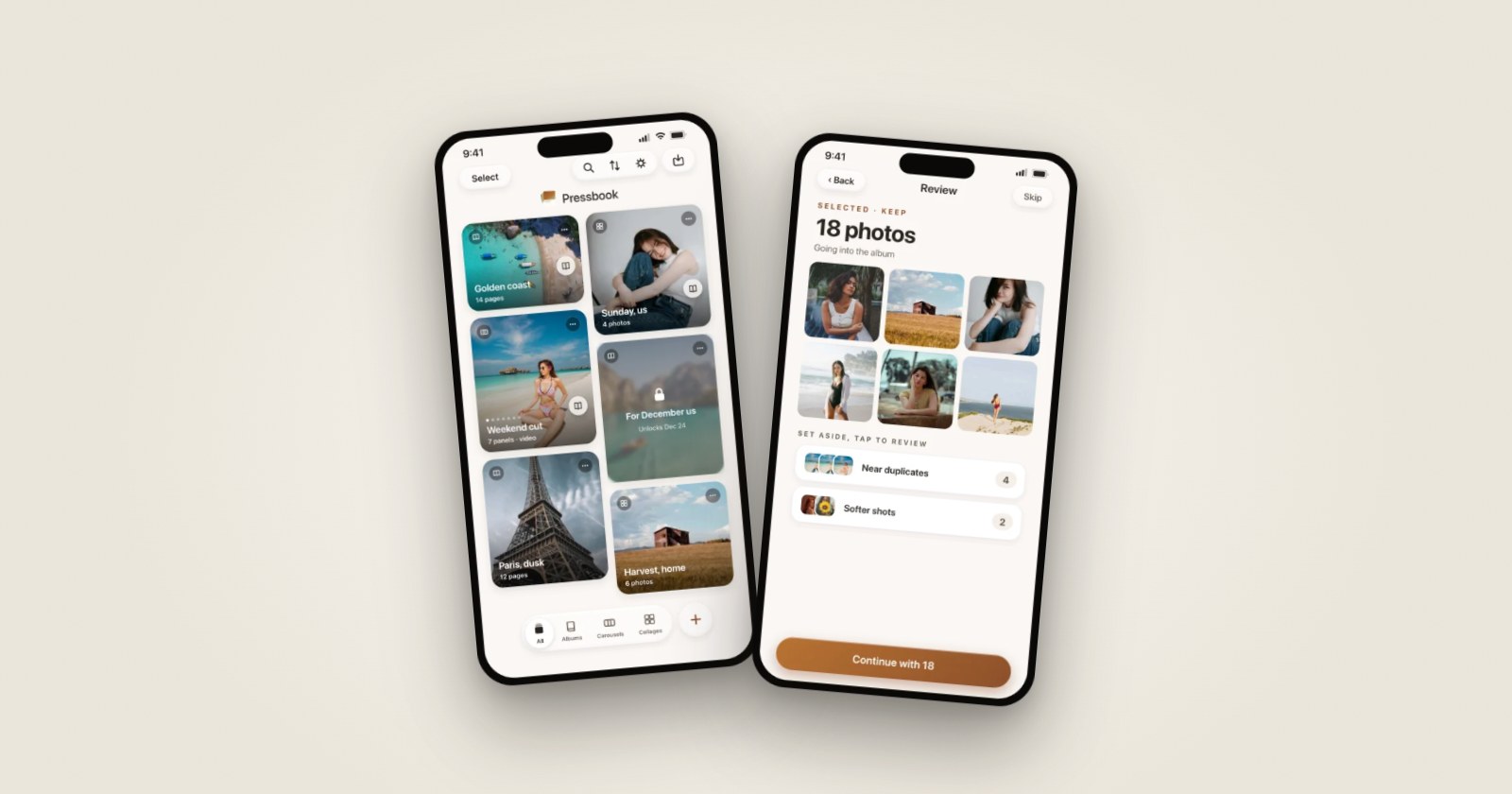
Turn your camera roll into beautiful photo albums on your device, in seconds. Every photo decision, every layout, every caption is computed on the iPhone or iPad already in your hand. Nothing uploads. Nothing waits for a server.
Pressbook v1.0 shipped on the App Store for iPhone and iPad running iOS 18 or later. The product now lives at pressbook.app: create an album, a carousel, or a collage, or read the blog. Universal app, free to start, with subscription and lifetime tiers when you're ready for them. This post covers what was in the launch and why we made the choices we did.
Why now
Photo apps drifted toward cloud-first architectures over the last decade. The pattern became default habit: upload everything, classify it on a server, sync the results back to the device. Album creators, curation tools, and collage apps all adopted it. Your photos travel through storage buckets, replication zones, retention windows, and inference pipelines you can't inspect.
Meanwhile, the phones we carry have Neural Engines capable of real-time computer vision. The iPhone in your pocket can analyze 200 photos in roughly two minutes, locally, while staying cool enough to use. The Vision framework, Foundation Models on iOS 26, and the GPU pipeline behind Core Image are all sitting on hardware most people already own. The infrastructure exists. It's just rarely used.
We asked why. The answers we got were mostly about engineering convenience: cloud is easier to ship, easier to debug, easier to update. Those answers were about developers, not users. So we built Pressbook the other way. The result is an app where every computation runs on hardware you already own, every photo stays on a device you control, and every export produces a file you can hand to any print service without depending on us.
We organized the v1.0 launch around three commitments: curation that respects your time, layouts that look hand-made, and privacy that's structural rather than promotional.
Curation that respects you
Pressbook's curator runs an on-device Vision pipeline against the photos you select. Hand it 10 photos or 200, the same logic applies. The pipeline picks hero shots, scores every image on multiple axes, and assembles the album so it reads like a story rather than a contact sheet. All of this runs without a network connection. Airplane mode changes nothing about how curation works. How Pressbook reads a camera roll and on-device AI photo curation walk through the current pipeline.
We use five Vision requests in concert: aesthetic scoring, face capture quality, face landmark detection, attention-based saliency, and scene classification. Every photo gets a quality score, and every album gets a curation score that blends aesthetic, timeline, and variety signals.
Near-duplicates get folded together so you don't scroll past 14 versions of the same dinner shot. The curator looks at burst groups and visually similar frames, picks the best representative using face capture quality and aesthetic scores, and quietly drops the rest. You see the keeper. The album doesn't repeat itself.
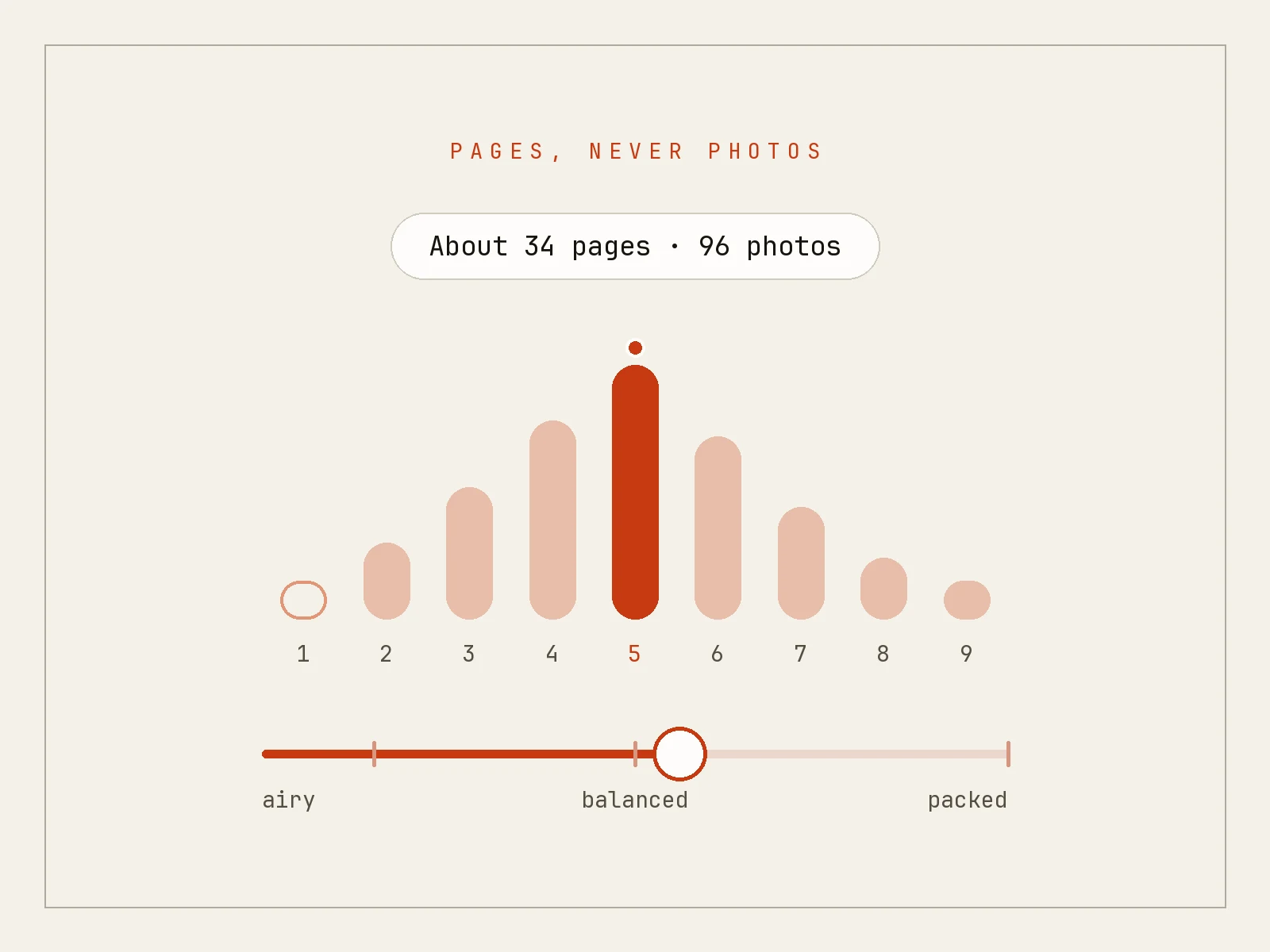
The result is an album that reads like a story rather than a contact sheet. The curator makes thousands of small decisions (which photo from each burst, which scene goes first, how many photos per chapter) and surfaces the output as a finished book you can tweak, not a blank canvas you have to fill.
Chapter organization happens automatically. The curator groups photos by timeline and scene type, so a weekend trip becomes morning beach, afternoon hike, evening dinner, not a single jumbled gallery. The chapter boundaries are soft: photos that belong to the same general time window and scene cluster together, and the transitions between chapters read as natural breaks rather than hard cuts.
The scoring is mixed on purpose. Every photo is evaluated on aesthetic quality, technical sharpness, face capture quality when faces are present, timeline coverage, and variety so a single dominant subject doesn't crowd everything else out. Aesthetic alone would pick technically excellent but emotionally flat photos. Variety alone would pick a diverse but mediocre set. The blend is what makes albums coherent.
Layouts that look hand-made
Pressbook launched with three personalities, three tones, and 216 templates. The catalog is now 259 layouts spanning albums, carousels, and collages. The personalities at launch were Gallery, Editorial, and Collage, each one with a different visual register. Gallery is restrained and grid-leaning. Editorial is hero-driven and magazine-shaped. Collage is denser, more playful, with more overlap between elements. The tones (Light, Warm, Dark) adjust palette and paper feel without changing the layout grammar. Three personalities times three tones gives you nine starting points, and every one of them produces a different album.
Underneath the personalities, four layout styles drive how slots get arranged. Magazine layouts lean hero-heavy: one large image dominates, supporting frames orbit around it. Balanced layouts mix slot sizes evenly across a spread. Narrative layouts work in pairs and triptychs, telling small visual sequences across facing pages. Gallery layouts are grid-heavy, equal-weight slots arranged with precision. Each personality biases toward the layout styles that suit it. Editorial favors magazine and narrative. Gallery favors gallery and balanced. Collage runs the full set with denser packing.
Template selection isn't a uniform pick. Every layout decision draws on six scoring signals: a recency penalty so the same template doesn't recur within a window, category diversity to keep slot counts varied, a freshness bonus that rewards unused templates, three context bonuses that match hero, duo, or grid templates to the photos available, and a weighted-random pick at the end that breaks ties without producing identical sequences. The same album never looks the same way twice.
Most "auto layout" tools produce one of two output styles in disguise: a uniform grid or a uniform magazine spread. Pressbook's bias against repetition keeps every album distinct. Generate the same set of photos twice and you'll get two different albums, both legible, both coherent, neither a clone of the other. If you regenerate after swapping a few photos, the layout adjusts to match the new content.
Privacy that's structural, not promotional
Photos never leave the device. There is no upload path because there is no server to upload to. This is the architecture, not a setting or a tier. The Vision framework runs locally. The Foundation Models framework runs locally. Core Image runs locally. The export pipeline runs locally. There is no fallback path that sends a photo elsewhere when local compute is busy.
Every project file on disk gets iOS Data Protection applied at FileProtectionType.complete. When your phone is locked, those files are unreadable: to other apps, to file system access, and to forensic recovery without the device passcode. We didn't write the encryption; Apple did. We opted every file Pressbook writes into the strongest available tier.
There is no account system. You don't sign in. You don't create a profile. The only persistent identifier in the app is a Keychain-backed install UUID, randomly generated on first launch, with no personal information attached. Its only purpose is to group anonymous analytics events so we can tell whether one user opened the editor twice or two users opened it once. You can disable it in settings.
Analytics in Pressbook run through PostHog with consent gating that defaults to off. Even when consent is granted, every auto-capture surface is disabled: lifecycle events, screen tracking, session replay, interaction capture, error telemetry, surveys, swizzling. What we collect is a small set of explicit funnel events, and even those have file paths and hex IDs stripped before they leave the device.
Privacy you can verify by inspecting what the app does is stronger than privacy that requires trusting a policy. Pressbook's privacy is the first kind.
Pricing, and why lifetime exists
The free tier covers up to 20 photos per album, exports at screen resolution, and includes a watermark. No account required, no trial countdown, no upsell modal between you and the editor. At launch, the free tier runs the curator, the layout library, and the filter and overlay set so you can judge the work before paying: the gates sit on scope (photo count, export resolution, watermark) rather than on the basic experience.
Pro Monthly is $4.99 per month. Pro Yearly is $29.99 per year, which works out to roughly half the monthly price. Pro Lifetime is $79.99, paid once, no recurrence. Those prices still hold on pressbook.app/pricing. All three Pro plans unlock the same set of features: unlimited albums, up to 1,000 photos per album, 600 DPI exports suitable for professional printing, watermark removal, and Apple Pencil drawing on the canvas.
The lifetime tier exists because we expect people to make albums for years. We don't want to charge in perpetuity for what's primarily a creation tool. You pay once, you keep building. It's a different commitment from a subscription. If you'd rather rent the app, monthly and yearly are there. If you'd rather own it, lifetime is there.
Cancellation lives where Apple puts it: in your iOS Settings, under Subscriptions. Pressbook doesn't run upsell modals, doesn't gate basic features behind dark patterns, and doesn't try to retain you with a five-step cancellation flow. Stop paying when you want to stop paying.
Get the app
Pressbook still ships with privacy by architecture, curation by Vision, and layouts by craft. Every one of those is something you can verify by using the app: watching the curation finish offline, exporting a 600 DPI PDF without an account, running the app in airplane mode and noticing nothing breaks.
It's a universal app: a single purchase covers iPhone and iPad. No separate iPad version, no per-device subscription, no account that needs to stay in sync. Project files live as .pressbook documents you can AirDrop, save to Files, or hand off through whichever sync service you already trust. We don't need to be in that loop. iCloud Drive, Dropbox, Google Drive, or a USB cable all work the same way.
Where Pressbook lives now
The product site is pressbook.app. That is the home for the app, pricing, support, privacy, and the blog.
Start from there:
- Make a photo book on iPhone
- Make an Instagram carousel
- Quick collage layouts
- On-device vs cloud photo book apps
Download Pressbook on the App Store, or start your first album to jump straight in. If you want the philosophy behind it, Why we built SideSwipe Labs covers the conviction that shaped every decision in the app.
Make something worth keeping.