Pressbook 1.2.1: Live Layout Previews for Collages and Carousels
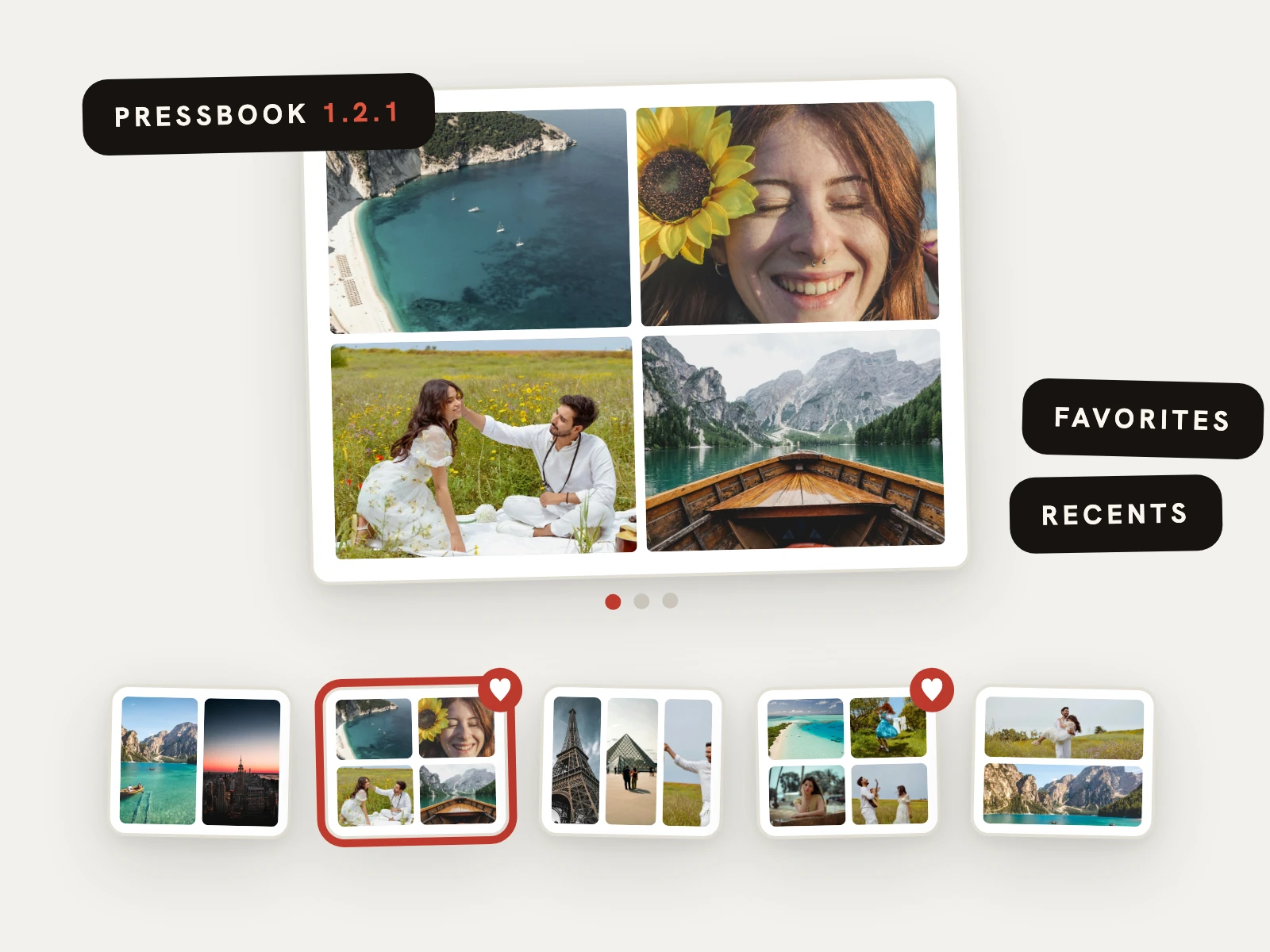
Pressbook 1.2.1 is on the App Store. The headline change is the layout picker for collages and carousels: a large live preview so you see the real layout before you commit, instead of guessing from tiny wireframes. The update also brings favorites and recents, recolorable doodle stickers, two new sticker packs, and finer control in the editor. Like everything in Pressbook, all of it runs on your device. The product site is pressbook.app.
See the layout, not a diagram
Creating a carousel or collage used to mean reading small wireframes and imagining the result. Now creation opens on a big live preview, rendered by the same engine that draws your finished page. Swipe through the panels, switch the size or the photo count, and the preview updates in place. A filmstrip of every layout runs underneath, so browsing the whole catalog is one thumb motion. How-tos: make an Instagram carousel and quick collage layouts.
The preview is not an illustration of the page. It is the page. What you pick is exactly what you get, down to the crop framing.
Favorites, recents, and your last setup
Tap the heart on any layout to keep it at the front of the filmstrip. Pressbook also remembers the layouts you used recently and the setup you used last time, so making the next carousel in the same style takes two taps. If you post a weekly set, this is the update that removes the ritual.
Doodles in any color, and 573 stickers
The hand-drawn white doodle stickers now take any color. Select one, tap the color chip, and the line art tints to whatever suits the page. It works everywhere doodles do, from a quiet cream arrow to a red scribble that matches a title.
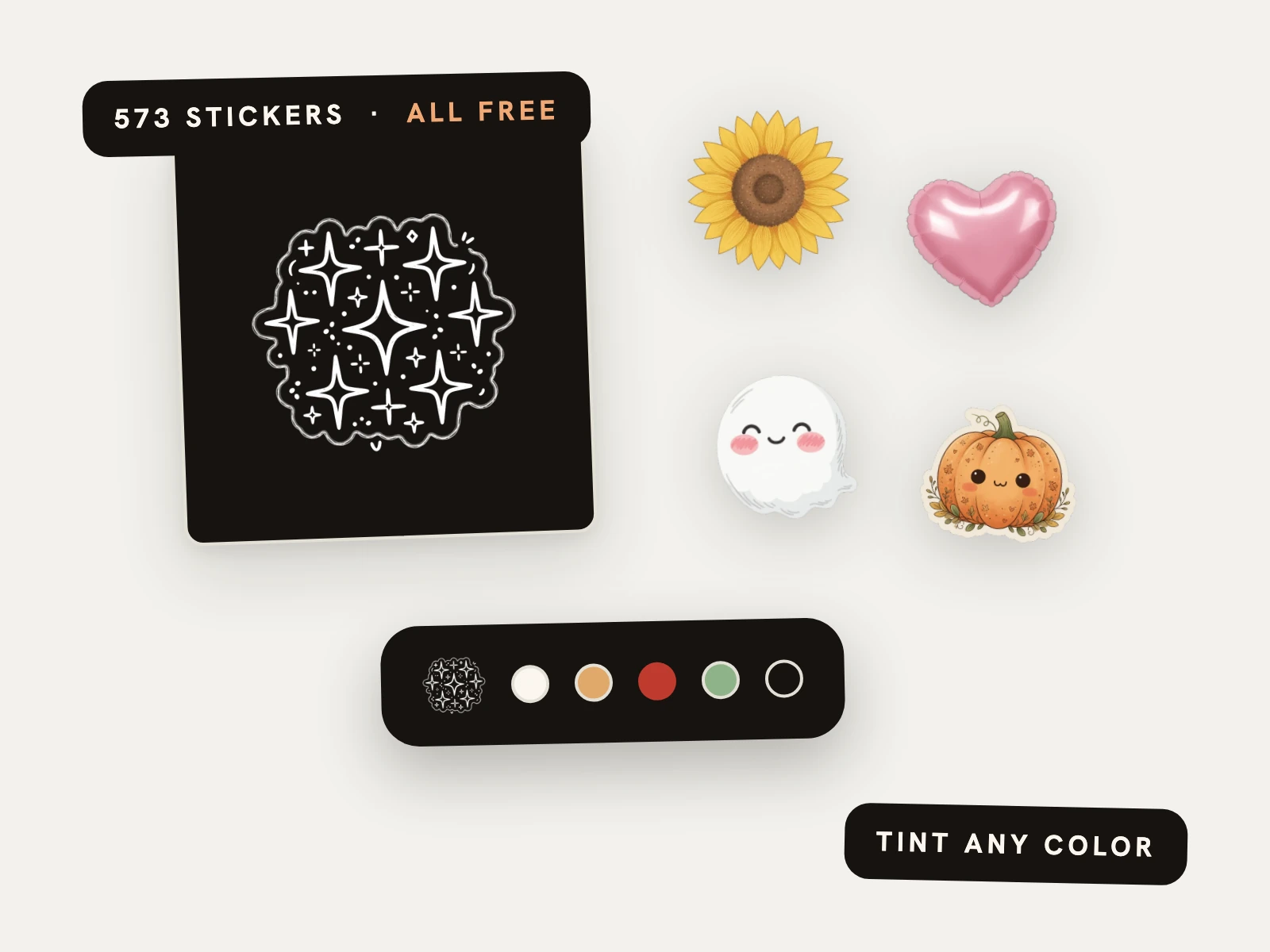
Two new packs, Celebration and Lifestyle, add over 100 new hand-drawn doodles, bringing the built-in library at 1.2.1 to 573 stickers. The library is now 593 stickers, all free, alongside stickers cut from your own photos and animated stickers. See turn any photo into a sticker and the collage how-to.
Finer control in the editor
Photos on the canvas now have edge handles, so you can resize one side at a time instead of scaling the whole frame. And cropped photos behave the way you expect: dragging outward first reveals more of the original picture, and only zooms once there is nothing left to reveal. Smart guides still snap as you drag.
Quiet improvements
The rest of the update is polish: cleaner panels in the editor, better VoiceOver labels, steadier motion for people who prefer reduced motion, and fixes across the app. The kind of work you notice as an absence of friction.
On your device, as always
Nothing in 1.2.1 changes the architecture. Curation still runs on the Vision framework on your phone, layouts still render locally, and your photos still never leave the device. If you are new to what that means in practice, start with how to make a photo book on iPhone.
Start an album in Pressbook, make a carousel or collage, or open the product site. Free on the App Store. iPhone and iPad, iOS 18 and up. Related: 1.2.2 album engine · blog · support.